Cloudron makes it easy to run web apps like WordPress, Nextcloud, GitLab on your server. Find out more or install now.


Skip to content
  • Categories
  • Recent
  • Tags
  • Popular
  • Bookmarks
  • Search
Skins
  • Light
  • Brite
  • Cerulean
  • Cosmo
  • Flatly
  • Journal
  • Litera
  • Lumen
  • Lux
  • Materia
  • Minty
  • Morph
  • Pulse
  • Sandstone
  • Simplex
  • Sketchy
  • Spacelab
  • United
  • Yeti
  • Zephyr
  • Dark
  • Cyborg
  • Darkly
  • Quartz
  • Slate
  • Solar
  • Superhero
  • Vapor

  • Default (No Skin)
  • No Skin
Collapse
Brand Logo

Cloudron Forum

Offical apps | Community apps | Demo | Docs | Install
  1. Cloudron Forum
  2. Invoice Ninja
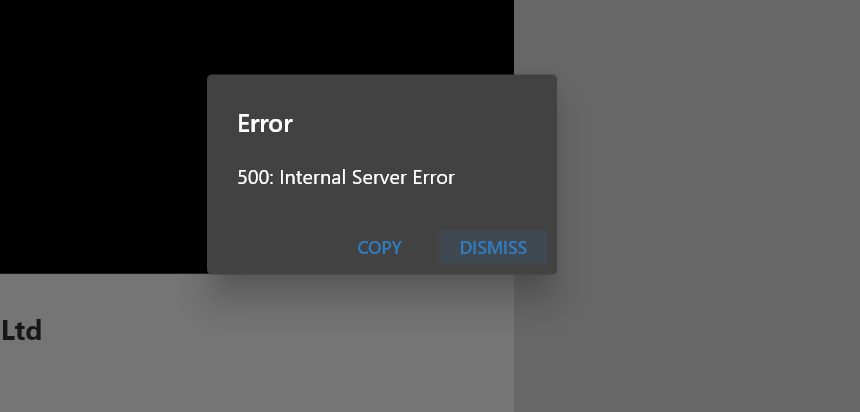
  3. Invoice ninja server 500 internal error

Invoice ninja server 500 internal error
Scheduled Pinned Locked Moved Solved Invoice Ninja
51 Posts 9 Posters 14.6k Views 11 Watching
  • Oldest to Newest
  • Newest to Oldest
  • Most Votes
Reply
  • Reply as topic
Log in to reply
This topic has been deleted. Only users with topic management privileges can see it.
  • nebulonN nebulon

    @luckow maybe good to report this password trimming upstream. Great catch and unlikely it gets detected by the devs on their own.

    luckowL
    luckowL
    luckow
    translator
    wrote on last edited by
    #34

    @nebulon I will try three more times to be sure the leading space is the problem. After hours of trillions of IN instances and attempts, my eyes feel square.

    Pronouns: he/him | Primary language: German

    1 Reply Last reply
    1
    • vladimir.dV
      vladimir.dV
      vladimir.d
      wrote on last edited by
      #35

      @luckow could you try to switch Attach PDF option off on IN dashboard > settings > Advanced Settings > Email Settings and then try to send an email?

      v1.14.2 seems to be sending emails properly whilst Attach PDF is off.
      I'm investigating it further now.

      humptyH 1 Reply Last reply
      2
      • vladimir.dV vladimir.d

        @luckow could you try to switch Attach PDF option off on IN dashboard > settings > Advanced Settings > Email Settings and then try to send an email?

        v1.14.2 seems to be sending emails properly whilst Attach PDF is off.
        I'm investigating it further now.

        humptyH
        humptyH
        humpty
        wrote on last edited by
        #36

        @vladimir-d I can confirm that the emails get delivered if attach pdf is off. I deleted PDF_GENERATOR=hosted_ninja from the env file and restarted the app before testing. I'm on the lastest IN 1.14.2.

        1 Reply Last reply
        0
        • vladimir.dV
          vladimir.dV
          vladimir.d
          wrote on last edited by
          #37

          The problem with sending emails has been fixed. A new app package is going to be released soon.

          1 Reply Last reply
          3
          • nebulonN nebulon

            @luckow maybe good to report this password trimming upstream. Great catch and unlikely it gets detected by the devs on their own.

            luckowL
            luckowL
            luckow
            translator
            wrote on last edited by
            #38

            @nebulon fixed https://github.com/invoiceninja/invoiceninja/pull/9703

            Pronouns: he/him | Primary language: German

            1 Reply Last reply
            2
            • humptyH
              humptyH
              humpty
              wrote on last edited by
              #39

              Well done @luckow @vladimir-d 👏

              1 Reply Last reply
              0
              • girishG
                girishG
                girish
                Staff
                wrote on last edited by
                #40

                Thanks! New package published.

                1 Reply Last reply
                1
                • A
                  A
                  AartJansen
                  wrote on last edited by
                  #41

                  so the end result is pdf generation & emails (with PDFs) now work without the added PDF_GENERATOR line ?

                  humptyH 1 Reply Last reply
                  0
                  • A AartJansen

                    so the end result is pdf generation & emails (with PDFs) now work without the added PDF_GENERATOR line ?

                    humptyH
                    humptyH
                    humpty
                    wrote on last edited by
                    #42

                    @AartJansen correct!

                    1 Reply Last reply
                    0
                    • nebulonN nebulon marked this topic as a question on
                    • nebulonN nebulon has marked this topic as solved on
                    • d19dotcaD
                      d19dotcaD
                      d19dotca
                      wrote on last edited by
                      #43

                      Interestingly I just ran across this issue. I was able to fix it by simply adding in the following: PDF_GENERATOR=snappdf

                      Odd though as I see others didn't get that working and needed a value of hosted_ninja instead of snappdf. So YMMV as they say. 🙂

                      --
                      Dustin Dauncey
                      www.d19.ca

                      humptyH 1 Reply Last reply
                      0
                      • d19dotcaD d19dotca

                        Interestingly I just ran across this issue. I was able to fix it by simply adding in the following: PDF_GENERATOR=snappdf

                        Odd though as I see others didn't get that working and needed a value of hosted_ninja instead of snappdf. So YMMV as they say. 🙂

                        humptyH
                        humptyH
                        humpty
                        wrote on last edited by
                        #44

                        @d19dotca take a look at this thread as the env has some major changes, simply adding those lines brings an existing app up to par with a fresh install https://forum.cloudron.io/topic/13069/not-creating-pdfs-after-updates/25

                        Look for Girish’s latest post in there

                        1 Reply Last reply
                        0
                        • d19dotcaD
                          d19dotcaD
                          d19dotca
                          wrote on last edited by
                          #45

                          Yeah it makes me concerned that the package updates got messed up somewhere along the way to have duplicated some content in the ENV and remove others, but at least it’s an easy fix (manually). 🙂

                          --
                          Dustin Dauncey
                          www.d19.ca

                          1 Reply Last reply
                          2
                          • E
                            E
                            Esteban88
                            wrote on last edited by
                            #46

                            Hi, I have the same problem and it is not solved after the updates.

                            Check the screenshots:
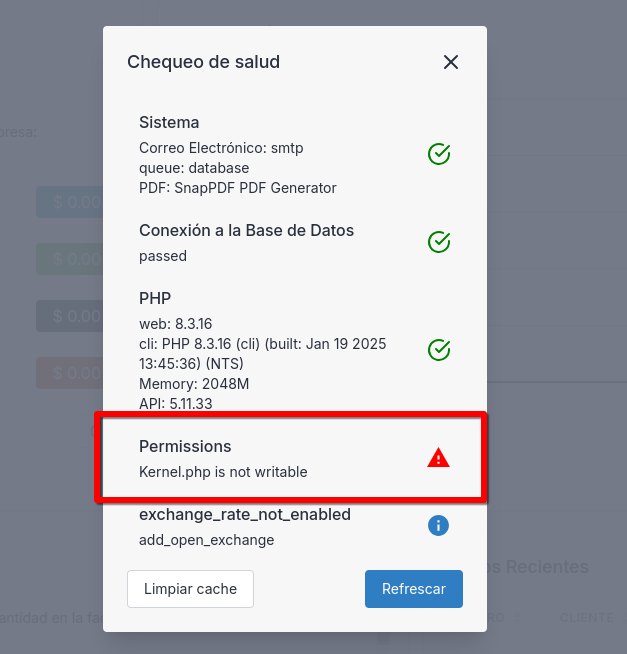
                            Captura de pantalla_20250129_111706.png Captura de pantalla_20250129_111638.png

                            The question is how do I give permissions? I don't have a way to edit by commands, right?

                            J 1 Reply Last reply
                            1
                            • E Esteban88

                              Hi, I have the same problem and it is not solved after the updates.

                              Check the screenshots:
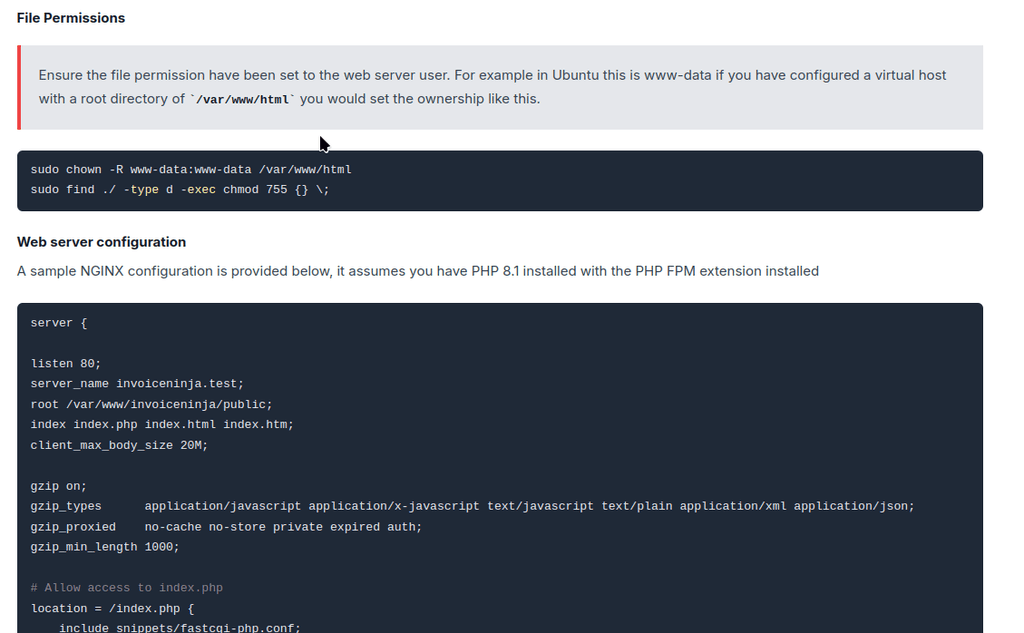
                              Captura de pantalla_20250129_111706.png Captura de pantalla_20250129_111638.png

                              The question is how do I give permissions? I don't have a way to edit by commands, right?

                              J
                              J
                              joseph
                              Staff
                              wrote on last edited by
                              #47

                              @Esteban88 kernel.php not being writable is fine. On Cloudron, app code is readonly. This is for security. Per your screenshot, your PDF settings seem OK. You are unable to generate PDFs?

                              1 Reply Last reply
                              0
                              • E
                                E
                                Esteban88
                                wrote on last edited by
                                #48

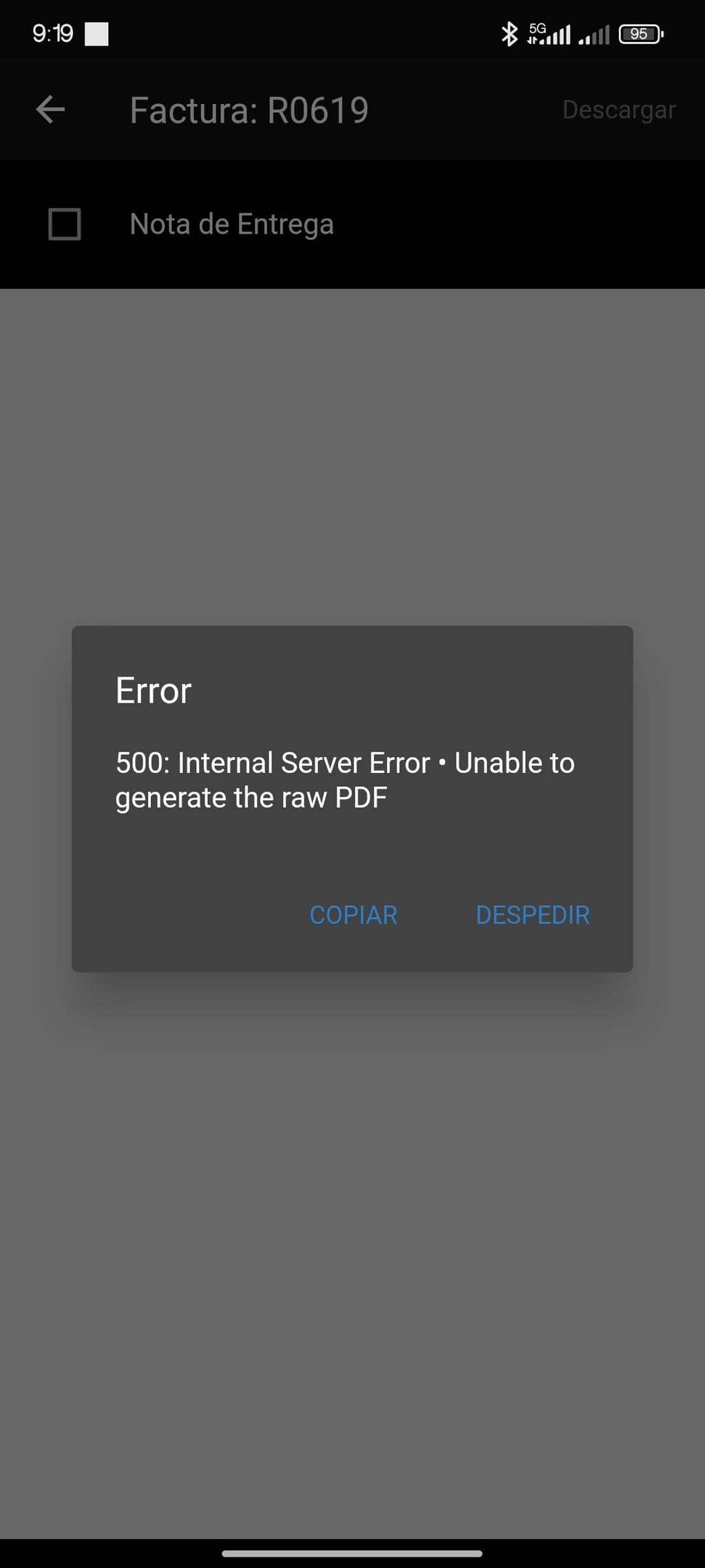
                                Hi @joseph, it does not generate the PDF, I show you the error.

                                1738162457891.jpg

                                J 1 Reply Last reply
                                0
                                • E Esteban88

                                  Hi @joseph, it does not generate the PDF, I show you the error.

                                  1738162457891.jpg

                                  J
                                  J
                                  joseph
                                  Staff
                                  wrote on last edited by joseph
                                  #49

                                  @Esteban88 see this thread - https://forum.cloudron.io/topic/13069/not-creating-pdfs-after-updates/18 . Can you check the env variables and respond in that thread if it doesn't work?

                                  1 Reply Last reply
                                  0
                                  • E
                                    E
                                    Esteban88
                                    wrote on last edited by Esteban88
                                    #50

                                    Thanks! I had the pdf generator disabled.

                                    I changed the line:

                                    phantomjs_pdf_generation:false
                                    to
                                    phantomjs_pdf_generation:true

                                    1 Reply Last reply
                                    2
                                    • A
                                      A
                                      AartJansen
                                      wrote on last edited by
                                      #51

                                      Just to FYI, when I used phantomjs the pdfs would preview in app, and send email, but the receiver would not be able to view the pdf.
                                      I had to use

                                      PDF_GENERATOR=snappdf
                                      SNAPPDF_CHROMIUM_PATH=/usr/bin/google-chrome-stable
                                      

                                      to get proper functionality back.
                                      1 Reply Last reply
                                      2

                                      Hello! It looks like you're interested in this conversation, but you don't have an account yet.

                                      Getting fed up of having to scroll through the same posts each visit? When you register for an account, you'll always come back to exactly where you were before, and choose to be notified of new replies (either via email, or push notification). You'll also be able to save bookmarks and upvote posts to show your appreciation to other community members.

                                      With your input, this post could be even better 💗

                                      Register Login
                                      Reply
                                      • Reply as topic
                                      Log in to reply
                                      • Oldest to Newest
                                      • Newest to Oldest
                                      • Most Votes


                                      • Login

                                      • Don't have an account? Register

                                      • Login or register to search.
                                      • First post
                                        Last post
                                      0
                                      • Categories
                                      • Recent
                                      • Tags
                                      • Popular
                                      • Bookmarks
                                      • Search