
-
-
-

Contact me if you'd like some help. -
Contact me if you'd like some help.@BrutalBirdie What do you need to help me with this?
-
A good description on what you are trying to get working.
a solution to easily install the @qdrant/js-client-rest API on my Cloudron server
To do what exactly? Run this js-client-rest as a service to react to stuff or just to code some stuff?
-
 WARNING
 Since this is outside the normal Cloudron use-case no support can be guaranteed if something goes wrong.
Make sure your backup is working.
I looked into it, even though I have no idea what Qdrant is or how I use it

If you want to use the Qdrant Container with a Cloudron app e.g. N8N you need to run the container with the cloudron network.Running the Qdrant container temporary with
--rm.
Use-itdto run in daemon mode and remove--rmif you want this container to be persistent.
Don't run the container with-p 6333:6333this exposed the port to0.0.0.0aka. the whole internet!docker run -it --network=cloudron --rm --name "qdrant-server" qdrant/qdrantGetting the IP of this container:
docker inspect -f '{{range.NetworkSettings.Networks}}{{.IPAddress}}{{end}}' qdrant-servergot me:
172.18.0.2I can run curl and get:
curl -k 172.18.0.2:6333
{"title":"qdrant - vector search engine","version":"1.15.1","commit":"af7ab5b192f01c9d9cd7fff119eab2ae73755cc0"}
Now as an example, N8N allows installing custom node modules https://docs.cloudron.io/packages/n8n/#custom-node-modules
I added the mentioned client like this:export EXTRA_NODE_MODULES="@qdrant/js-client-rest@1.15.0" export NODE_FUNCTION_ALLOW_EXTERNAL="@qdrant/js-client-rest"restart n8n.
Now inside N8N I can just add a code block and put my JavaScript in there:
const SERVER = "172.18.0.2"

const { QdrantClient } = require('@qdrant/js-client-rest');
const client = new QdrantClient({ url: `http://${SERVER}:6333` });

async function GetCollections() {
  try {
    let collections = await client.getCollections();
    return collections;
  } catch (error) {
    return { error: error.message };
  }
}

async function getVersion() {
  try{
    let version = await client.versionInfo();
    return version;
  } catch (error) {
    return { error: error.message };
  }
}

// return await GetCollections();
return await getVersion();
and I get:
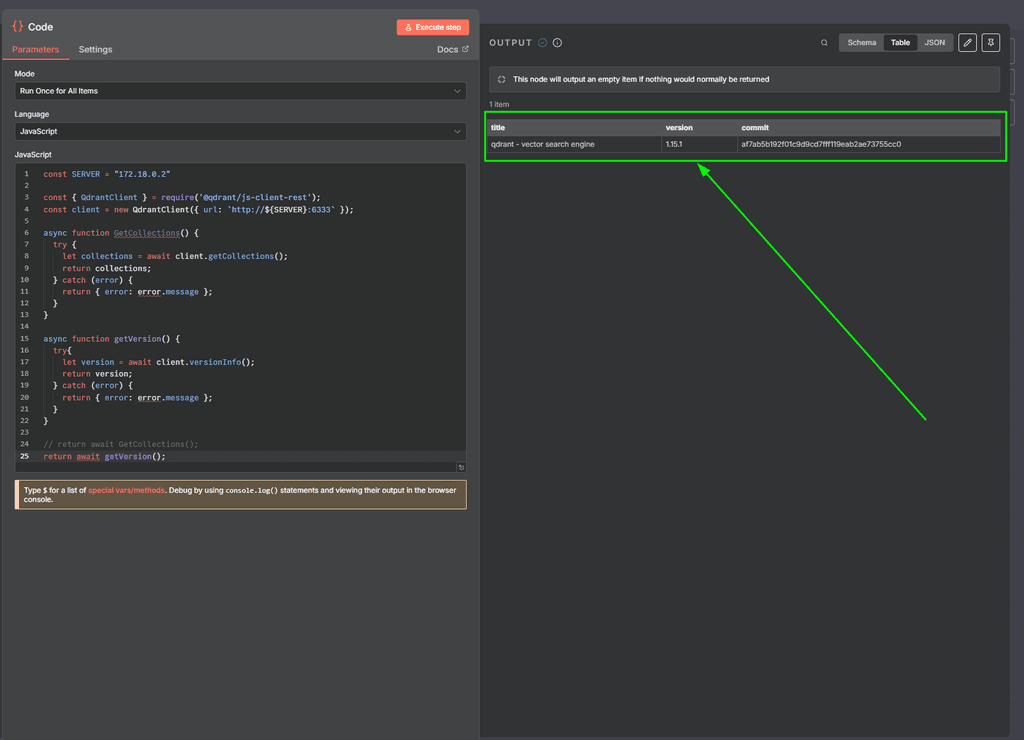
which looks good to me since the default curl also reported:
{"title":"qdrant - vector search engine","version":"1.15.1","commit":"af7ab5b192f01c9d9cd7fff119eab2ae73755cc0"}and I can even see the call in the docker container terminal if I run the
GetCollectionsfunction:docker run -it --network=cloudron --rm --name "qdrant-server" qdrant/qdrant _ _ __ _ __| |_ __ __ _ _ __ | |_ / _` |/ _` | '__/ _` | '_ \| __| | (_| | (_| | | | (_| | | | | |_ \__, |\__,_|_| \__,_|_| |_|\__| |_| Version: 1.15.1, build: af7ab5b1 Access web UI at http://localhost:6333/dashboard 2025-08-05T19:08:04.285657Z WARN qdrant: There is a potential issue with the filesystem for storage path ./storage. Details: Container filesystem detected - storage might be lost with container re-creation 2025-08-05T19:08:04.285702Z INFO storage::content_manager::consensus::persistent: Initializing new raft state at ./storage/raft_state.json 2025-08-05T19:08:04.290017Z INFO qdrant: Distributed mode disabled 2025-08-05T19:08:04.290424Z INFO qdrant: Telemetry reporting enabled, id: f03604a7-74f7-4a50-aa96-5d13be41e0a3 2025-08-05T19:08:04.291054Z INFO qdrant: Inference service is not configured. 2025-08-05T19:08:04.292258Z INFO qdrant::actix: TLS disabled for REST API 2025-08-05T19:08:04.292311Z INFO qdrant::actix: Qdrant HTTP listening on 6333 2025-08-05T19:08:04.292323Z INFO actix_server::builder: starting 1 workers 2025-08-05T19:08:04.292337Z INFO actix_server::server: Actix runtime found; starting in Actix runtime 2025-08-05T19:08:04.292342Z INFO actix_server::server: starting service: "actix-web-service-0.0.0.0:6333", workers: 1, listening on: 0.0.0.0:6333 2025-08-05T19:08:04.300951Z INFO qdrant::tonic: Qdrant gRPC listening on 6334 2025-08-05T19:08:04.300973Z INFO qdrant::tonic: TLS disabled for gRPC API 2025-08-05T19:10:06.791834Z INFO actix_web::middleware::logger: 172.18.0.1 "GET /collections HTTP/1.1" 200 82 "-" "qdrant-js/1.15.0" 0.000218You could even connect to your Cloudron Server with a local port forward to access the Qdrant Server locally by connecting like this:
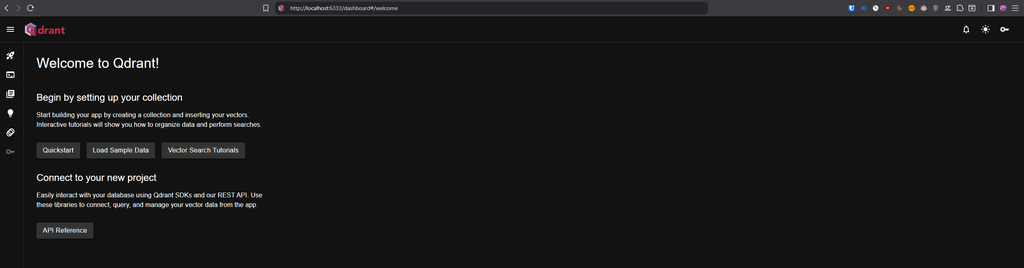
ssh -L 6333:172.18.0.2:6333 root@my.DOMAIN.TLDThen I can access http://localhost:6333/dashboard#/welcome
I even exported you the N8N flow that can be imported:
{
  "name": "Qdrant-Client-Demo",
  "nodes": [
    {
      "parameters": {},
      "type": "n8n-nodes-base.manualTrigger",
      "typeVersion": 1,
      "position": [
        0,
        0
      ],
      "id": "007bf3f7-a515-4ce5-9b4f-bd09854f5aaf",
      "name": "When clicking ‘Execute workflow’"
    },
    {
      "parameters": {
        "jsCode": "const SERVER = \"172.18.0.2\"\n\nconst { QdrantClient } = require('@qdrant/js-client-rest');\nconst client = new QdrantClient({ url: `http://${SERVER}:6333` });\n\nasync function GetCollections() {\n  try {\n    let collections = await client.getCollections();\n    return collections;\n  } catch (error) {\n    return { error: error.message };\n  }\n}\n\nasync function getVersion() {\n  try{\n    let version = await client.versionInfo();\n    return version;\n  } catch (error) {\n    return { error: error.message };\n  }\n}\n\nreturn await GetCollections();\nreturn await getVersion();"
      },
      "type": "n8n-nodes-base.code",
      "typeVersion": 2,
      "position": [
        208,
        0
      ],
      "id": "07ff8a21-2b41-4807-9877-852bd3ba6dd3",
      "name": "Code",
      "alwaysOutputData": true
    }
  ],
  "pinData": {},
  "connections": {
    "When clicking ‘Execute workflow’": {
      "main": [
        [
          {
            "node": "Code",
            "type": "main",
            "index": 0
          }
        ]
      ]
    }
  },
  "active": false,
  "settings": {
    "executionOrder": "v1"
  },
  "versionId": "77088952-cdd7-4c25-b997-17e796579d9f",
  "meta": {
    "instanceId": "1b29197382aed7f000c929541e52ecd53138f43371fbaa4d95c7faf000a6bce1"
  },
  "id": "Cmp1AW4jMQvJk3sK",
  "tags": []
}
My normal hourly rate is between €80 and €120 so:
Leave me a generous tip https://ko-fi.com/brutalbirdie
 -
After writing this I realized N8N even has a Qdrant module

https://qdrant.tech/documentation/platforms/n8n/With that, I can simply add the URL:
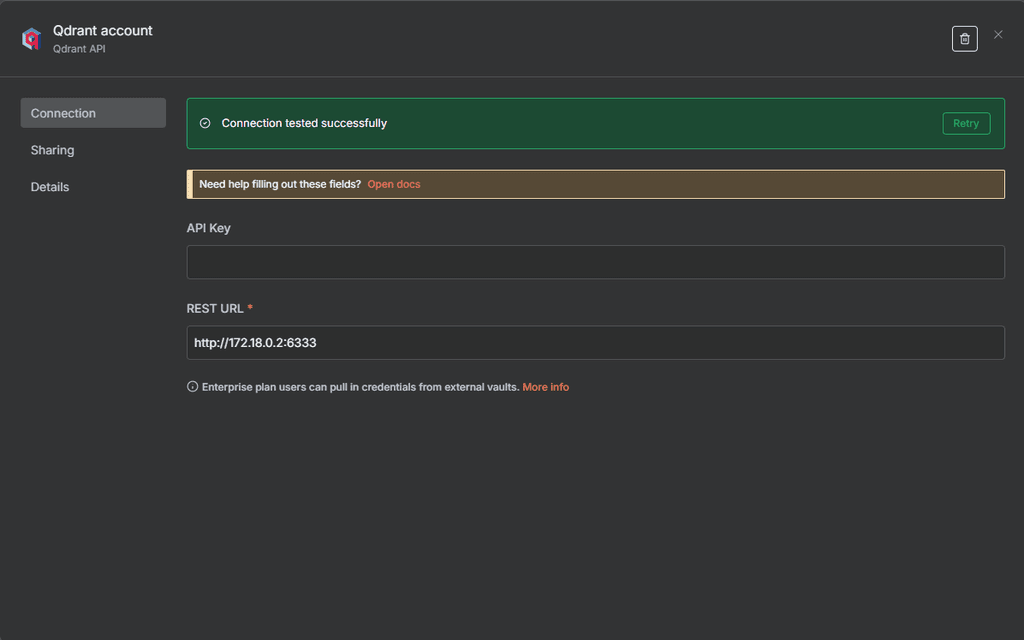
and run the module:
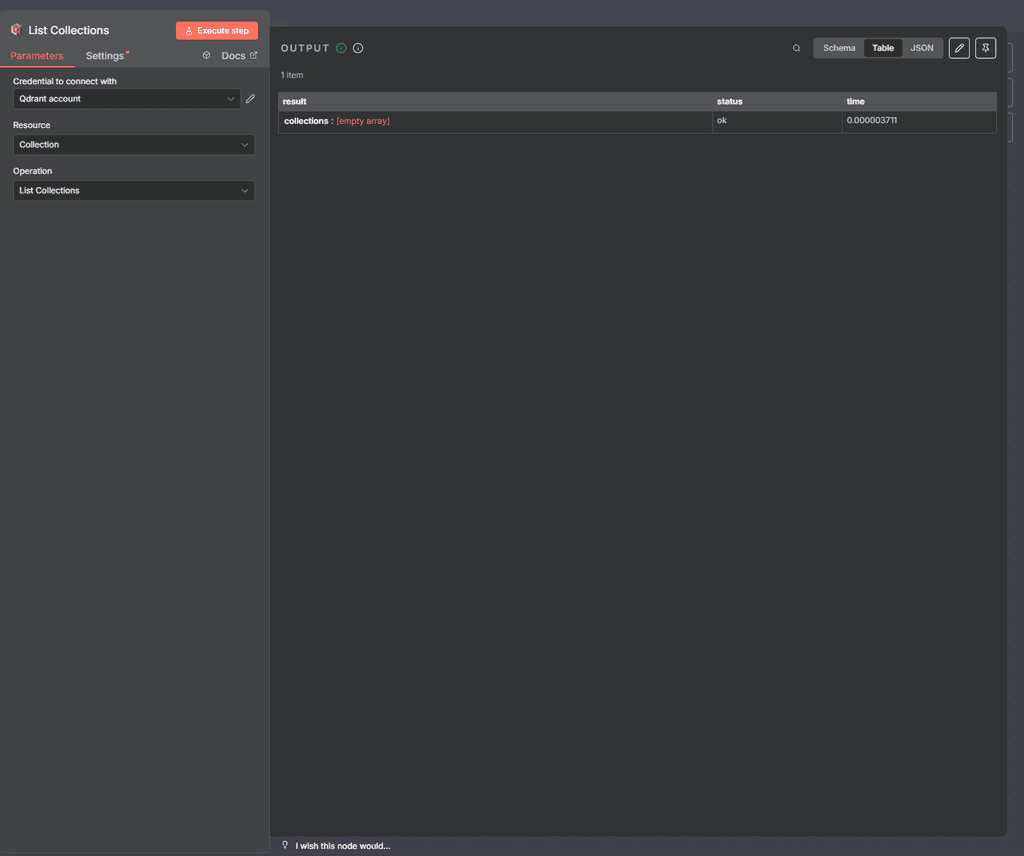
or any of these:
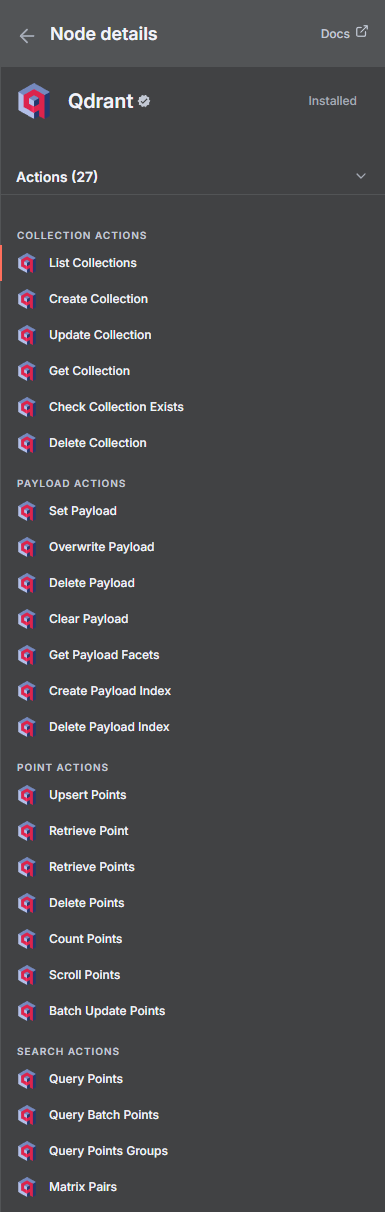
But since you asked specifically for
@qdrant/js-client-restmy post before still holds up
-
J joseph moved this topic from Support on
-
 J james marked this topic as a regular topic on
-


Hello! It looks like you're interested in this conversation, but you don't have an account yet.
Getting fed up of having to scroll through the same posts each visit? When you register for an account, you'll always come back to exactly where you were before, and choose to be notified of new replies (either via email, or push notification). You'll also be able to save bookmarks and upvote posts to show your appreciation to other community members.
With your input, this post could be even better 💗
Register Login