Cloudron makes it easy to run web apps like WordPress, Nextcloud, GitLab on your server. Find out more or install now.


Skip to content
  • Categories
  • Recent
  • Tags
  • Popular
  • Bookmarks
  • Search
Skins
  • Light
  • Brite
  • Cerulean
  • Cosmo
  • Flatly
  • Journal
  • Litera
  • Lumen
  • Lux
  • Materia
  • Minty
  • Morph
  • Pulse
  • Sandstone
  • Simplex
  • Sketchy
  • Spacelab
  • United
  • Yeti
  • Zephyr
  • Dark
  • Cyborg
  • Darkly
  • Quartz
  • Slate
  • Solar
  • Superhero
  • Vapor

  • Default (No Skin)
  • No Skin
Collapse
Brand Logo

Cloudron Forum

Apps | Demo | Docs | Install
  1. Cloudron Forum
  2. Support
  3. Backup to tebi not working

Backup to tebi not working

Scheduled Pinned Locked Moved Solved Support
s3backupstebi
12 Posts 2 Posters 83 Views 2 Watching
  • Oldest to Newest
  • Newest to Oldest
  • Most Votes
Reply
  • Reply as topic
Log in to reply
This topic was forked from gcs: Old backup not found when updating app joseph
This topic has been deleted. Only users with topic management privileges can see it.
  • girishG girish

    I tried tebi.io and it seems to work in 9.0.15 , so maybe it also got fixed with this change .

    robiR Offline
    robiR Offline
    robi
    wrote last edited by
    #3

    @girish Which connectoin config did you use? I am on 9.0.15.

    The difference may be that I chose to use a prefix dir.

    Conscious tech

    1 Reply Last reply
    0
    • girishG Offline
      girishG Offline
      girish
      Staff
      wrote last edited by
      #4

      I am also using a prefix. What is the error you are getting?

      image.png

      robiR 1 Reply Last reply
      1
      • girishG girish

        I am also using a prefix. What is the error you are getting?

        image.png

        robiR Offline
        robiR Offline
        robi
        wrote last edited by
        #5

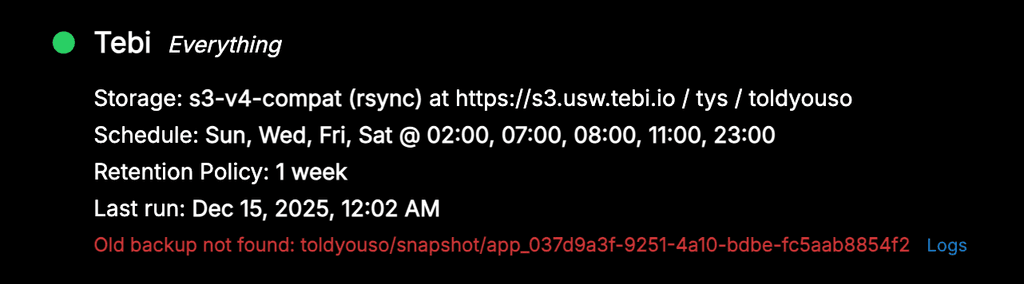
        @girish same as OP, seems to be a local issue, as the bucket has the prefix created and what looks like the first app backup, but then errors.
        b619a786-5d28-4fc2-a4a4-5e5c5229f3aa-image.png

        Conscious tech

        girishG 1 Reply Last reply
        0
        • robiR robi

          @girish same as OP, seems to be a local issue, as the bucket has the prefix created and what looks like the first app backup, but then errors.

          b619a786-5d28-4fc2-a4a4-5e5c5229f3aa-image.png

          girishG Offline
          girishG Offline
          girish
          Staff
          wrote last edited by
          #6

          @robi ah, it could be that old (invalid) backups are not found. I think if you delete the Site and add it again, it will work . Can you try that?

          robiR 2 Replies Last reply
          0
          • girishG girish

            @robi ah, it could be that old (invalid) backups are not found. I think if you delete the Site and add it again, it will work . Can you try that?

            robiR Offline
            robiR Offline
            robi
            wrote last edited by
            #7

            @girish uhh sure, but this would be a great use case for a clone backup config to an edit screen for changes then save.

            Conscious tech

            1 Reply Last reply
            0
            • girishG girish

              @robi ah, it could be that old (invalid) backups are not found. I think if you delete the Site and add it again, it will work . Can you try that?

              robiR Offline
              robiR Offline
              robi
              wrote last edited by robi
              #8

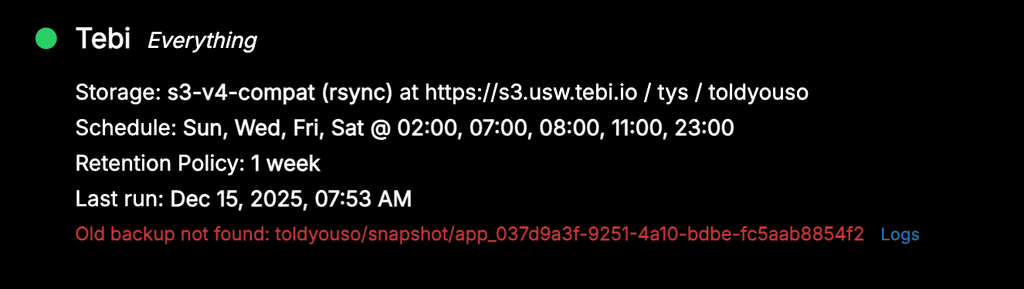
              @girish created new config, started backup, began with first app, then it decided to delete old entries, then it failed:
              43635029-c420-4be7-a783-3d11d134add3-image.png

              Maybe it's an rsync vs tgz issue now, in combination with the former path "/" issue?

              Conscious tech

              girishG 2 Replies Last reply
              0
              • robiR robi

                @girish created new config, started backup, began with first app, then it decided to delete old entries, then it failed:

                43635029-c420-4be7-a783-3d11d134add3-image.png

                Maybe it's an rsync vs tgz issue now, in combination with the former path "/" issue?

                girishG Offline
                girishG Offline
                girish
                Staff
                wrote last edited by
                #9

                @robi said in Old backup not found when updating app:

                Maybe it's an rsync vs tgz issue now, in combination with the former path "/" issue?

                Oh, this could be. Testing

                1 Reply Last reply
                0
                • robiR robi

                  @girish created new config, started backup, began with first app, then it decided to delete old entries, then it failed:

                  43635029-c420-4be7-a783-3d11d134add3-image.png

                  Maybe it's an rsync vs tgz issue now, in combination with the former path "/" issue?

                  girishG Offline
                  girishG Offline
                  girish
                  Staff
                  wrote last edited by
                  #10

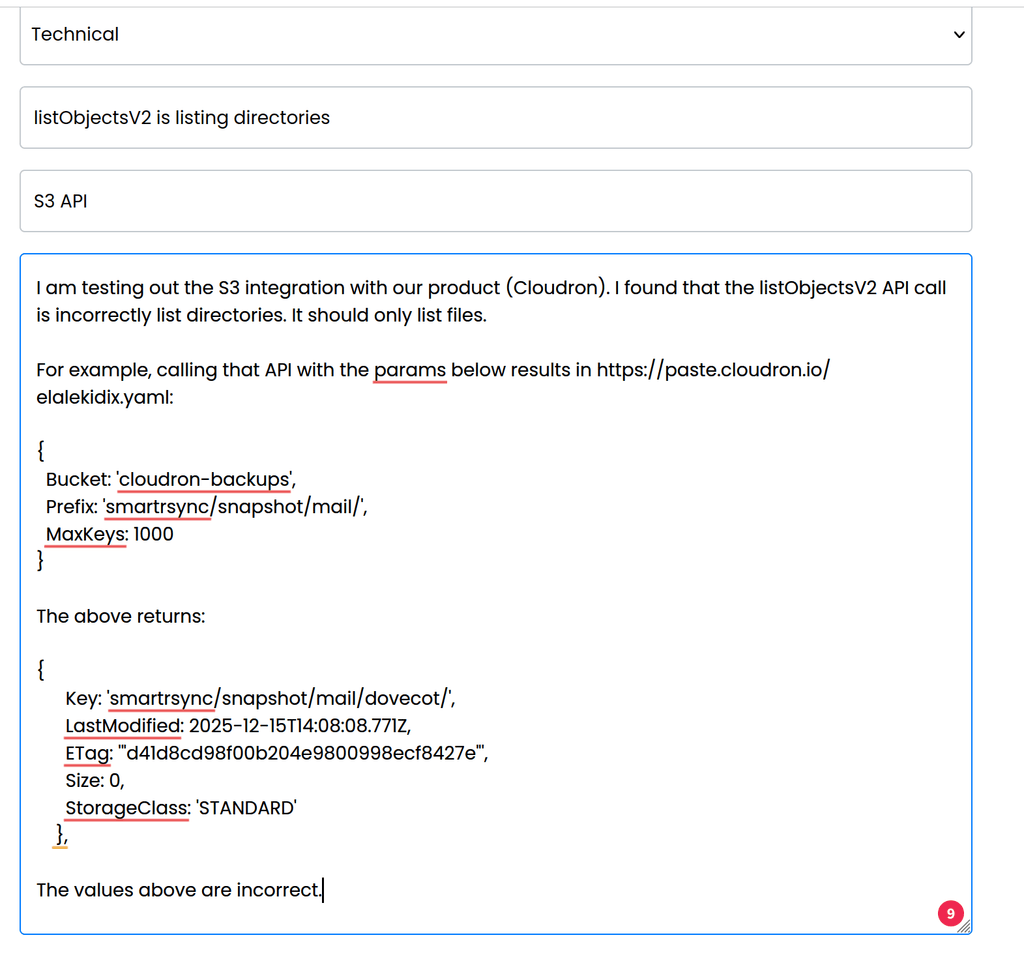
                  @robi I could reproduce it. There is a bug in the tebi service. It is listing directories as part of listObjectsV2 API call. S3 has no concept of directories, just key/value pairs.

                  I have reported this to them.

                  03571847-617f-4d2b-a2d3-eee5a17c77e2-image.png

                  1 Reply Last reply
                  2
                  • girishG Offline
                    girishG Offline
                    girish
                    Staff
                    wrote last edited by
                    #11

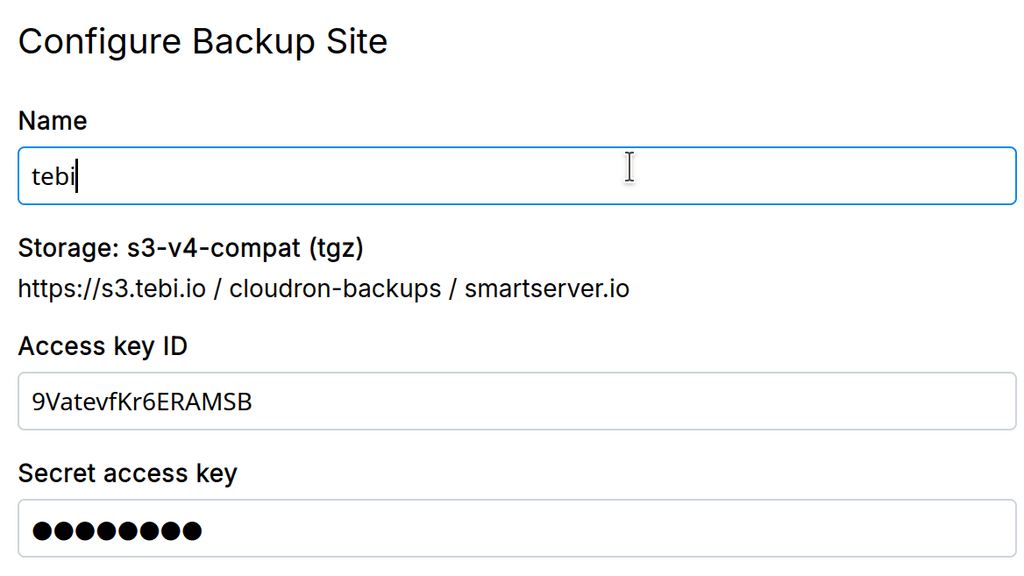
                    @robi they replied to me saying they won't fix it . They did tell me why, but you might want to reach out to them for more info, don't want to breach confidentiality.

                    1 Reply Last reply
                    0
                    • girishG girish has marked this topic as solved
                    • robiR Offline
                      robiR Offline
                      robi
                      wrote last edited by robi
                      #12

                      Whoa, unexpected.

                      One could also say that it's not a bug, as object stores don't distinguish files from directories, as they're all objects. It's the implementation that does.

                      So it may be more likely that the s3 client/driver/config needs to compensate.

                      ex. Cyberduck works fine.

                      Conscious tech

                      1 Reply Last reply
                      0
                      Reply
                      • Reply as topic
                      Log in to reply
                      • Oldest to Newest
                      • Newest to Oldest
                      • Most Votes


                      • Login

                      • Don't have an account? Register

                      • Login or register to search.
                      • First post
                        Last post
                      0
                      • Categories
                      • Recent
                      • Tags
                      • Popular
                      • Bookmarks
                      • Search