
very slow backup on linode instance with linode bucket + charged for traffic
-
Running a linode (Akamai) instance with cloudron.
I've set up a linode storage bucket as cloudron backup. Both are on the same region.
Backup speed is very very slow (at least 8 hours for a 120GB backup), plus, I'm being charged for traffic even though the instance and the bucket are on the same regions (should be internal traffic).Anyone with the same experience or advice?
-
Running a linode (Akamai) instance with cloudron.
I've set up a linode storage bucket as cloudron backup. Both are on the same region.
Backup speed is very very slow (at least 8 hours for a 120GB backup), plus, I'm being charged for traffic even though the instance and the bucket are on the same regions (should be internal traffic).Anyone with the same experience or advice?
@carlostph Does the linode have an IPv6? Per https://www.linode.com/docs/products/platform/get-started/guides/network-transfer/#usage-costs if the linode has IPv6, then transfer is free if the storage bucket is in the same reason (please double check if I am reading this correctly).
As for the backup upload, go to Backups -> Configure -> Bump the part size a bit (maybe 512M) and also give it more memory (say 2GB). Is it any faster?
-
@carlostph Does the linode have an IPv6? Per https://www.linode.com/docs/products/platform/get-started/guides/network-transfer/#usage-costs if the linode has IPv6, then transfer is free if the storage bucket is in the same reason (please double check if I am reading this correctly).
As for the backup upload, go to Backups -> Configure -> Bump the part size a bit (maybe 512M) and also give it more memory (say 2GB). Is it any faster?
@girish It does have IPv6. I'll check with linode staff to know what is going on.
Regarding upload speed, no improvement.
I deleted and created a new bucket.
Updated the memory limit and part size.
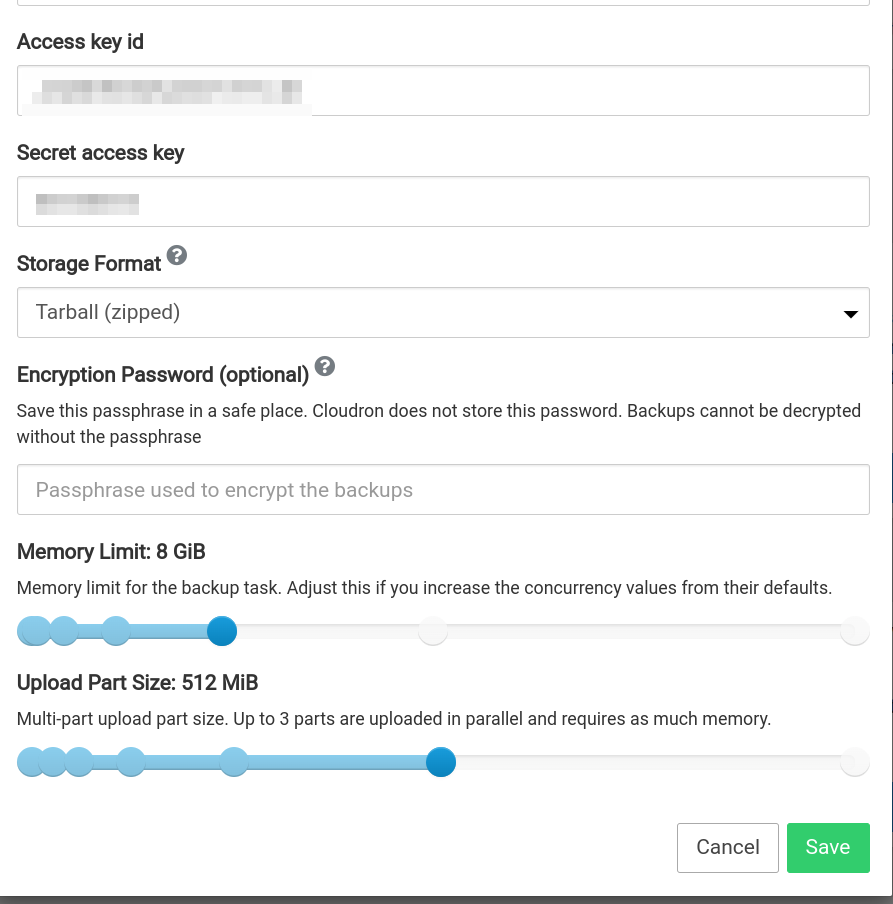
But still the upload speed is awfully slow.
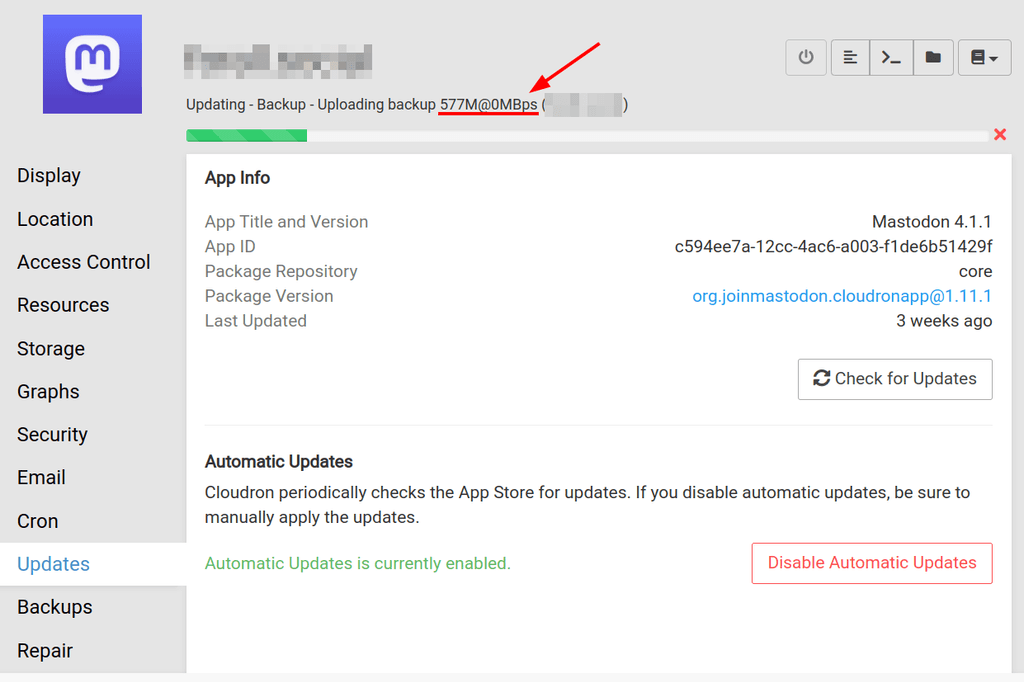
I did a test uploading from my local computer, and though it's slow, 1Gb took a bit over a minute.
This 500Mb have taken over 20 minutes.I'll install s3cmd on the server to do a test upload from it.
-
@girish It does have IPv6. I'll check with linode staff to know what is going on.
Regarding upload speed, no improvement.
I deleted and created a new bucket.
Updated the memory limit and part size.
But still the upload speed is awfully slow.
I did a test uploading from my local computer, and though it's slow, 1Gb took a bit over a minute.
This 500Mb have taken over 20 minutes.I'll install s3cmd on the server to do a test upload from it.
@carlostph said in very slow backup on linode instance with linode bucket + charged for traffic:
I'll install s3cmd on the server to do a test upload from it.
yes, please, can you test this and let me know?
-
@carlostph said in very slow backup on linode instance with linode bucket + charged for traffic:
I'll install s3cmd on the server to do a test upload from it.
yes, please, can you test this and let me know?
@girish
UPDATE:
I installed s3cmd on the server and uploaded (s3cmd put) a 256MB file to the bucket. Got a consistent 15MB/s upload using the default 15MB chunk size.
Uploading a 1GB file, using the default chunk size, also a 15MB/s and with a 200MB chunk size, around 18MB/sSo, at 15MB/s a 100GB backup should take about 2 hours.
I don't know if installing s3cmd inside the container and testing from the inside would help.
I'll also check with linode if 15MB/s is what is expected as upload transfer rate.
-
@girish
UPDATE:
I installed s3cmd on the server and uploaded (s3cmd put) a 256MB file to the bucket. Got a consistent 15MB/s upload using the default 15MB chunk size.
Uploading a 1GB file, using the default chunk size, also a 15MB/s and with a 200MB chunk size, around 18MB/sSo, at 15MB/s a 100GB backup should take about 2 hours.
I don't know if installing s3cmd inside the container and testing from the inside would help.
I'll also check with linode if 15MB/s is what is expected as upload transfer rate.

Hello! It looks like you're interested in this conversation, but you don't have an account yet.
Getting fed up of having to scroll through the same posts each visit? When you register for an account, you'll always come back to exactly where you were before, and choose to be notified of new replies (either via email, or push notification). You'll also be able to save bookmarks and upvote posts to show your appreciation to other community members.
With your input, this post could be even better 💗
Register Login