
Free version does not give 2 apps
-
I am trying to install a second app and the free version is not allowing me. It gives me a message that a subscription is required.
Screenshot of my currently installed apps where I only have 1 app installed and wish to install a second one.
-
Here is the cloudron id: dcbabd06-4626-4db0-b18f-ff2158e8f6ef
-
Yes, indeed it does work now. Thanks again for all the help.
-
@Mythotical I think the issue was that the cloudron was attached to an expired subscription. Currently, we have to do some manual steps to move from paid -> free. I have moved yours to free now. Does it work now?
-
@girish I think I have the same issue, but for me I can't update any apps.
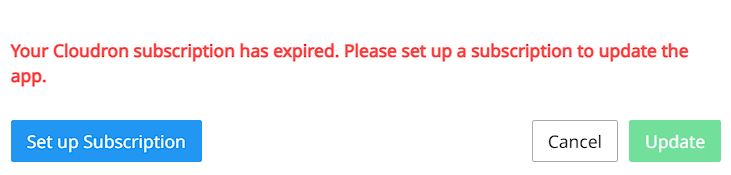
So you still have to perform the steps manually?
Can you fix it for me too?
Cloudron-ID: 35dbf493-2551-4733-819c-bc1409432848 -
Cloudron Support,
I think I'm having the same issue. I haven't used my Cloudron account for a while; today I tried to install the 2nd free App, but I'm getting the same message.
I already sent an email to support, but I received an auto-response stating that I should post the issue on this forum:
---------- Forwarded message ---------
From: Support support@cloudron.io
Date: Wed, Jul 29, 2026 at 9:38 PM
Subject: [30063] Re: Cannot install a 2nd app
To: Friend Name FriendName@gmail.comHello Friend Name,
Thanks for contacting Cloudron Support.
Technical support and app-related questions are handled on our forum. Only sensitive issues, such as licensing, billing, legal matters, or cases requiring private data, are handled via email.
Please post your question on the forum instead: Cloudron Support Forum. Our engineers actively monitor the forum and respond to all queries.
This is an automatic reply. Should your request be billing or subscription-related, we will get back to you at the earliest.
Kind regards,
Cloudron SupportCould you please help me?
Thanks!



Hello! It looks like you're interested in this conversation, but you don't have an account yet.
Getting fed up of having to scroll through the same posts each visit? When you register for an account, you'll always come back to exactly where you were before, and choose to be notified of new replies (either via email, or push notification). You'll also be able to save bookmarks and upvote posts to show your appreciation to other community members.
With your input, this post could be even better 💗
Register Login