Cloudron makes it easy to run web apps like WordPress, Nextcloud, GitLab on your server. Find out more or install now.


Skip to content
  • Categories
  • Recent
  • Tags
  • Popular
  • Bookmarks
  • Search
Skins
  • Light
  • Brite
  • Cerulean
  • Cosmo
  • Flatly
  • Journal
  • Litera
  • Lumen
  • Lux
  • Materia
  • Minty
  • Morph
  • Pulse
  • Sandstone
  • Simplex
  • Sketchy
  • Spacelab
  • United
  • Yeti
  • Zephyr
  • Dark
  • Cyborg
  • Darkly
  • Quartz
  • Slate
  • Solar
  • Superhero
  • Vapor

  • Default (No Skin)
  • No Skin
Collapse
Brand Logo

Cloudron Forum

Apps - Status | Demo | Docs | Install
  1. Cloudron Forum
  2. Support
  3. cloudron wont install. weird log

cloudron wont install. weird log
Scheduled Pinned Locked Moved Solved Support
installationproxmoxlxckvm
19 Posts 4 Posters 5.7k Views 3 Watching
  • Oldest to Newest
  • Newest to Oldest
  • Most Votes
Reply
  • Reply as topic
Log in to reply
This topic has been deleted. Only users with topic management privileges can see it.
  • L Offline
    L Offline
    linuxpowerhouse
    wrote on last edited by girish
    #1

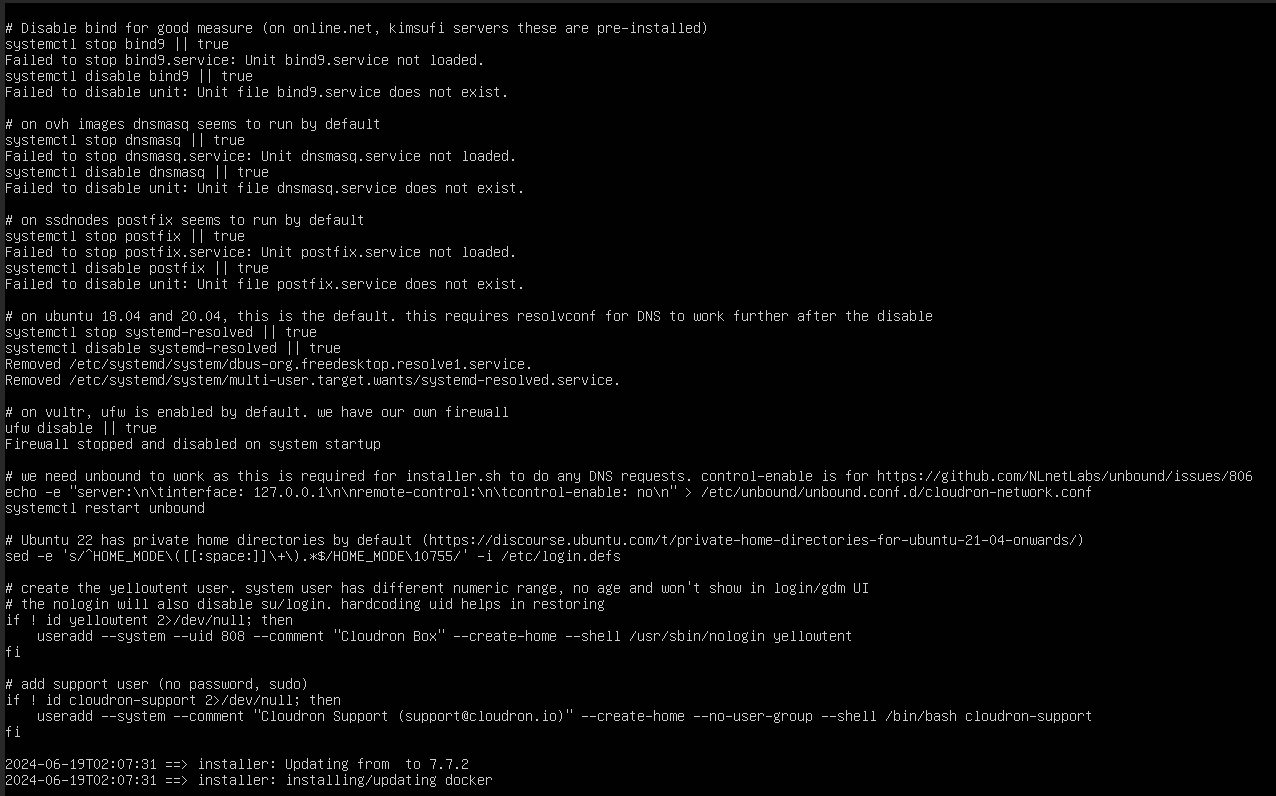
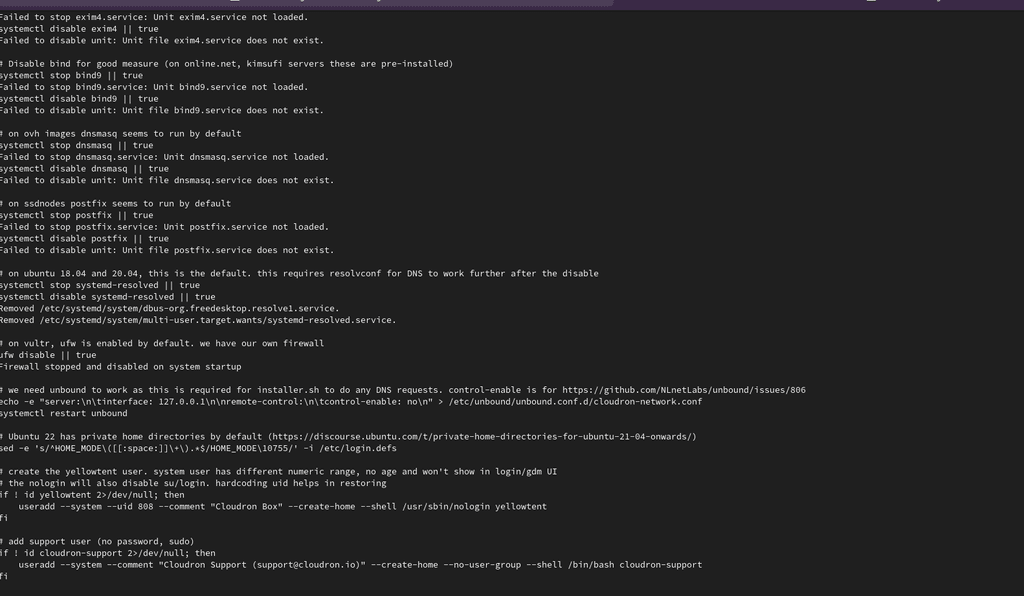
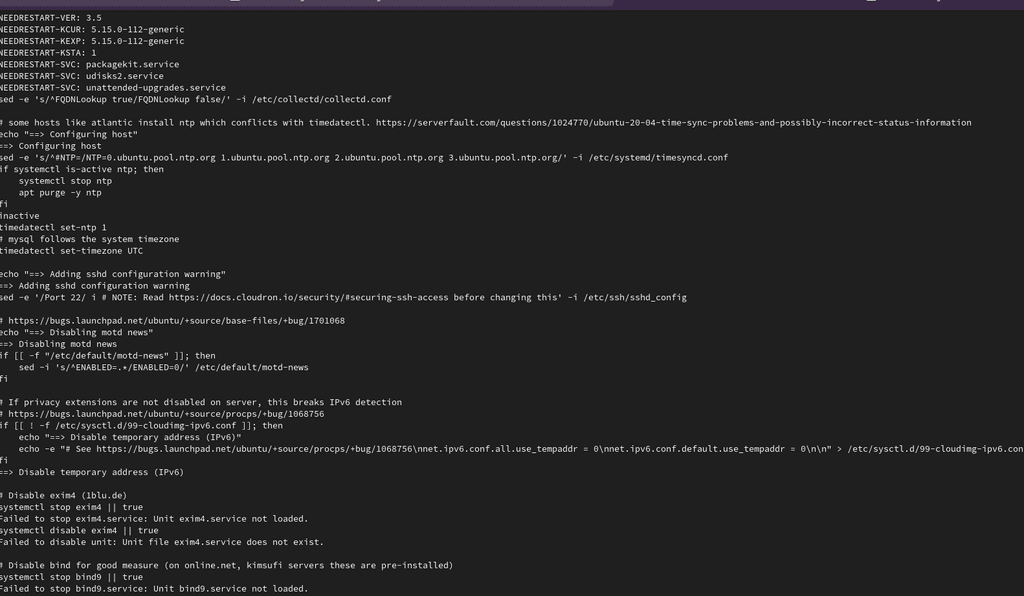
    hi, so i tried installing cloudron { this is on my home network} the issue first arised when i tried to install and it got a error i have ran into before, it was a ipv6 issue, i disabled ipv6 and the issue went away, now it will not install on my machine and for the life of me i can not find the issue,

    its running on proxmox server ubuntu 22.04, i have even started with 18, and upgradded it to the supported version,

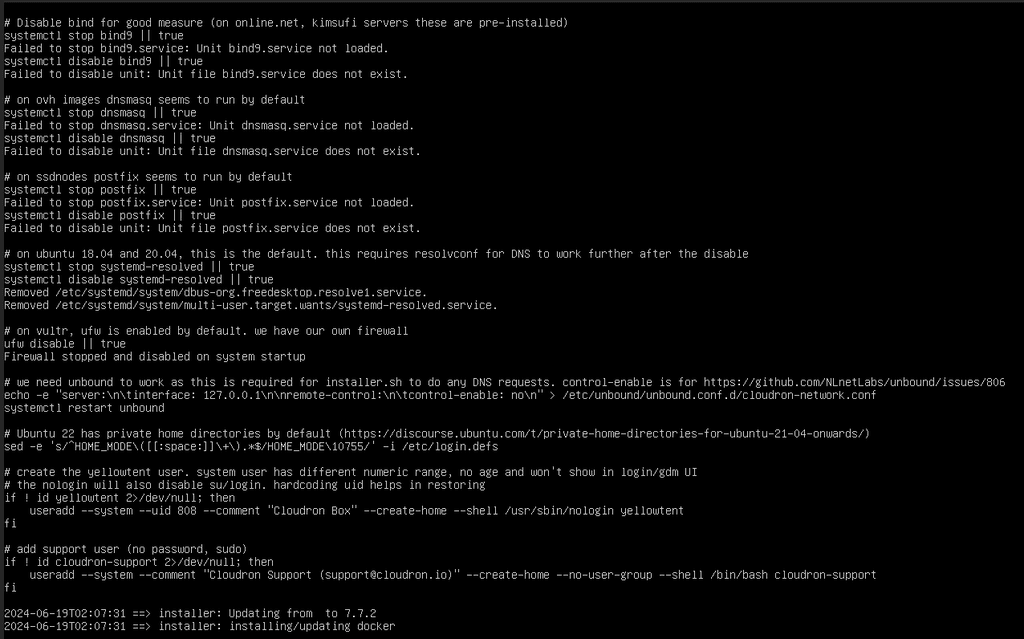
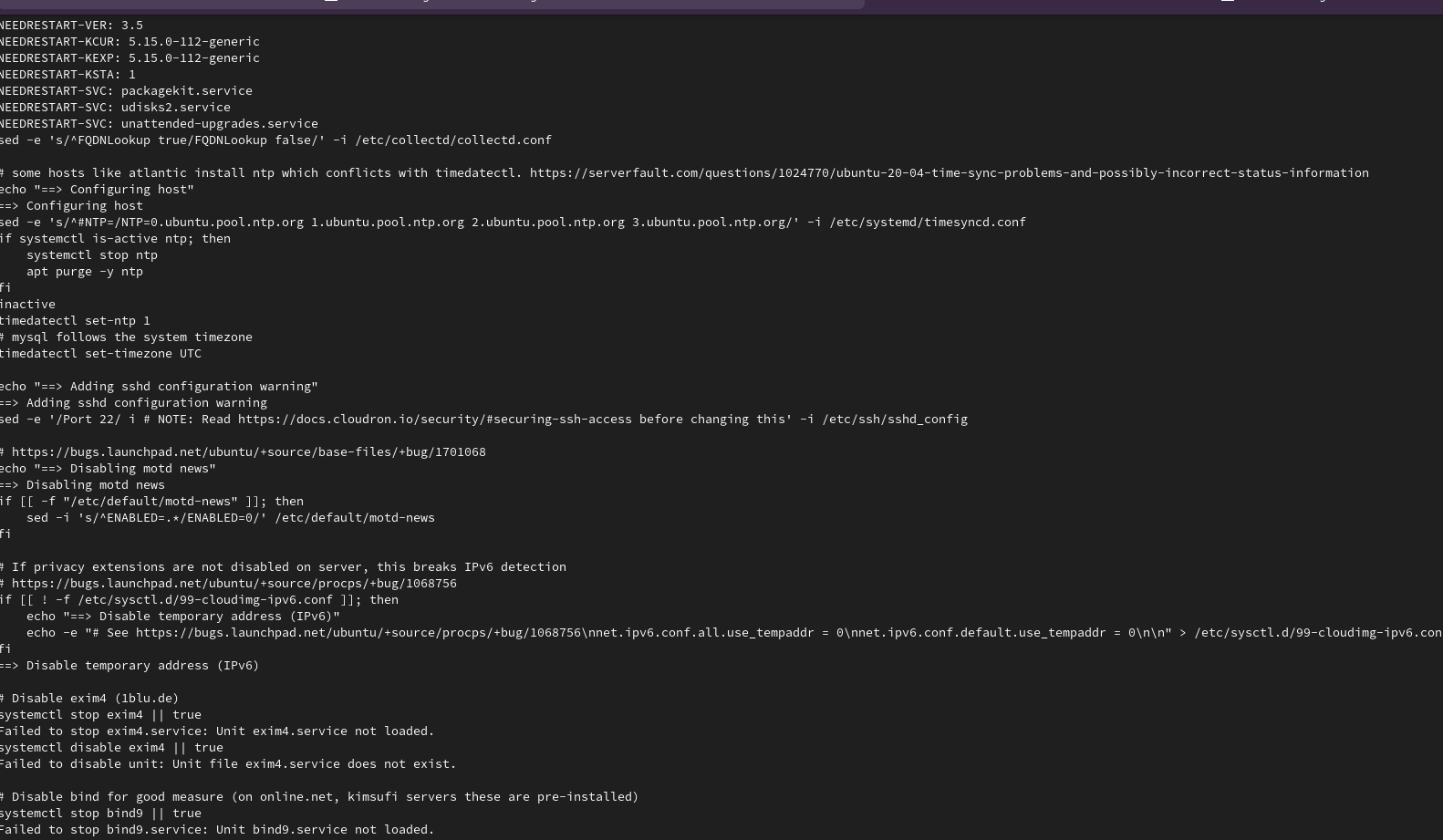
    i will add screenshot to see if anyone has seen this issue before
    Screenshot from 2024-06-18 22-09-28.png Screenshot from 2024-06-18 22-10-23.png Screenshot from 2024-06-18 22-10-34.png image url)
    1 Reply Last reply
    1
    • L Offline
      L Offline
      linuxpowerhouse
      wrote on last edited by
      #2

      i also had this on other harwear before and had no issue installing it on proxmox

      1 Reply Last reply
      0
      • L Offline
        L Offline
        linuxpowerhouse
        wrote on last edited by
        #3
        This post is deleted!
        1 Reply Last reply
        0
        • A Offline
          A Offline
          AartJansen
          wrote on last edited by
          #4

          cloudron doesn't run on LXC, so I don't think proxmox is supported
          https://docs.cloudron.io/installation/

          1 Reply Last reply
          1
          • nebulonN Away
            nebulonN Away
            nebulon
            Staff
            wrote on last edited by
            #5

            @linuxpowerhouse as @AartJansen suggested Cloudron does not work on LXC but you should be able to maybe use KVM with proxmox to get Cloudron working?

            1 Reply Last reply
            1
            • girishG Offline
              girishG Offline
              girish
              Staff
              wrote on last edited by
              #6

              We need the logs /var/log/cloudron-setup.log to see where it's failing . The screenshots do not show the contents/error in that file.

              1 Reply Last reply
              0
              • L Offline
                L Offline
                linuxpowerhouse
                wrote on last edited by
                #7

                okay, ill dowload and upload the logs, this might also be some relevant informantion i was running it on proxmox before, i got a new server so it supported avx, so when i first installed i got a no avx failure and after digging i saw that my cpu does support avx, i recreat the vm and after looking on some forums, i changed the cpu type to host, then it solved my issue insted of the default x86-64-av2 qemu type and then ran into a ipv6 issue and i fixed that, now this lol

                1 Reply Last reply
                0
                • L Offline
                  L Offline
                  linuxpowerhouse
                  wrote on last edited by
                  #8

                  is there a place i can upload the log file to?

                  1 Reply Last reply
                  0
                  • nebulonN Away
                    nebulonN Away
                    nebulon
                    Staff
                    wrote on last edited by
                    #9

                    you can put it in https://paste.cloudron.io/ for example

                    1 Reply Last reply
                    1
                    • L Offline
                      L Offline
                      linuxpowerhouse
                      wrote on last edited by
                      #10

                      okay i subbmited it https://paste.cloudron.io/rakefowoyo.yaml

                      1 Reply Last reply
                      1
                      • girishG Offline
                        girishG Offline
                        girish
                        Staff
                        wrote on last edited by
                        #11

                        @linuxpowerhouse thanks for the full logs. It seems it fails when trying to install docker. I suspect some DNS issue.

                        When it fails:

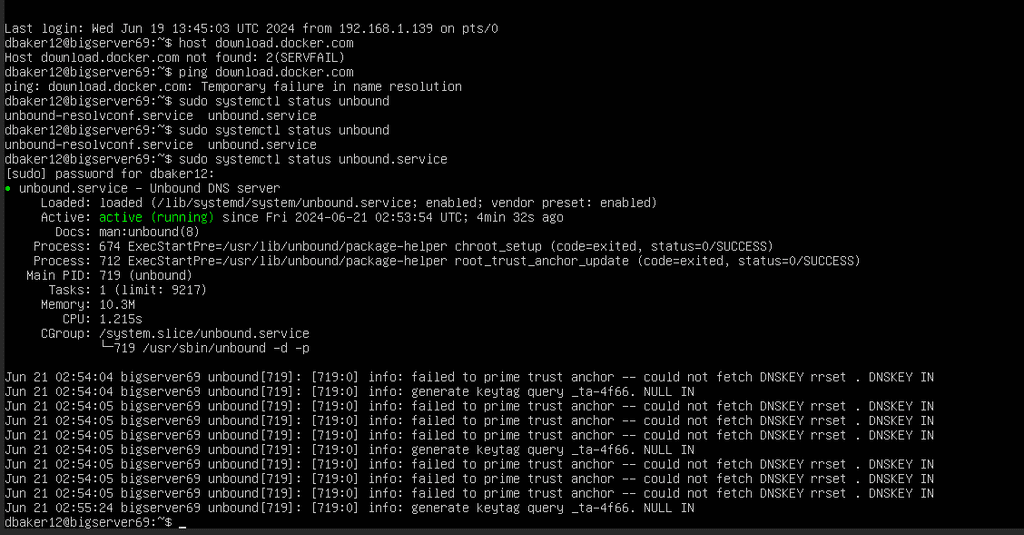
                        host download.docker.com
                        
                        ping download.docker.com
                        

                        Do the above commands work? I suspect neither works. If this is the case, it's a DNS related issue. Given this is a server on the internal network, I think unbound might need some adjustment depending on your internal network.

                        L 1 Reply Last reply
                        0
                        • girishG girish marked this topic as a question on
                        • L Offline
                          L Offline
                          linuxpowerhouse
                          wrote on last edited by
                          #12

                          so, when do those comands, it says 2(servefail) and same, it fails name resolution.

                          weird enough i had this issue last time and i had to upgrade from 18 bionic and disable ipv6, but i have already disabled ipv6 so i don't know what the issue is.

                          1 Reply Last reply
                          0
                          • L Offline
                            L Offline
                            linuxpowerhouse
                            wrote on last edited by
                            #13

                            Screenshot from 2024-06-20 22-59-01.png

                            1 Reply Last reply
                            0
                            • L Offline
                              L Offline
                              linuxpowerhouse
                              wrote on last edited by
                              #14

                              i remembe getting is issue last time
                              but if recall corectly i can't continue from here. don't i have to do a fresh install? again?

                              1 Reply Last reply
                              0
                              • L Offline
                                L Offline
                                linuxpowerhouse
                                wrote on last edited by
                                #15

                                also when i stype

                                sudoi echo name server 8.8.8.8 | sudo tee /etc/resolve.conf fixes the ping host.docker.com and umbound issue.

                                1 Reply Last reply
                                0
                                • girishG girish

                                  @linuxpowerhouse thanks for the full logs. It seems it fails when trying to install docker. I suspect some DNS issue.

                                  When it fails:

                                  host download.docker.com
                                  
                                  ping download.docker.com
                                  

                                  Do the above commands work? I suspect neither works. If this is the case, it's a DNS related issue. Given this is a server on the internal network, I think unbound might need some adjustment depending on your internal network.

                                  L Offline
                                  L Offline
                                  linuxpowerhouse
                                  wrote on last edited by
                                  #16

                                  @girish would i nedd to setup and adjust unbound before running the script? or after? because after i run the script, it tella me i can't run it again.

                                  1 Reply Last reply
                                  0
                                  • girishG Offline
                                    girishG Offline
                                    girish
                                    Staff
                                    wrote on last edited by
                                    #17

                                    @linuxpowerhouse depending on your network setup, you might have to configure unbound to forward requests to your internal DNS . See https://docs.cloudron.io/troubleshooting/#unbound . Once you get the DNS resolution working, you can try cloudron-setup --redo

                                    L 1 Reply Last reply
                                    0
                                    • girishG girish

                                      @linuxpowerhouse depending on your network setup, you might have to configure unbound to forward requests to your internal DNS . See https://docs.cloudron.io/troubleshooting/#unbound . Once you get the DNS resolution working, you can try cloudron-setup --redo

                                      L Offline
                                      L Offline
                                      linuxpowerhouse
                                      wrote on last edited by
                                      #18

                                      @girish thank you so much, this has solved my issue.

                                      i appreciate you all.

                                      1 Reply Last reply
                                      1
                                      • girishG Offline
                                        girishG Offline
                                        girish
                                        Staff
                                        wrote on last edited by
                                        #19

                                        @linuxpowerhouse no worries, welcome to cloudron 🙂

                                        1 Reply Last reply
                                        0
                                        • girishG girish has marked this topic as solved on

                                        Hello! It looks like you're interested in this conversation, but you don't have an account yet.

                                        Getting fed up of having to scroll through the same posts each visit? When you register for an account, you'll always come back to exactly where you were before, and choose to be notified of new replies (either via email, or push notification). You'll also be able to save bookmarks and upvote posts to show your appreciation to other community members.

                                        With your input, this post could be even better 💗

                                        Register Login
                                        Reply
                                        • Reply as topic
                                        Log in to reply
                                        • Oldest to Newest
                                        • Newest to Oldest
                                        • Most Votes


                                        • Login

                                        • Don't have an account? Register

                                        • Login or register to search.
                                        • First post
                                          Last post
                                        0
                                        • Categories
                                        • Recent
                                        • Tags
                                        • Popular
                                        • Bookmarks
                                        • Search