App update failing with "Downgrades are not permitted"
-
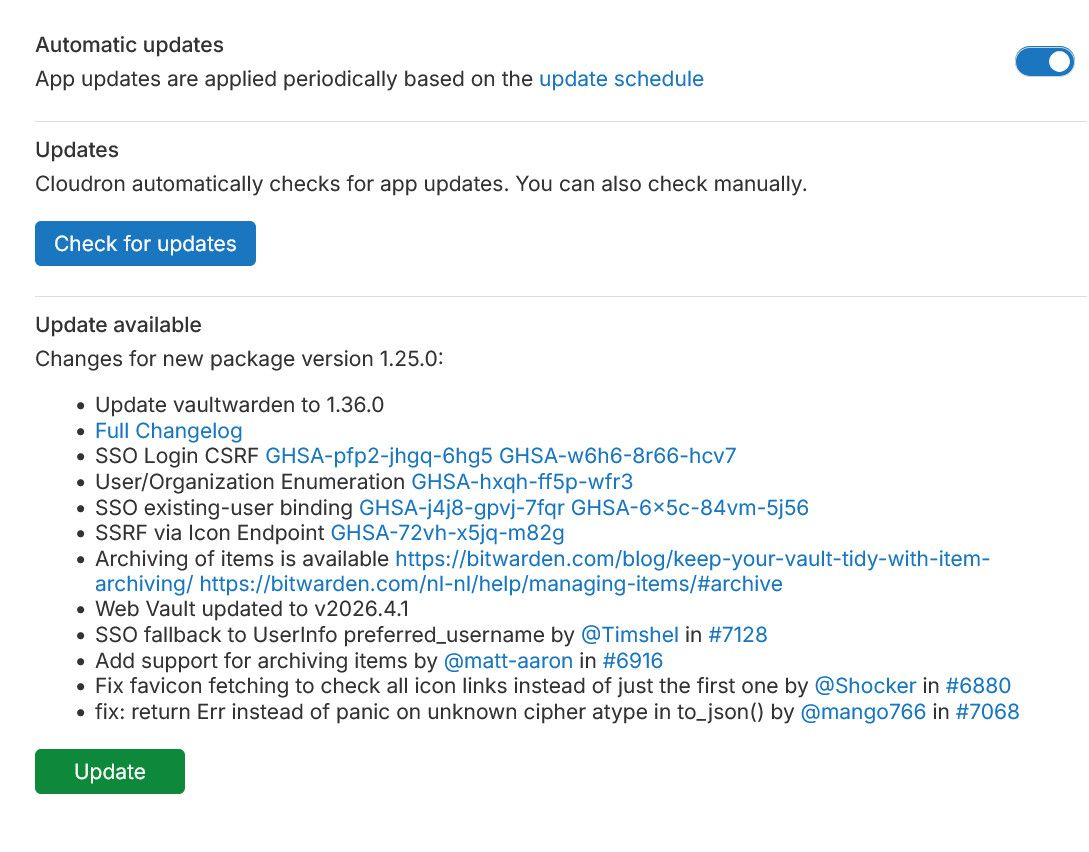
I am facing an issue with an app marked as needed an update even if the the app shows as already being on the latest package version.
- App: Vaultwarden
- Current version on the server it is running on: Vaulwarden 1.36.0
- Package version: com.github.bitwardenrs@1.25.0
I believe that this is already the latest version of the Cloudron package / Vaulwarden app.
The app however shows as having an update available:
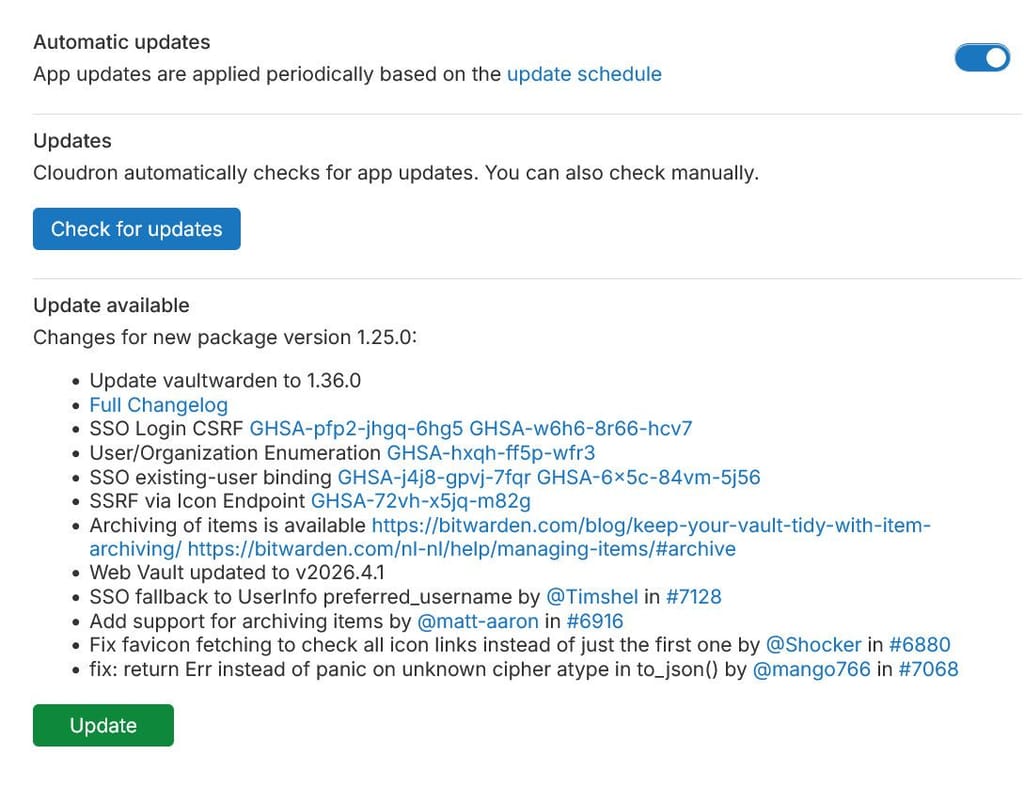
Upon attempting to update, the process fails with the following error:
Downgrades are not permitted for apps installed from AppStore or Community. force to overrideThis sounds similar to this. However, contrarily to this post, I am not at the liberty to restore backup of the app since I cannot be sure when the issue started and there has been some update to the data within the app since then.
A couple of sidenote:
- cloning the app works and the cloned app does not suffer from the same issue.
cloudron-support --troubleshootis clean.
Any suggestion on how to solve the underlying issue?
-
looks like something has the cached app update info. If you click the "check for updates" button and reload the dashboard, does the situation change?

-
By guess is some sort of browser cache or something like that.
-
By guess is some sort of browser cache or something like that.
Firefox?
-
Thanks for giving us access to debug this. It turns out the update info was not cleared on the backend, maybe the update task crashed at the end just before it would have cleared it. We have added a fix for the next release with https://git.cloudron.io/platform/box/-/commit/4c0033f57210b233754f66f2cf4c70c3ff39db1f
-
J joseph has marked this topic as solved on
-
Hello team cloudron and respected members,
I am trying to update a gitlab install and I am getting the same error.
Downgrades are not permitted for apps installed from AppStore or Community. force to override
I ran the troubleshoot and I can't seem to find any issues:
root@cloudron:~# cloudron-support --troubleshoot Vendor: VMware, Inc. Product: VMware20,1 Linux: 6.8.0-138-generic Ubuntu: noble 24.04 Cloudron: 9.2.0 Execution environment: vmware Processor: Intel(R) Xeon(R) CPU E5-2680 v4 @ 2.40GHz BIOS Intel(R) Xeon(R) CPU E5-2680 v4 @ 2.40GHz CPU @ 2.2GHz x 20 RAM: 41167864KB Disk: /dev/sda4 30G [OK] Root disk usage is OK (84%) [OK] Memory usage is OK (45%) [OK] Clock is NTP-synchronized [OK] node version is correct [OK] IPv6 is enabled in kernel. No public IPv6 address [OK] docker is running [OK] docker version is correct [OK] MySQL is running [OK] netplan is good [OK] DNS is resolving via systemd-resolved [OK] unbound is running [OK] IPv4 HTTPS to api.cloudron.io/api/v1/helper/public_ip [SKIP] IPv6 HTTPS to api.cloudron.io/api/v1/helper/public_ip — no public IPv6 address [OK] IPv4 HTTPS to auth.docker.io/token [SKIP] IPv6 HTTPS to auth.docker.io/token — no public IPv6 address [OK] IPv4 HTTPS to acme-v02.api.letsencrypt.org [SKIP] IPv6 HTTPS to acme-v02.api.letsencrypt.org — no public IPv6 address [OK] nginx is running [OK] dashboard cert is valid [OK] dashboard is reachable via loopback [OK] No pending database migrations [OK] Service 'mysql' is running and healthy [OK] Service 'postgresql' is running and healthy [OK] Service 'mongodb' is running and healthy [OK] Service 'mail' is running and healthy [OK] Service 'graphite' is running and healthy [OK] Service 'sftp' is running and healthy [OK] box v9.2.0 is running [OK] Dashboard is reachable via IPv4 (https://sub.reacted.local) [SKIP] Dashboard IPv6 reachability — no public IPv6 address [SKIP] Domain expiry check — whois did not return an expiry date for reacted.local ======== Summary ======== PASS: 26 WARN: 0 FAIL: 0 SKIP: 5 For troubleshooting tips, see https://docs.cloudron.io/troubleshooting To share a full diagnostic dump on the forum, run: cloudron-support --send-diagnosticsAlso ran
systemctl restart boxjust in case but this didn't help.Tried everything on this topic but still getting the same issue.
I have another gitlab installed on the same cloudron but didn't have any issues with it at all.Any insight on this?
Thank you
Hello! It looks like you're interested in this conversation, but you don't have an account yet.
Getting fed up of having to scroll through the same posts each visit? When you register for an account, you'll always come back to exactly where you were before, and choose to be notified of new replies (either via email, or push notification). You'll also be able to save bookmarks and upvote posts to show your appreciation to other community members.
With your input, this post could be even better 💗
Register Login
