
Ok, I finally resolved it on my side, and it was caused by the CORS policy on the S3 buckets. The policies were too restrictive, and obviously it wasn't working.
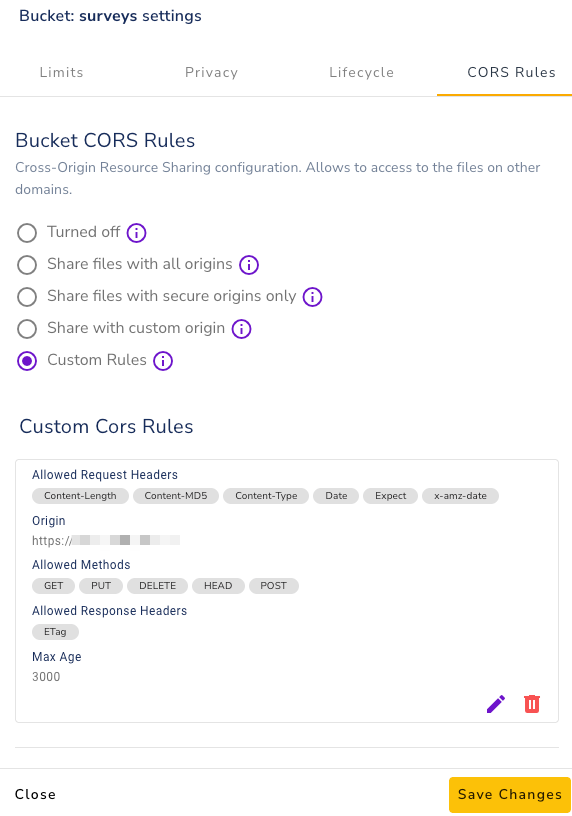
Ok, I finally resolved it on my side, and it was caused by the CORS policy on the S3 buckets. The policies were too restrictive, and obviously it wasn't working.
Since Cloudron natively has a Tika server; I was wondering if there was a possibility to use it for OpenWebUI's Content extraction?
I think it would be a valuable addon, it's far superior extraction engine than the one build in OpenWebUI
I implemented this solutions - https://github.com/GlisseManTV/MCPO-File-Generation-Tool
works like a charm!
Potentially the Task Runner separation from the original container could be a BC to the current Cloudron Packaging?
@andreasdueren said in S3 Compatible Storage:
@Divemasterza Which provider is this? R2 doesn't work, seemingly because it doesn't support the
S3 POST Object operationEdit:
Got Hetzner working with these Settings:
S3_BUCKET_NAME=redacted
S3_FORCE_PATH_STYLE=1
S3_ENDPOINT_URL=https://fsn1.your-objectstorage.com
S3_REGION=fsn1
S3_ACCESS_KEY=redacted
S3_SECRET_KEY=redacted
Glad it sorted, for the info, mine was a S3 compatible supplier
Latest: version 2.6.3
@msbt said in Issue with Read/Write node:
export N8N_RESTRICT_FILE_ACCESS_TO="/app/data"
This solves it  Thank you
So turns out that potentially the issue is disk space.
we ran the process again without changing anything - same result
we clean up and enable at least 40 GB of space and relaunched the update process = successful update
suggestions: better pre-update space check and verbose messaging about needed space for update
NoCoDB indeed has a form view, but it is no nearly as featured as Opnform!
+1 for having this on Cloudron
Has anyone successfully installed a file server MCP on Open Web UI running on Cloudron?
I've tried multiple approaches, but nothing works unless I resort to hosting files elsewhere and generating links - which is quite a rigmarole.
Just wondering if there's a simpler solution for setting up locally on the Open Web UI instance within Cloudron.
Any insights would be appreciated.
Hello, version 0.9.2 is available. It fixes a critical bug present in version 0.9.1.
It would be great if the packaging for this version were prioritised as the current one is quite broken.
Has anyone had success configuring a S3 (compatible) storage for this.
The .env route is not not working 
SIGNUP_DISABLED=0
EMAIL_AUTH_DISABLED=0
EMAIL_VERIFICATION_DISABLED=1
PASSWORD_RESET_DISABLED=0
INVITE_DISABLED=0
DEFAULT_ORGANIZATION_ROLE=owner
#DEFAULT_ORGANIZATION_ID=1
UNSPLASH_ACCESS_KEY=xxxxxxxxxxxxxxxxxxxxx
S3_ACCESS_KEY=xxxxxxxxxxxxxxxxxxx
S3_SECRET_KEY=xxxxxxxxxxxxxxxxxxx
S3_BUCKET_NAME=surveys
#S3_REGION=
S3_ENDPOINT_URL=https://s3.z1storage.com
Since the last update, a couple of my flows broke. All are related to the Read/Write file to Disk node
in the past, we could read and write to /app/data/storage, but this is no longer working.
The error shown is that the only writeable path is /home/cloudron/.n8n-files, which obviously does not exist.
Could be related to https://github.com/n8n-io/n8n/pull/24185
When trying to update to version 9.0.x the update process exits with a error code
Nov 14 00:04:58
Nov 14 00:05:03 box:shell 2025-11-13T22:05:03 ==> update: cloudron-updater is still active. will check in 5 seconds
Nov 14 00:05:03
Nov 14 00:05:08 box:shell 2025-11-13T22:05:08 ==> update: cloudron-updater failed
Nov 14 00:05:08
Nov 14 00:05:08 box:shell updater: /usr/bin/sudo -S /home/yellowtent/box/src/scripts/update.sh /tmp/box-4248070419 /home/yellowtent/platformdata/logs/tasks/7769.log errored BoxError: updater exited with code 1 signal null
Nov 14 00:05:08 at ChildProcess.<anonymous> (/home/yellowtent/box/src/shell.js:137:19)
Nov 14 00:05:08 at ChildProcess.emit (node:events:519:28)
Nov 14 00:05:08 at ChildProcess.emit (node:domain:488:12)
Nov 14 00:05:08 at ChildProcess._handle.onexit (node:internal/child_process:294:12) {
Nov 14 00:05:08 reason: 'Shell Error',
Nov 14 00:05:08 details: {},
Nov 14 00:05:08 code: 1,
Nov 14 00:05:08 signal: null
Nov 14 00:05:08 }
Nov 14 00:05:08 box:locks write: current locks: {"update_task":null}
Nov 14 00:05:08 box:locks release: update
Nov 14 00:05:08 box:taskworker Task took 5514.708 seconds
Nov 14 00:05:08 box:tasks setCompleted - 7769: {"result":null,"error":null}
Nov 14 00:05:08 box:tasks update 7769: {"percent":100,"result":null,"error":null}
Any idea?
You can use https://github.com/metatool-ai/metamcp
it's an orchestrator for MCPs and very easy setup.
bonus - all the mcps can be bundled in one endpoint
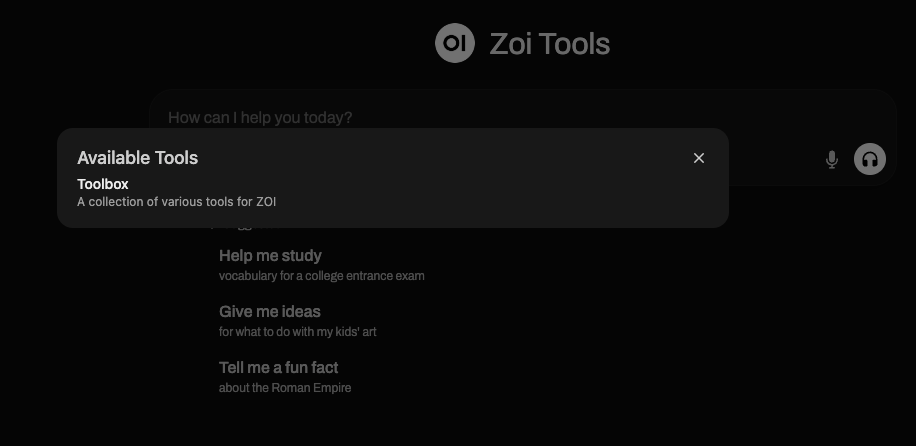
and then for the example here I have Tavily and Time MCPs
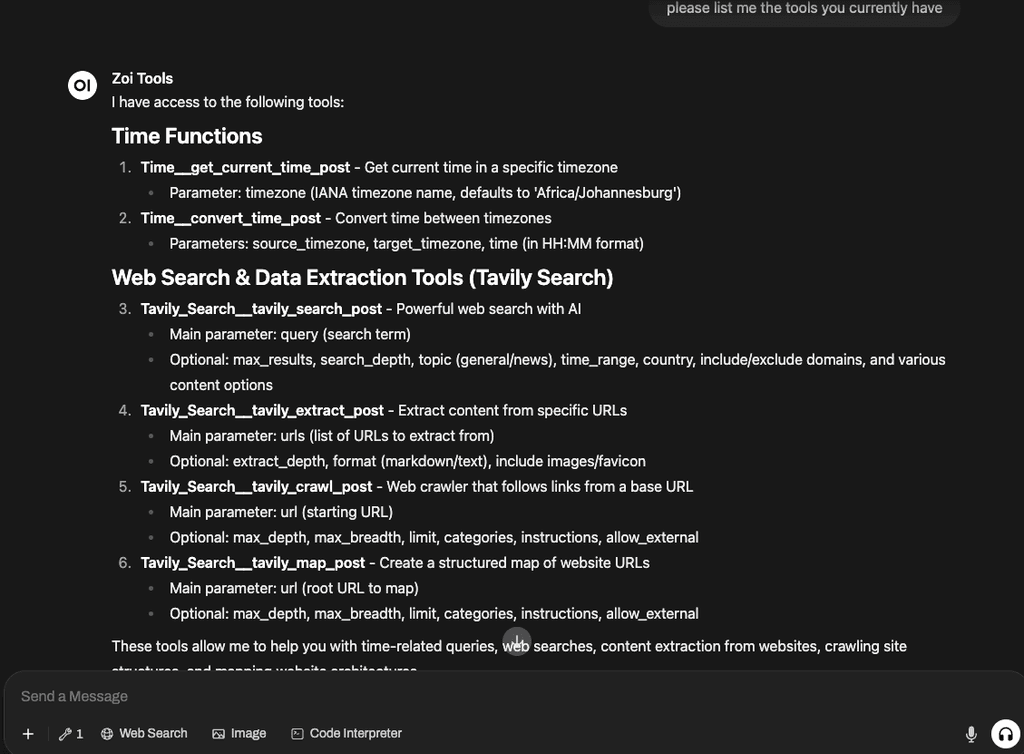
Thanks everyone for your assistance
@firmansi correct the OWUI is on Cloudron, but all my MCP tools are hosted on a separate server.
IMHO, it's not best practice to run separate containers on a server running Cloudron
@micmc all credit to the author of the repository
@coniunctio @firmansi Also interested - works fine with open SearXNG instance, but since the Cloudron one needs authentication, it not accessible to GET or POST requests