
Cloudron makes it easy to run web apps like WordPress, Nextcloud, GitLab on your server. Find out more or install now.


Skip to content
  • Categories
  • Recent
  • Tags
  • Popular
  • Bookmarks
  • Search
Skins
  • Light
  • Brite
  • Cerulean
  • Cosmo
  • Flatly
  • Journal
  • Litera
  • Lumen
  • Lux
  • Materia
  • Minty
  • Morph
  • Pulse
  • Sandstone
  • Simplex
  • Sketchy
  • Spacelab
  • United
  • Yeti
  • Zephyr
  • Dark
  • Cyborg
  • Darkly
  • Quartz
  • Slate
  • Solar
  • Superhero
  • Vapor

  • Default (No Skin)
  • No Skin
Collapse
Brand Logo

Cloudron Forum

Apps | Demo | Docs | Install
  1. Cloudron Forum
  2. Support
  3. Backup to tebi not working

Backup to tebi not working

Scheduled Pinned Locked Moved Solved Support
s3backupstebi
13 Posts 2 Posters 115 Views 2 Watching
  • Oldest to Newest
  • Newest to Oldest
  • Most Votes
Reply
  • Reply as topic
Log in to reply
This topic was forked from gcs: Old backup not found when updating app joseph
This topic has been deleted. Only users with topic management privileges can see it.
  • girishG Offline
    girishG Offline
    girish
    Staff
    wrote last edited by
    #4

    I am also using a prefix. What is the error you are getting?

    image.png

    robiR 1 Reply Last reply
    1
    • girishG girish

      I am also using a prefix. What is the error you are getting?

      image.png

      robiR Offline
      robiR Offline
      robi
      wrote last edited by
      #5

      @girish same as OP, seems to be a local issue, as the bucket has the prefix created and what looks like the first app backup, but then errors.
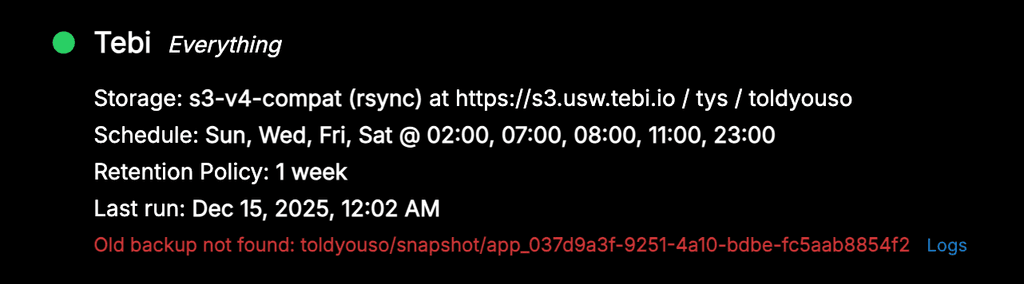
      b619a786-5d28-4fc2-a4a4-5e5c5229f3aa-image.png

      Conscious tech

      girishG 1 Reply Last reply
      0
      • robiR robi

        @girish same as OP, seems to be a local issue, as the bucket has the prefix created and what looks like the first app backup, but then errors.

        b619a786-5d28-4fc2-a4a4-5e5c5229f3aa-image.png

        girishG Offline
        girishG Offline
        girish
        Staff
        wrote last edited by
        #6

        @robi ah, it could be that old (invalid) backups are not found. I think if you delete the Site and add it again, it will work . Can you try that?

        robiR 2 Replies Last reply
        0
        • girishG girish

          @robi ah, it could be that old (invalid) backups are not found. I think if you delete the Site and add it again, it will work . Can you try that?

          robiR Offline
          robiR Offline
          robi
          wrote last edited by
          #7

          @girish uhh sure, but this would be a great use case for a clone backup config to an edit screen for changes then save.

          Conscious tech

          1 Reply Last reply
          0
          • girishG girish

            @robi ah, it could be that old (invalid) backups are not found. I think if you delete the Site and add it again, it will work . Can you try that?

            robiR Offline
            robiR Offline
            robi
            wrote last edited by robi
            #8

            @girish created new config, started backup, began with first app, then it decided to delete old entries, then it failed:
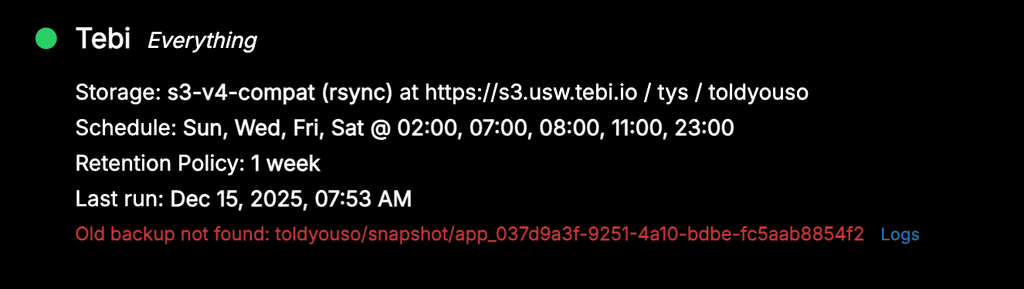
            43635029-c420-4be7-a783-3d11d134add3-image.png

            Maybe it's an rsync vs tgz issue now, in combination with the former path "/" issue?

            Conscious tech

            girishG 2 Replies Last reply
            0
            • robiR robi

              @girish created new config, started backup, began with first app, then it decided to delete old entries, then it failed:

              43635029-c420-4be7-a783-3d11d134add3-image.png

              Maybe it's an rsync vs tgz issue now, in combination with the former path "/" issue?

              girishG Offline
              girishG Offline
              girish
              Staff
              wrote last edited by
              #9

              @robi said in Old backup not found when updating app:

              Maybe it's an rsync vs tgz issue now, in combination with the former path "/" issue?

              Oh, this could be. Testing

              1 Reply Last reply
              0
              • robiR robi

                @girish created new config, started backup, began with first app, then it decided to delete old entries, then it failed:

                43635029-c420-4be7-a783-3d11d134add3-image.png

                Maybe it's an rsync vs tgz issue now, in combination with the former path "/" issue?

                girishG Offline
                girishG Offline
                girish
                Staff
                wrote last edited by
                #10

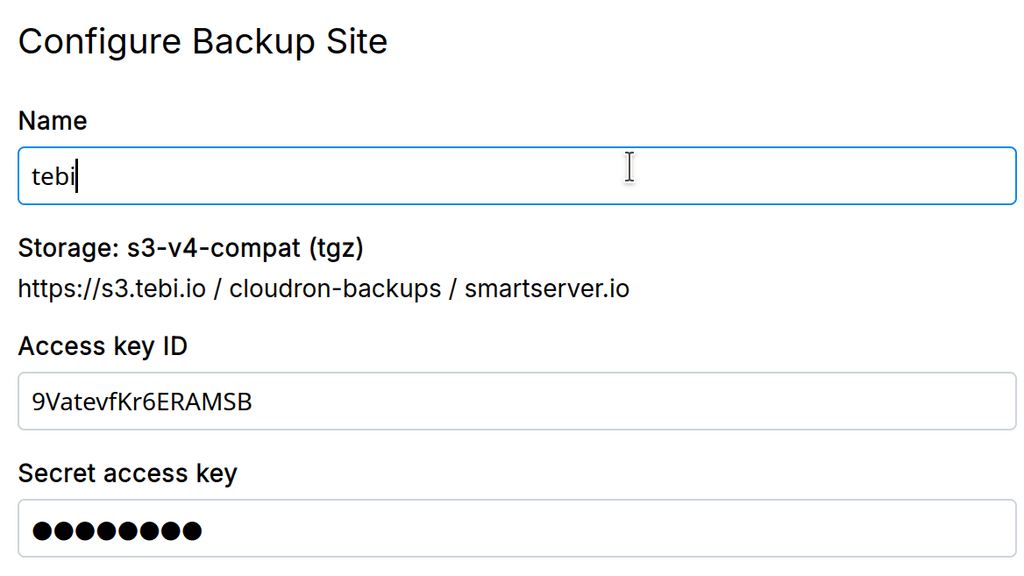
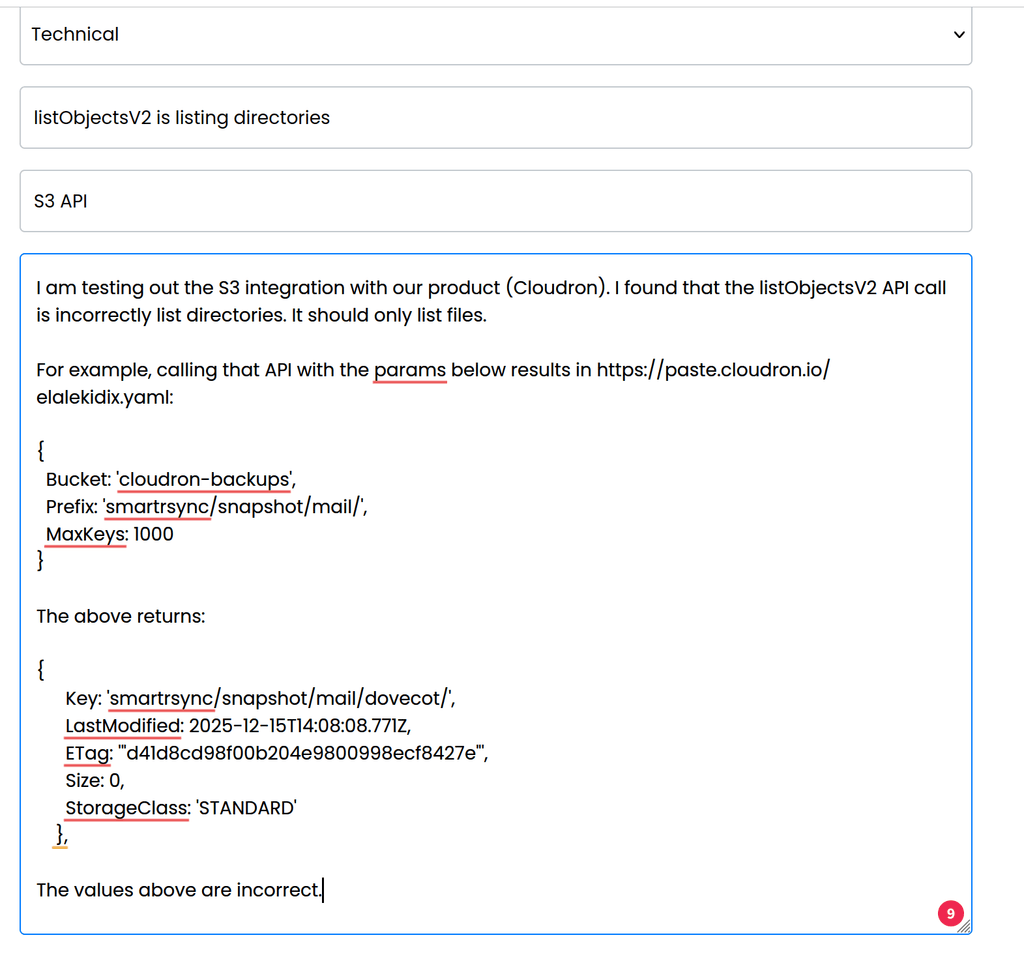
                @robi I could reproduce it. There is a bug in the tebi service. It is listing directories as part of listObjectsV2 API call. S3 has no concept of directories, just key/value pairs.

                I have reported this to them.

                03571847-617f-4d2b-a2d3-eee5a17c77e2-image.png

                1 Reply Last reply
                2
                • girishG Offline
                  girishG Offline
                  girish
                  Staff
                  wrote last edited by
                  #11

                  @robi they replied to me saying they won't fix it . They did tell me why, but you might want to reach out to them for more info, don't want to breach confidentiality.

                  robiR 1 Reply Last reply
                  0
                  • girishG girish has marked this topic as solved
                  • robiR Offline
                    robiR Offline
                    robi
                    wrote last edited by robi
                    #12

                    Whoa, unexpected.

                    One could also say that it's not a bug, as object stores don't distinguish files from directories, as they're all objects. It's the implementation that does.

                    So it may be more likely that the s3 client/driver/config needs to compensate.

                    ex. Cyberduck works fine.

                    Conscious tech

                    1 Reply Last reply
                    0
                    • girishG girish

                      @robi they replied to me saying they won't fix it . They did tell me why, but you might want to reach out to them for more info, don't want to breach confidentiality.
                      robiR Offline
                      robiR Offline
                      robi
                      wrote last edited by
                      #13

                      @girish Can you send me a note in the chat here or an email as to what they said?

                      Conscious tech

                      1 Reply Last reply
                      0
                      Reply
                      • Reply as topic
                      Log in to reply
                      • Oldest to Newest
                      • Newest to Oldest
                      • Most Votes


                      • Login

                      • Don't have an account? Register

                      • Login or register to search.
                      • First post
                        Last post
                      0
                      • Categories
                      • Recent
                      • Tags
                      • Popular
                      • Bookmarks
                      • Search
