
Cloudron won't update - No backup site for update
-
I'm running Cloudron 9.0.13 and I see that version 9.0.15 is available. Every time I try to upgrade I get "Cloudron update failed, No backup site for update".
Please advise.
-
-
-
-
Hello @swheeler78
Please visit your Cloudron domain under
https://my.$DOMAIN.$TLD#/backup-sitesor use the sidebar navigation in your Cloudron dashboard and clickBackups->Sites.Please share a screenshot of this configuration.
After that, you can attempt to fix it with the suggestions made by @humptydumpty and @robi. -
-
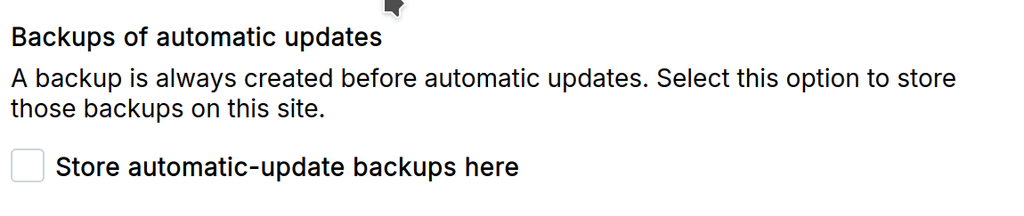
@joseph Thanks. That was it. I had a backup setup and working but even when I told it to skip backup on the upgrade it still gave me an error. Had to check the box for storing automatic backups even though I chose to skip the backup.
-
 J james has marked this topic as solved on
-
-
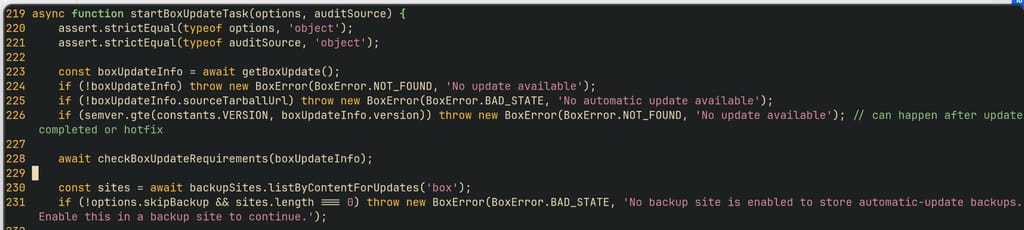
@goseph10 that was a bug. I have fixed this in https://git.cloudron.io/platform/box/-/commit/1594d190eb29071c0aa11ff0a0e48554bb5fc04f
You can edit
/home/yellowtent/box/src/updater.jsand fix line 229:if (!options.skipBackup && sites.length === 0) throw new BoxError(BoxError.BAD_STATE, 'No backup site is enabled to store automatic-update backups. Enable this in a backup site to continue.');After that
systemctl restart box -
@girish , thanks! Is there an estimate which version will fix that?
"Next one" is fine for me
-
Cloudron 9.1.5 - seems to have the patch in place?
-
-
Thanks. Since missing backup blocks automatic updates, platform update get blocked as well...
-


I'm still getting this error... =/
-
-
ahm... there are no backup sites...
-
-
but I don't need a backup for that site... any way to specify some kind of /dev/null for such a case?
-
but I don't need a backup for that site... any way to specify some kind of /dev/null for such a case?
@potemkin_ai you try local?
-
apart from the fact that it's not needed - there is not enough space for that
-






Hello! It looks like you're interested in this conversation, but you don't have an account yet.
Getting fed up of having to scroll through the same posts each visit? When you register for an account, you'll always come back to exactly where you were before, and choose to be notified of new replies (either via email, or push notification). You'll also be able to save bookmarks and upvote posts to show your appreciation to other community members.
With your input, this post could be even better 💗
Register Login