Cloudron makes it easy to run web apps like WordPress, Nextcloud, GitLab on your server. Find out more or install now.


Skip to content
  • Scaleway backups retained > retention policy

    Solved Support backups scaleway
    7
    1 Votes
    7 Posts
    3k Views
    timconsidineT
    @scooke I tried "cleaning" but didn't make a difference. Will keep an eye on it.
  • Backup failed "crashed/stopped"

    Solved Support backups
    6
    1
    0 Votes
    6 Posts
    3k Views
    jamesJ
    Since 2022 a lot has changed for backups and will change even further with Cloudron 9. Closing this topic for now.
  • Restore backup failed

    Support backups restore
    4
    0 Votes
    4 Posts
    2k Views
    girishG
    @WaffleUncle So you are using the Import button in the app section, correct - https://docs.cloudron.io/backups/#import-app-backup ? In your case, it looks like your backups were in the file system and not external. If that is the case, you have to fill up the 'Import Backup' dialog manually: Upload the backup app_client.xxx.tar.gz to somewhere in the server like /tmp/app_client.xxx.tar.gz. In the import UI, Choose Filesystem Put the path as /tmp/app_client.xxx.tar.gz It should import now.
  • Database Access & Backups?

    Solved Support database backups data migration apps
    6
    0 Votes
    6 Posts
    3k Views
    micmcM
    @girish said in Database Access & Backups?: @sarah-white Good, was just checking since your comment got flagged as spam by the forum. Sounds much like replies produced by asking ChatGPT to me!
  • backup error: "undefined is not mounted"

    Solved Support backups nfs
    16
    1
    0 Votes
    16 Posts
    4k Views
    girishG
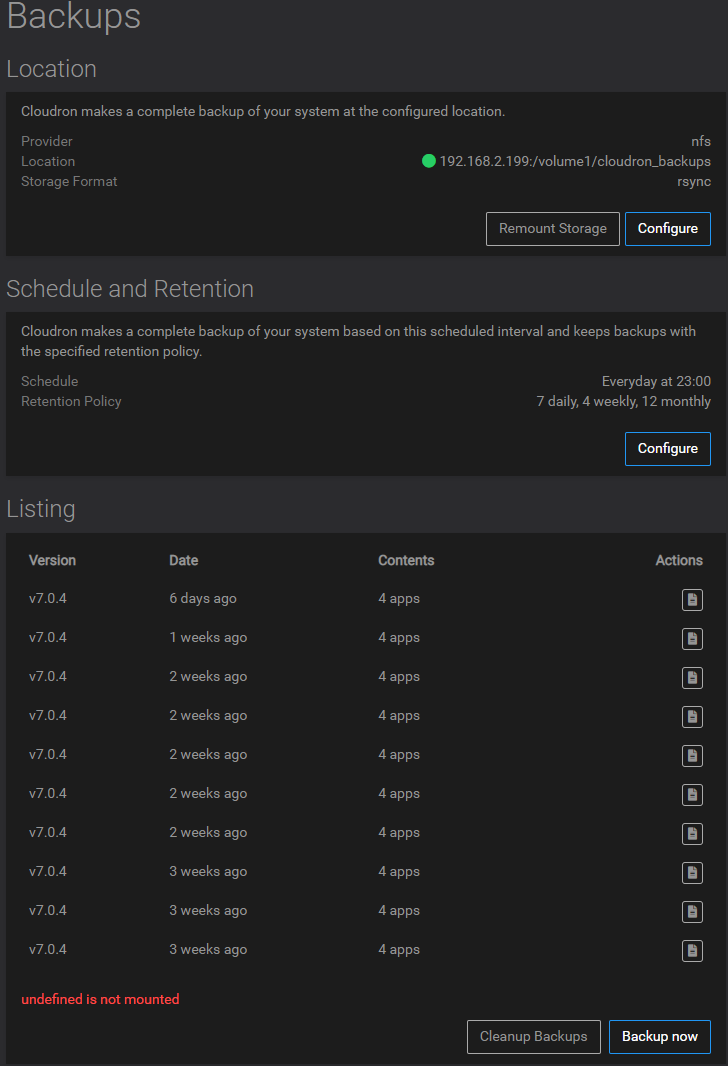
    This was indeed a bug. Fixed in https://git.cloudron.io/cloudron/box/-/commit/2434e813836e7837162c1798794d04655227d9cf . Thanks a lot @avatar1024 . It will be part of 7.1.2
  • 0 Votes
    5 Posts
    2k Views
    girishG
    I have clarified the text a bit more now.
  • 2 Votes
    1 Posts
    492 Views
    No one has replied
  • Restore backup listing

    Support backups restore
    2
    0 Votes
    2 Posts
    1k Views
    girishG
    @wisemetalhead whoops, I somehow missed this question. Not sure why the backup listing disappeared, I think we will have to investigate what happened using the logs. But since the backups itself are still there, you can use the CLI tool's cloudron import to restore (if needed).
  • Backblaze encrypted backup with Rsync fails

    Solved Support backups encryption
    8
    0 Votes
    8 Posts
    3k Views
    E
    For future reference i managed to clear it up by using a slightly modified version of Girish's search command. It seems like the length limit applies to path length not just the filename length find . -type f -print|awk '{print length($0), $0}' | sort -n Went into the web interface and deleted / renamed files longer than 156 bytes and finally cleared trashbin/versioned files (wipes all deleted / old versions of files - careful): sudo -u www-data php -f /app/code/occ versions:cleanup sudo -u www-data php -f /app/code/occ trashbin:cleanup @robi @girish agreed it would be awesome if there was an automated way to handle this in the future
  • Record backup size estimate in backup metadata

    Feature Requests backups
    1
    6 Votes
    1 Posts
    553 Views
    No one has replied
  • Restoring app from backup?

    Solved Support backups restore
    2
    1
    0 Votes
    2 Posts
    1k Views
    girishG
    @joesitsolutions said in Restoring app from backup?: I have the .zip file. Cannot figure out why I keep getting "backupFolder path is protected" You can only create backups to specific paths on the server. Many of the paths are "protected" to make sure that the folders won't get overwritten by updates or are used by the system. This is just a hardcoded list of paths: const PROTECTED_PREFIXES = [ '/boot/', '/usr/', '/bin/', '/lib/', '/root/', '/var/lib/', paths.baseDir() ]; (the baseDir above is /home/yellowtent/). You cannot create backups in subdirectories of the above paths. I understand you are using restore here though and not backup The restore logic uses the same validation logic for paths and you have copied the backup to under /home/yellowtent/. Instead, copy the backup in some path like /mnt/backups/ or /srv/backups/ and try to restore, that should work.
  • 0 Votes
    12 Posts
    4k Views
    P
    @girish Thank's a lot
  • Backup job killed my cloudron

    Discuss backups disk space
    4
    0 Votes
    4 Posts
    2k Views
    O
    @scooke @murgero I am working on get my FreeNAS NFS mount working for the backups, but that seems to be a bit difficult to get the permissions working. If you have experience with NFS, you might have an answer on my problem here... https://forum.cloudron.io/topic/5927/cloudron-backups-on-truenas-nfs-mount/3?_=1636891033300 However thanks!
  • 0 Votes
    13 Posts
    4k Views
    girishG
    Apparently, there is a proper S3 bucket storage now. [image: 1679073227960-2a1b7338-dbca-49d7-864b-24dca54d3466-image-resized.png]
  • Backup Issue with Minio after update 7.0.1

    Solved Support backups minio
    3
    0 Votes
    3 Posts
    1k Views
    girishG
    @savity I can't reproduce this. Do you see any error on the minio side?
  • 4 Votes
    1 Posts
    915 Views
    No one has replied
  • Backup Notes

    Solved Feature Requests backups
    8
    8 Votes
    8 Posts
    3k Views
    J
    @jdaviescoates Awesome, thanks -- I missed that.
  • Slow backup even without changes?

    Support backups restic
    10
    1 Votes
    10 Posts
    4k Views
    timconsidineT
    @nebulon : interesting about Nextcloud I used to have 4 x Nextcloud instances in my Cloudron server (different projects). 3 of them about 10Gb of files (other smaller). My backups were working but slow. Even after switching to 'better' VPS provider. So after testing Seafile for a while, I have moved 2 of the Nextcloud instances over to a single Seafile VPS (with different libraries for segregation). The other 2 Nextcloud instances will follow. I have nothing against Nextcloud and been very happy for it for long time. But if it is really only being used for file collaboration and device syncing, and you don't actually NEED the extra facilities it provides, my personal view is that Seafile is a better solution. So would be awesome to get Seafile onto Cloudron. But I'm quite happy running it on a separate VPS.
  • Cannot import app backup from other cloudron

    Solved Support backups sshfs import
    13
    0 Votes
    13 Posts
    6k Views
    G
    @girish Thanks!
  • Trying to backup to VPS using SSHFS

    Support sshfs backups
    8
    0 Votes
    8 Posts
    4k Views
    scookeS
    @girish I haven't done the steps you suggested yet, I just reverted back to my Scaleway backups. But I will try again shortly. Thanks for checking in.