Cloudron makes it easy to run web apps like WordPress, Nextcloud, GitLab on your server. Find out more or install now.


Skip to content
  • Minio set docs update

    Solved Support docs minio backups
    5
    1 Votes
    5 Posts
    2k Views
    girishG
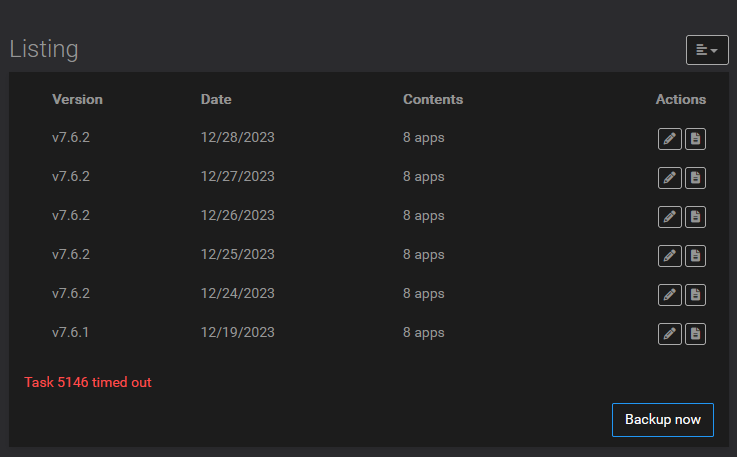
    I have updated the screenshot
  • Scheduled Backup not Triggering

    Solved Support backups
    4
    1 Votes
    4 Posts
    1k Views
    imc67I
    Again: https://forum.cloudron.io/post/79353
  • 1 Votes
    2 Posts
    564 Views
    girishG
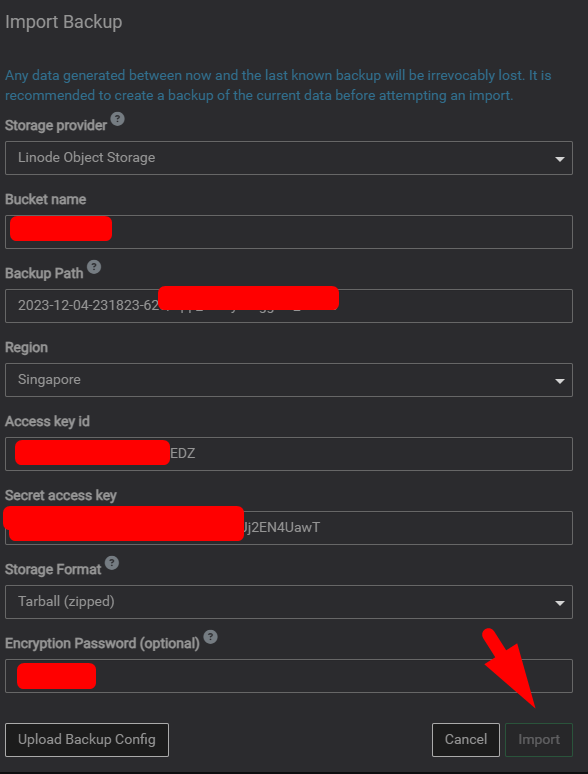
    @dylightful there is a bug when setting up Linode Object Storage (it's already fixed in next release). For now, you have to choose S3 compatibly Storage in the Storage provider combo box and input the values. It's the same thing internally, the Linode Object Storage is merely a convenience that fills out some fields like the endpoints.
  • 1 Votes
    11 Posts
    4k Views
    girishG
    This is fixed in master as well now.
  • Backup with two external drives

    Solved Support backups
    5
    0 Votes
    5 Posts
    2k Views
    S
    Yeah, thanks. I thought thats posible, but i will do it like our adivise
  • Backup failed

    Solved Support backups idrive
    7
    2 Votes
    7 Posts
    3k Views
    jamesJ
    Closed due to inactivity
  • Backups are failing

    Solved Support backups error vultr
    11
    0 Votes
    11 Posts
    4k Views
    L
    Thank you, Girish, for diagnosing and solving this bug so quickly! Backups are working again. If somebody else has this issue and needs to do the patch, you would go to the operating system for your server and find the file there and edit it. Cloudron also have a support tool inside Cloudron which enables you to temporarily grant ssh access to your server, which would let Cloudron's brilliant team patch it for you.
  • 0 Votes
    7 Posts
    3k Views
    girishG
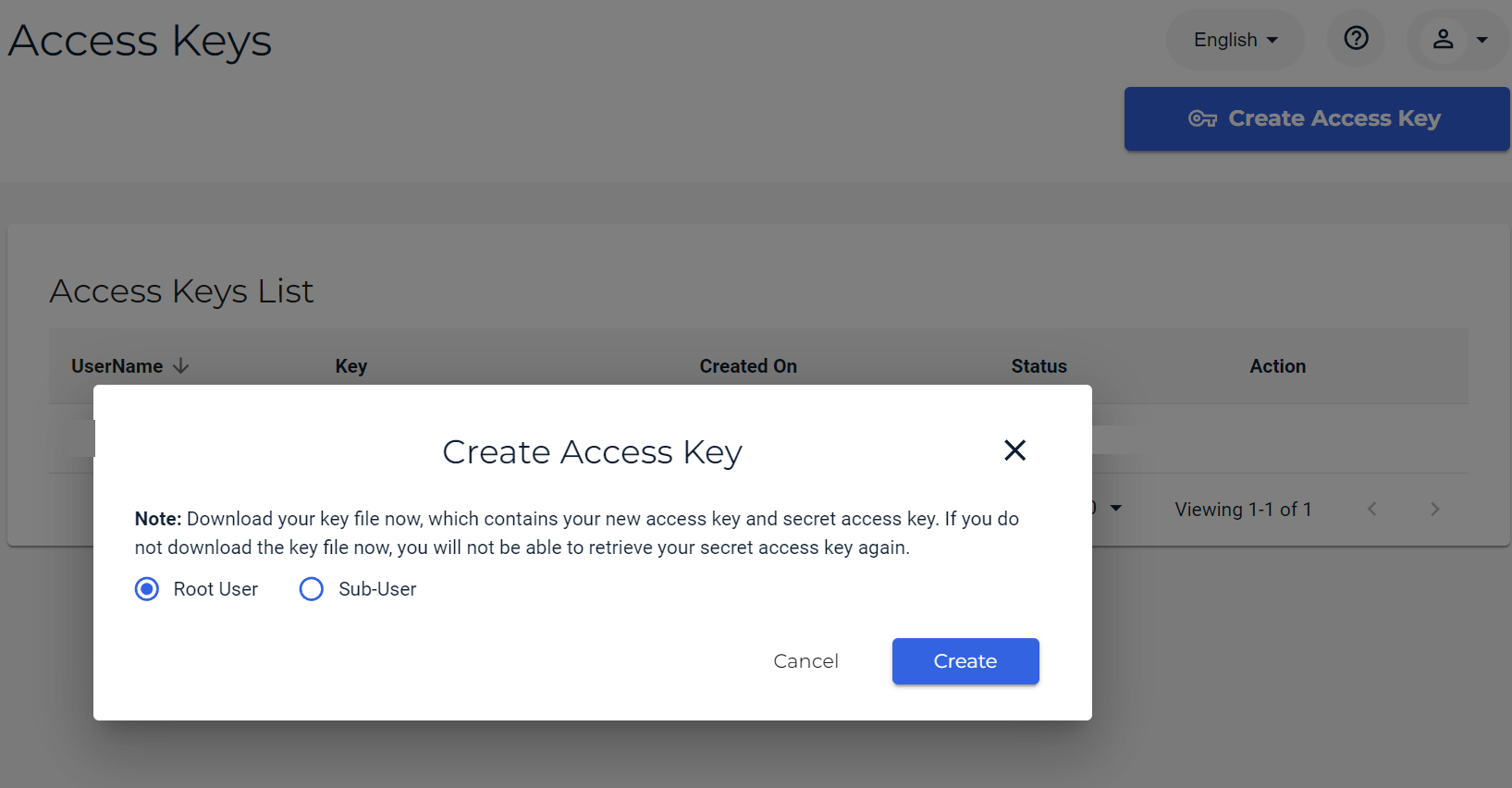
    To answer the original question: I think root user is the first/admin user that you signed up with Wasabi. If you create users after that, they are called sub-users. Depending on your setup, you have to create a key for the root user or sub user. I guess you can just create the key for root user if you are not using sub-users. See https://docs.wasabi.com/docs/creating-a-user-account-and-access-key
  • Backup failed: du error: Command failed

    Solved Support backup backups disk-usage
    4
    1 Votes
    4 Posts
    2k Views
    necrevistonnezrN
    Might not be limited to „lock“ files: Today I had a similar error (first time ever!) du error: Command failed: du -Dsb "/home/yellowtent/boxdata/mail" du: cannot access '/home/yellowtent/boxdata/mail/vmail/[REDACTED]/mail/dovecot.list.index.log.2': No such file or directory
  • Backup to OneDrive

    Feature Requests backups
    6
    1 Votes
    6 Posts
    2k Views
    necrevistonnezrN
    @jayonrails https://forum.cloudron.io/post/47122
  • cannot find cloudflare prefix for r2

    Solved Support backups
    11
    1 Votes
    11 Posts
    4k Views
    adisonA
    aw. well, it told me witch post, but it didn't say witch post in particular in this particular topic. unless you can upvote the topic itself
  • 0 Votes
    6 Posts
    821 Views
    micmcM
    @robi said in Backup failed: ENOENT: no such file or directory, open '/mnt/cloudronbackup/my.uniteddiversity.coop-netcup/snapshot/app_08388b1d-12c7-42c2-b6bd-a5c5be5cfcbb.tar.gz': It's odd that backups ran fine until they didn't with that same default all this time. What would make backups use more memory over time? It would be interesting to know a little more about that, indeed.
  • Backups before retention policy not being deleted. Bug?

    Solved Support backups cleanup-backups
    16
    1 Votes
    16 Posts
    6k Views
    jamesJ
    Hello @shrey This is expected. Each Cloudron release and update has to treat every system the same and can not respect changes made by the user. Changes made to the core services need to be managed by the user manually.
  • SFTP to backup

    Solved Support nfs backups synology
    8
    1 Votes
    8 Posts
    4k Views
    scookeS
    @Neluser It's always appreciated when solutions are posted because eventually someone has a similar or same question. Thank you!
  • How to interpret the retention policy?

    Support backups retention
    5
    1 Votes
    5 Posts
    2k Views
    C
    @girish I am just finding this thread. I would suggest adding these options: { name: '7 daily, 4 weekly, 3 monthly', value: { keepDaily: 7, keepWeekly: 4, keepMonthly: 3 }}, { name: '7 daily, 4 weekly, 6 monthly', value: { keepDaily: 7, keepWeekly: 4, keepMonthly: 6 }}, The first option is a common backup cycle (I think) and the second option allows for 3 more months of retention (and is halfway between the first and the current 12 month option).
  • 0 Votes
    3 Posts
    1k Views
    girishG
    A server snapshot is useful to recover quickly. But a backup is quite separate : Backups are generally separate from your server provider. If you lose access to AWS (maybe they think you are a bad actor or a billing failure makes them kill everything, this happened to me), then backups are a way for you to recover. Snapshots are almost always in the same server provider. Backups are portable . You can't take a EBS snapshot and put it in Digitalocean On Cloudron, backups are per app. So, you can restore each app individually unlike a server snapshot which will roll back everything. Backups help in upgrading things. For example, you can upgrade/migrate database using backup of old version into new version. So, they have different use cases. Both are useful. Use both when possible.
  • Backups : regular crash

    Support backups scaleway
    15
    2 Votes
    15 Posts
    3k Views
    M
    Most of the time the scheduled backups now succeed, but not always. I'll keep an eye on the backups and make manual backups if the scheduled failed. Let's see if the changes of scaleway improve the situation. Thanks again for the suggestions and help.
  • Backups and users

    Solved Support migration backups
    3
    1 Votes
    3 Posts
    1k Views
    girishG
    @fbartels said in Backups and users: Cloudron treats user names as unique Yes, we used to uuid and then went and changed all the apps to use username so that migration from one Cloudron to another (or anywhere else) is easier. As long as the username exists on the other cloudron, user should be able to login.
  • Backup vs Snapshot: Retention policy.

    Solved Support backups retention snapshots
    4
    1 Votes
    4 Posts
    2k Views
    girishG
    @philkunz We use the term snapshot and backup interchangeably in the docs. They are one and the same. I guess snapshot is something you initiate as a user whereas backup is something the system (automatically) initiates. Ultimately, they are both capturing the state of the app and uploading to configured backup location. To answer the questions: yes, backup policy applies to snapshots correct, snapshots (which you click manually) is just in addition to backups (which are taken automatically). there is nothing special about snapshots, we don't differentiate them from the automatic backups. We take snapshots/backups at the per app level. This way you can roll back a single app independent of others. To see the backups/snapshots of an app, you go to Backup section of the app. There is also a system backup (in the Backups view). A system backup is the one which you configure the schedule policy for (we don't have per app backup schedule). The system backup is essentially taking the backup of each app + backup of mail server + backup of the platform (like user information, domains etc) . It "groups" all these separate backups together and this is what is shown in the Backups view. In that sense, the Backups view is showing the "full backups". With the full backups, you can restore/migrate Cloudron to another server (so, it will be exactly the same as the current server with all the apps/domains/data/users).
  • Backups are not cleaned-up

    Solved Support backups retention
    11
    2
    0 Votes
    11 Posts
    4k Views
    potemkin_aiP
    I also had an issue with a backup in place but not reflected on the backups list.