Cloudron makes it easy to run web apps like WordPress, Nextcloud, GitLab on your server. Find out more or install now.


Skip to content
  • client_max_body_size 2m in /api/ location blocks the large blocklists

    Unsolved Support api nginx
    10
    1 Votes
    10 Posts
    371 Views
    imc67I
    A follow-up, because raising nginx client_max_body_size alone turns out not to be enough — there is a second, hard-coded ceiling that hits right after. Even with the /api/ location bumped to 10m, a blocklist POST now fails with HTTP 500 and this JSON body: {"status":"Internal Server Error","message":"request entity too large"} Note it is a 500, not an nginx 413 — the body passes nginx and is then rejected inside box. The cause is the JSON body-parser limit in: box/src/server.js (9.0.0, ~line 41) const QUERY_LIMIT = '2mb', // max size for json queries (see also client_max_body_size in nginx) ... const json = middleware.json({ strict: true, limit: QUERY_LIMIT }, true); That QUERY_LIMIT applies to every JSON POST route, including POST /api/v1/network/blocklist. So there are two coupled limits — the nginx one and this one — and the box default (2mb = 2,097,152 bytes) is the real wall for large blocklists. Concrete numbers from a live install: the combined blocklist is ~90,600 entries and the JSON request body is 2,096,109 bytes — about 1 KB under the 2 MiB limit. One of my servers already fails as soon as a few hundred new IPs are added, while others with a slightly shorter list still squeak through. (JSON encoding inflates it further: each newline becomes \n → \n, ~90 KB on top of the raw list. JSON_UNESCAPED_SLASHES is already applied.) Request: please raise both limits, ideally toward the ipset capacity (262,144 entries). At minimum, give the blocklist route a QUERY_LIMIT that matches a raised client_max_body_size (e.g. 8–10 MB) — otherwise raising the nginx value has no effect for this endpoint. The in-code comment already acknowledges the two are meant to track each other. Happy to provide a sample 90k-entry blocklist for testing if useful.
  • API v1 endpoints not working as documented — Cloudron v9.1.6

    Solved Support api
    5
    1 Votes
    5 Posts
    380 Views
    R
    Thanks for the answer - I'll check until monday. Yes, I used AI but I personally checked and validated and understood the problem before posting.
  • Specific API unit not working or docs wrong

    Solved Support api
    2
    1 Votes
    2 Posts
    167 Views
    nebulonN
    So for services like nginx or so you have to use the services API https://docs.cloudron.io/api/download-service-logs The logs used to served up under the system API namespace but have moved to services some time ago. I will update the docs to not talk about those other services in the systems route.
  • Spam ACL whitelist in API but not in GUI?

    Moved Discuss api email
    10
    2 Votes
    10 Posts
    1k Views
    robiR
    @james make an enhancement todo?
  • Importing bulk email aliases

    Discuss email api
    2
    2 Votes
    2 Posts
    297 Views
    jamesJ
    Hello @cloud802 Currently, there is no import function in the Cloudron dashboard for email aliases. What you would need to is import them programmatically with the API. See: https://docs.cloudron.io/api/set-aliases-by-name
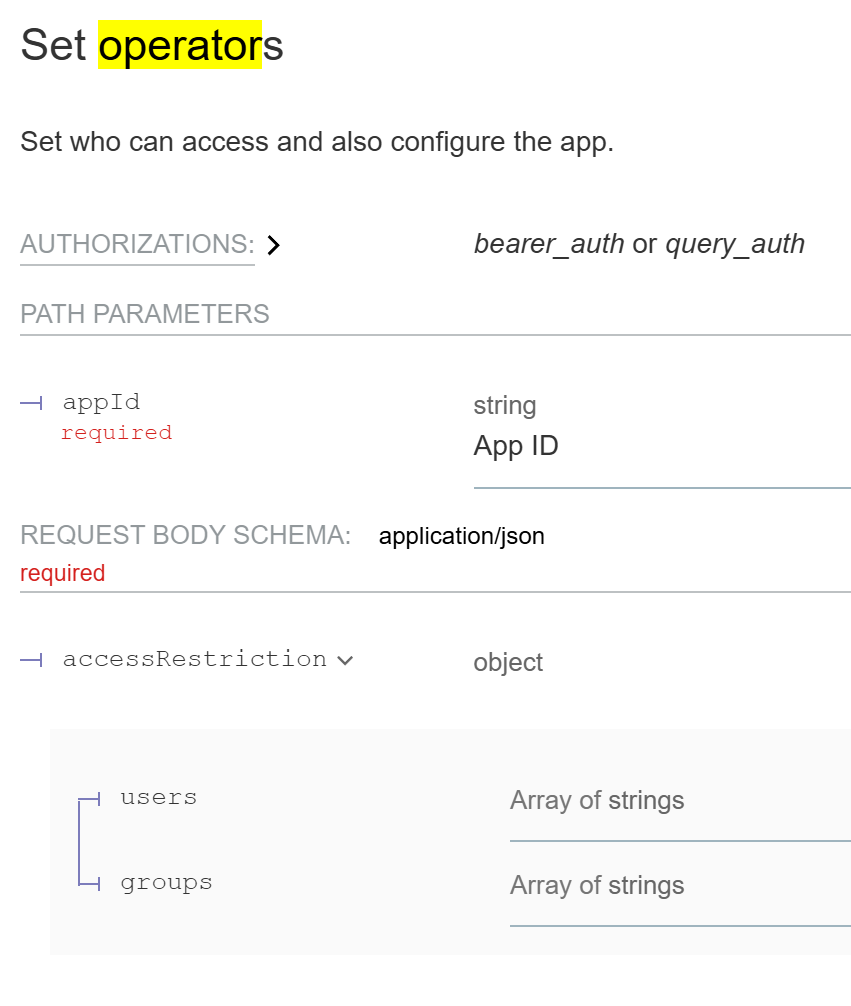
  • Cloudron API Docu - Set Operators correction?

    Discuss api documentation
    4
    1
    0 Votes
    4 Posts
    666 Views
    jamesJ
    Hello @3246 With the cloudron cli you can run e.g: cloudron exec --app $APP -- fallocate -l 4M /app/data/4M See cloudron exec --help: Usage: cloudron exec [options] [cmd...] Exec a command in an application Options: -t,--tty Allocate tty --app <id/location> App id or location -h, --help display help for command Examples: $ cloudron exec --app myapp # run an interactive shell $ cloudron exec --app myapp ls # run command $ cloudron exec --app myapp -- ls -l # use -- to indicate end of options Was not sure if possible via the API but since I can debug the cloudron cli and see what it do I figured something out. Send the to /api/v1/apps/$APPID/exec # Command is an array `ls -lah /app/data` would become for each space ["ls", "-lah", "/app/data/"] curl "https://my.$DOMAIN.$TLD/api/v1/apps/$APPID/exec" \ -H 'Authorization: Bearer $APITOKEN' \ -H 'content-type: application/json' \ --data-raw '["ls", "-lah", "/app/data/"]' # this returns and id { "id": "a90bcfcec1d29f7a595638ea66c8ac0bb53b594047ac74fc80bf97f75fed0c19" } But getting the output of the executed command is. . . tricky. Just look at the source code for the cli for this part: const searchParams = new URLSearchParams({ rows: stdout.rows || 24, columns: stdout.columns || 80, access_token: token, tty }); const req = https.request({ hostname: adminFqdn, path: `/api/v1/apps/${app.id}/exec/${execId}/start?${searchParams.toString()}`, method: 'GET', headers: { 'Connection': 'Upgrade', 'Upgrade': 'tcp' }, rejectUnauthorized }, function handler(res) { if (res.statusCode === 403) exit('Unauthorized.'); // only admin or only owner (for docker addon) exit('Could not upgrade connection to tcp. http status:', res.statusCode); }); req.on('upgrade', function (resThatShouldNotBeUsed, socket /*, upgradeHead*/) { // do not use res here! it's all socket from here on socket.on('error', exit); socket.setNoDelay(true); socket.setKeepAlive(true); if (tty) { stdin.setRawMode(true); stdin.pipe(socket, { end: false }); // the remote will close the connection socket.pipe(stdout); // in tty mode, stdout/stderr is merged socket.on('end', exitWithCode); // server closed the socket } else { // create stdin process on demand if (typeof stdin === 'function') stdin = stdin(); stdin.on('data', function (d) { var buf = Buffer.alloc(4); buf.writeUInt32BE(d.length, 0 /* offset */); socket.write(buf); socket.write(d); }); stdin.on('end', function () { var buf = Buffer.alloc(4); buf.writeUInt32BE(0, 0 /* offset */); socket.write(buf); }); stdout.on('close', exitWithCode); // this is only emitted when stdout is a file and not the terminal demuxStream(socket, stdout, process.stderr); // can get separate streams in non-tty mode socket.on('end', function () { // server closed the socket if (typeof stdin.end === 'function') stdin.end(); // required for this process to 'exit' cleanly. do not call exit() because writes may not have finished . the type check is required for when stdin: 'ignore' in execSync, not sure why if (stdout !== process.stdout) stdout.end(); // for push stream socket.end(); // process._getActiveHandles(); process._getActiveRequests(); if (stdout === process.stdout) setImmediate(exitWithCode); // otherwise, we rely on the 'close' event above }); } }); req.on('error', exit); // could not make a request req.end(); // this makes the request From a little debugging I got the API path: /api/v1/apps/$APPID/exec/$EXECID/start?rows=21&columns=257&tty=false But when CURL'ing this: curl "https://my.$DOMAIN.TLD/api/v1/apps/$APPID/exec/$EXECID/start?rows=21&columns=257&tty=false" \ -H "Authorization: Bearer $APITOKEN" \ -H 'content-type: application/json' { "status": "Not Found", "message": "exec requires TCP upgrade" } And I am not sure how to "TCP upgrade" the curl request. I will ask the team.
  • Nominatim (self hosted geocoding)

    App Wishlist api geolocation search geocoding
    1
    4 Votes
    1 Posts
    1k Views
    No one has replied
  • Accessing the OpenWebUI API

    OpenWebUI api openwebui
    12
    1 Votes
    12 Posts
    6k Views
    JOduMonTJ
    @nebulon understood; it's just in my testing environment (home) I'm use to connect my container via container_name:port without exposing the port. such as OpenWebUI connect to my Searxng because --- services: open-webui: searxng: container_name: searxng Now I understand this is not viable into a multi-domains, multi-services environment Do you think something similar is possible and viable ?
  • /api/v1/apps/install

    Solved Support api docs
    4
    0 Votes
    4 Posts
    1k Views
    nebulonN
    Finally got around to adding the docs for this route: https://docs.cloudron.io/api.html#tag/Apps/operation/installApp
  • GET GROUP truncated

    Solved Support api groups
    19
    0 Votes
    19 Posts
    6k Views
    D
    Thank you!
  • User import / Batch user creation

    Discuss api user management
    7
    1 Votes
    7 Posts
    3k Views
    necrevistonnezrN
    @BrutalBirdie That should be part of the docs!
  • Is it possible to clone an app via API?

    Discuss api
    2
    1 Votes
    2 Posts
    1k Views
    girishG
    @affinity yes, everything that you see in the UI has a corresponding API call. The dashboard is a pure frontend app. Unfortunately the docs for the API are lacking but we have someone working on this actively. For the moment, just look into the browser console for the API call it makes when cloning a application. Usually, it's a simple REST call. cc : @lassgutsein
  • User & Group CRUD API(S)

    Solved Support api docs
    3
    1 Votes
    3 Posts
    1k Views
    girishG
    @darren if you hit any issues, feel free to ask here.
  • Did the API urls change? Suddenly get 400 bad request errors

    Solved Support api
    3
    0 Votes
    3 Posts
    1k Views
    necrevistonnezrN
    Thanks for the hint - trying that I got a more meaningful error notice. It was one of the ipdeny urls (IPv6 list for North Korea) that resulted in an empty HTML file, throwing off the ipfile format.
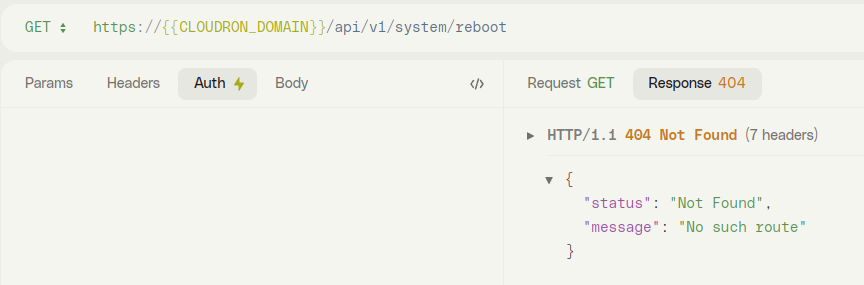
  • /system/reboot no such route

    Solved Support api reboot
    6
    1
    1 Votes
    6 Posts
    2k Views
    LanhildL
    @girish Thanks, that was it.
  • Create mail accounts by API

    Solved Support api mail
    2
    0 Votes
    2 Posts
    967 Views
    BrutalBirdieB
    via api you can do that. POST {{baseUrl}}/mail/:domain/mailboxes note :domain is a variable for the mail domain. note {{baseUrl}} is the Cloudron api url e.g. https://my.DOMAIN.TLD/api/v1 with body: { "name": "webmaster", "ownerId": "uid-be9dcf57-ad65-40e0-a3f8-d1c75974bf01", "ownerType": "user" } The ownerType can be user or group. and the ownerId you need to get via either /users and for groups /groups. The API and the API Doc is currently being reworked. https://git.cloudron.io/cloudron/docs/-/blob/master/api/cloudron_api_swagger.yaml?ref_type=heads
  • certs_renew API no longer working?

    Solved Support reverseproxy api
    5
    0 Votes
    5 Posts
    2k Views
    potemkin_aiP
    Thanks, everyone!
  • POST /api/v1/cloudron/reboot 404

    Solved Support api
    7
    0 Votes
    7 Posts
    3k Views
    C
    Good to know it should work. I will try it again later. Can't reboot now in the middle of the day. Maybe something got cached in the browser then.
  • cloudron cli error

    Solved Support cli api
    11
    1
    0 Votes
    11 Posts
    4k Views
    girishG
    @webvsnet Ah alright Remember that when you upgrade Cloudron, you will have to get back to CLI 5.4.0
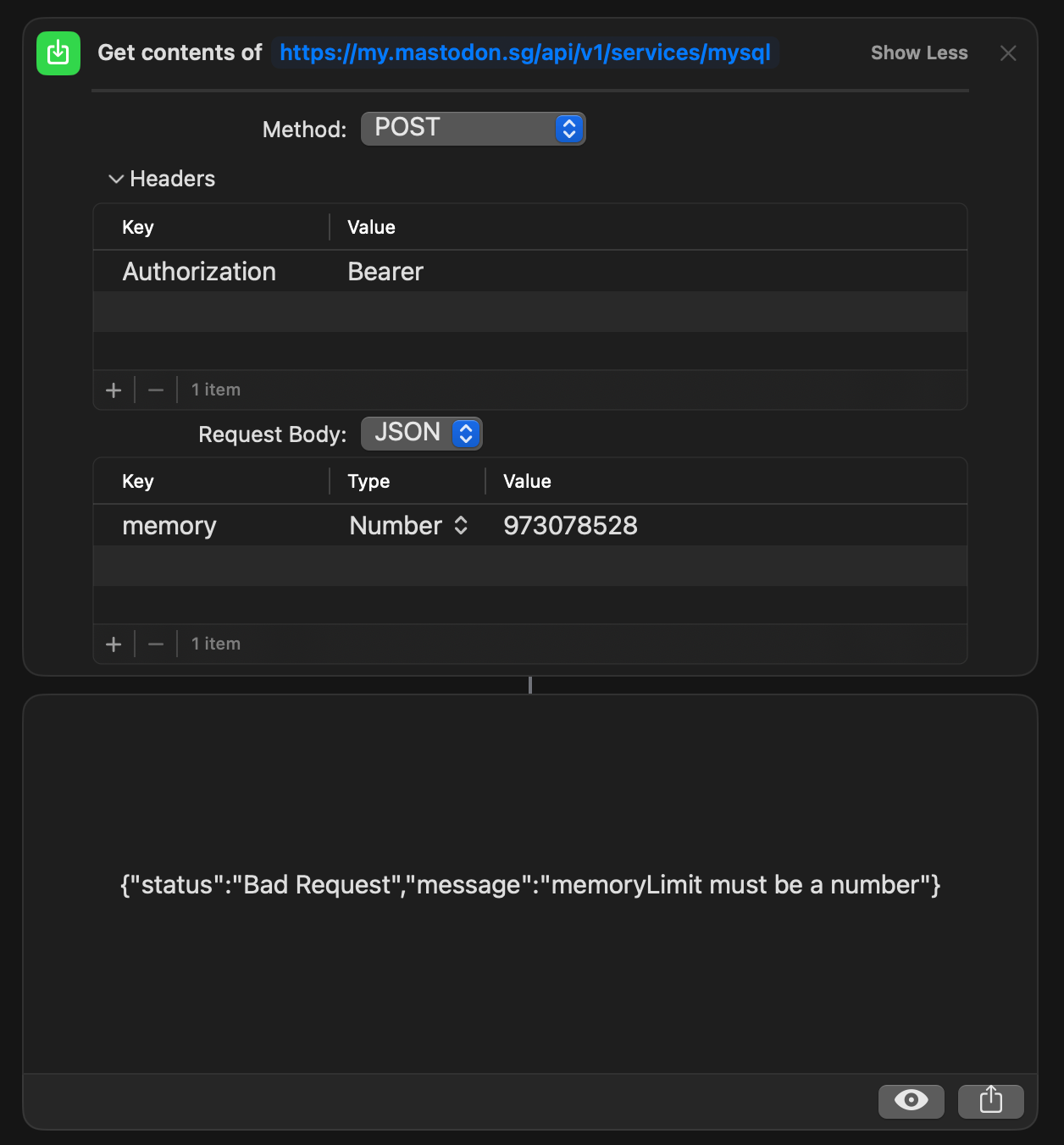
  • Issue with the API to change MemoryLimit

    Solved Support api
    5
    1
    0 Votes
    5 Posts
    2k Views
    A
    @girish said in Issue with the API to change MemoryLimit: --data-raw '{"memoryLimit":973078528} Thanks! this bit helped.