Cloudron makes it easy to run web apps like WordPress, Nextcloud, GitLab on your server. Find out more or install now.


Skip to content
  • Nextcloud + Matrix (Riot Client) Integration

    Discuss riot nextcloud
    2
    3 Votes
    2 Posts
    3k Views
    girishG
    From https://github.com/gary-kim/riotchat#installation, it requires Node, npm, yarn (for compiling Riot.im), and Make. The latest base image 2.0.0 should have it all.
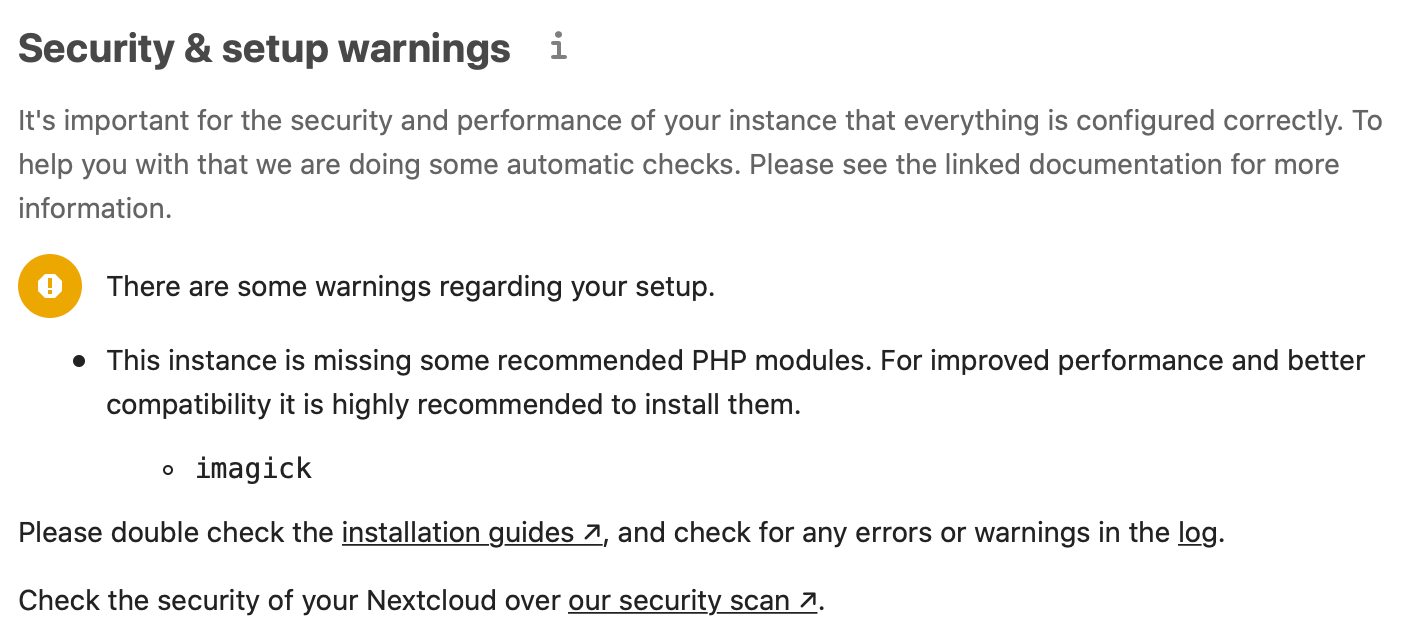
  • Nextcloud suggesting I install imagick

    Solved Nextcloud packaging nextcloud
    5
    1
    0 Votes
    5 Posts
    2k Views
    nebulonN
    We've pushed a package update just now to fix this.
  • 1 Votes
    5 Posts
    25k Views
    jeauJ
    it works fine, sorry @girish I should have read the Etherpad Cloudron app doc and also the Ownpad one, because I have to enable the detection of pad mimetype by NextCloud https://github.com/otetard/ownpad/#mimetype-detection. In the terminal, I copied /app/code/resources/config/mimetypemapping.dist.json to /app/data/config/mimetypemapping.json and then I added in this file pad'': ["application/x-ownpad"], we could add this information to the Cloudron documentation of the NextCloud app, next time I'll read it
  • 6 Votes
    2 Posts
    2k Views
    fbartelsF
    The following configuration needs to be added to the identifier registration of Kopano Konnect to enable SSO with Rocketchat: - id: rocketchat.9wd.eu name: Rocketchat trusted: true application_type: web redirect_uris: - https://rocketchat.9wd.eu/_oauth/konnect Remember to restart Konnect after modifying the registry. If you want to verify that the configuration was properly loaded you have to modify log_level in /app/data/konnectd.cfg to read /app/data/konnectd.cfg. With another restart Konnect will then print a message like the following at startup: Apr 20 20:21:30 time="2020-04-20T18:21:30Z" level=debug msg="registered client" application_type=web client_id=rocketchat.9wd.eu insecure=false origins="[https://rocketchat.9wd.eu]" redirect_uris="[https://rocketchat.9wd.eu/_oauth/konnect]" trusted=true with_client_secret=false In Rocket.chat the following configuration needs to be added. For this go into the admin backend, select "OAuth" and there "Add custom oauth". I am using the following settings: URL: https://meet.9wd.eu Token Path: /konnect/v1/token Token Sent Via: Header Identity Token Sent Via: Same as "Token Sent Via" Identity Path: /konnect/v1/userinfo Authorize Path: /signin/v1/identifier/_/authorize Scope: openid profile email Id: rocketchat.9wd.eu Secret: rocketchat Login Style: Default Button Text: Kopano Konnect (needs to be something the user can relate to) Button Text Color: #FFFFFF Button Color: #13679A Username field: preferred_username Merge users: false After storing these log out of Rocket.chat and you will see a new button on your login page titled "Kopano Konnect", which will then use the new login method.
  • New Nextcloud 4.4.0 update with Integrated TURN Query

    Moved Solved Nextcloud nextcloud turn
    5
    0 Votes
    5 Posts
    2k Views
    andreasduerenA
    @girish That be really great because I'm so done reconfiguring the NC Talk settings once a day lol
  • Nextcloud setup warning for caldav and carddav

    Moved Solved Nextcloud nextcloud caldav carddav well-known
    11
    0 Votes
    11 Posts
    5k Views
    ?
    @girish The update for Cloudron was installed now, then the location in the Nextcloud app was saved again. Now it is error-free. Thanks for your personal support!
  • Issue with NextCloud and OnlyOffice

    Moved Solved OnlyOffice nextcloud onlyoffice
    27
    1
    1 Votes
    27 Posts
    11k Views
    H
    Hi @nebulon, issue happened after I updated to the latest versions few days ago (version info in a previous reply). Don't think there're any updates since. To be sure, I just checked my versions again, still the same: ONLYOFFICE 6.1.0 Community Document Server 0.1.8 Nextcloud 20.0.2 Packaged version 4.8.1
  • Changing Default Files in Nextcloud

    Moved Solved Nextcloud nextcloud
    7
    0 Votes
    7 Posts
    10k Views
    girishG
    @rcdncn Thanks. I have pushed your notes to our docs at https://cloudron.io/documentation/apps/nextcloud/#skeleton-directory
  • 0 Votes
    4 Posts
    2k Views
    madrushM
    Hi, I am interested in using Object Storage for Nextcloud primary storage as well. Currently, an object storage provider can only be added as external storage. It would be great to be able to configure some s3-compatible Object Storage, which costs much less and can be more durable than Volume, as the primary storage. As I understand it, this is not yet possible in Cloudron. Would it be possible to enable this option?
  • Allowing guests to join Nextcloud Talk video calls

    Moved Solved Nextcloud nextcloud nextcloud talk
    11
    0 Votes
    11 Posts
    4k Views
    jdaviescoatesJ
    Just tested again with 3 other people (so four total) and again it worked great, aside from the fact one person couldn't see or hear one other person (odd).
  • 0 Votes
    3 Posts
    1k Views
    B
    I can ignore that error, but the log file is chaotic. Hope to fix it one day. Thanks for the answer.
  • 0 Votes
    2 Posts
    1k Views
    girishG
    @dfldadm Thanks! I have improved https://cloudron.io/documentation/apps/onlyoffice/#changing-default-app-secret now
  • Mount custom volume in app container

    Moved Solved Feature Requests nextcloud storage feature-request
    6
    2 Votes
    6 Posts
    2k Views
    H
    @girish Oops, I realized just now, that I didn't reply to your question yet. What I changed and maybe has to be protected from being accidentally overwritten is the 'datadirectory' option in /app/data/config/config.php. I changed that path from the default path to '/media/mymountpoint'. I don't remember if I had Nextcloud in maintenance mode or put the app in recovery mode, while I changed that path and moved the files. But it was either of them. However, I had some duplicate storage paths in the database afterwards and I manually updated the oc_storages table as described here and did a files:scan afterwards. But that should not be related to what the code for updates overwrites, I guess.
  • Multi Domain for the same app such as Nextcloud

    Moved Nextcloud domains nextcloud
    6
    1 Votes
    6 Posts
    3k Views
    mdreiraM
    I am very interested in this. Hope we can have domain aliases very soon for applications that support it, like WP or Nextcloud. Please!!!
  • 0 Votes
    3 Posts
    1k Views
    F
    Thanks! Makes sense! I'll message support.
  • 0 Votes
    5 Posts
    2k Views
    girishG
    For future reference, you have to use resize2fs to grow the ext4 partition when you expand the disk size. This is atleast the case for most public cloud block storage and is a manual operation. Cloudron could potentially do this but I am guessing there is a good reason to not do this automatically, otherwise public cloud folks would have done this already
  • Trouble setting up OnlyOffice and NextCloud

    Moved Solved OnlyOffice onlyoffice nextcloud
    6
    0 Votes
    6 Posts
    3k Views
    W
    @jifalo9431 I solved the issue by following the instructions here: Installing Cloudron on a Home Server
  • 0 Votes
    4 Posts
    2k Views
    V
    i have the same Problem at home i use Cloudron 4.4.4 there int runs fine, but yesterday i installed a new clorudron installation v. 4.4.5 and ther i have problems with collabora. when i open a word file from nextcloud the first time it opens, but when i close the file and 30s later i open it again collabora doesnt load, it stays at 1% loading and i cant opan any other file.
  • ONLYOFFICE + Nextcloud - Download Failed

    Moved OnlyOffice onlyoffice nextcloud
    9
    0 Votes
    9 Posts
    4k Views
    girishG
    @iamthefij Can you reproduce the setup in our demo - https://my.demo.cloudron.io (username and password is 'cloudron') ?
  • LDAP sync in Nextcloud

    Moved Nextcloud nextcloud
    7
    0 Votes
    7 Posts
    7k Views
    girishG
    @miloskroulik Might be best to take this up in the nextcloud forum. Atleast, I can't find any docs on when the syncing happens and how it can be triggered manually. The --update <username> did end up doing a proper ldap search in my installation (as seen in the /home/yellowtent/platformdata/logs/box.log). I had run ldap:list (or maybe it was ldap:search, i forget) previously and it did not list the user. After the update, it listed the user.