@firmansi You can change the memory limit in a couple of places:
The service (mysql) in Services -> MySQL . Bump the limit there
The app's memory limit . App -> Resources.
@3246 very strange, I just tried a restore of Cloudron with SSFS now and it works. Not sure what's the best way to proceed here, but if you are blocked by this, can you write to support@cloudron.io and we can debug fruther ?
Backups are fine now. it created a backup in the night and it succeeded. Only the backup from yesterday is broken according to the log and I still see the old (non existing) backup logs in the dropdown. So just a tiny bug and the backup system itself works fine.
Thanks for confirming this and explaining how it works in the background!
@holm yes, thanks. This is planned but with a slightly different approach. The restore process will keep track of what it's downloaded, so that the download can be incremental. That way, one ideally doesn't need to select anything.
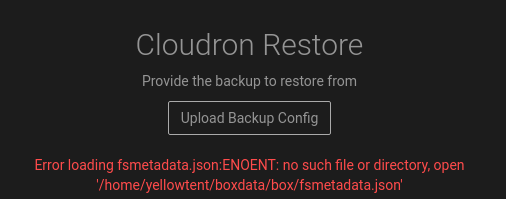
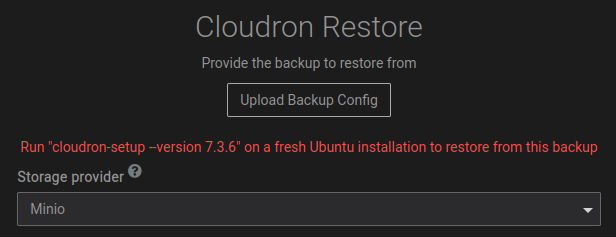
@morvin you should instead give the path in the time stamped directories . They will look like hy/2023-01-08-070000-649/box_v7.4.0.tar.gz. There is a version field in the filename. This allows us to check if the backup corresponds to the Cloudron version you have installed.
yes, if the backup config has a password set, the UI will expect it to be entered before you can restore.
You can use the top right menu to mark this as resolved.
@jdaviescoates The first one is from redis, it can be ignored. The second is the healtheck bot. It appears when the app is not up yet. That can be ignored as well. The final one is because the apache config has ServerName unset. Which app is this? Setting the ServerName to some dummy name makes it go away.
@RoboMod said in Restore backup doing nothing:
"$scope.backupFolder
https://forum.cloudron.io/topic/6388/scope-configurebackup-is-undefined/12 was the thread
@scooke I went to each individual app and pointed to the fileshare with the full path "/media/fileshare/2020-07-01-0500/app_backup.tar.gz.enc" and restored those backups.
As for the second part, Azure adds the following "actimeo=30" switch to the cifs share that goes in your /etc/fstab file that causes the connection to time out if the backup takes too long. Once that is removed, reboot the server and the new backups will complete without issues.
@therealwebmaster If you mount it manually, use the Filesystem provider. Then, the backup path is simply /mounted-old-cloudron/var/backups/<timestamp>/box_<timestamp>_v<box_version>.
See https://docs.cloudron.io/guides/download-backups/#backup-file-names for some hints.
@therealwebmaster https://aws.amazon.com/premiumsupport/knowledge-center/ec2-launch-issue/ is another idea to cleanup the disk.
But otherwise, do you have external Cloudron backups? It's quite easy to recover from cloudron backups - see https://docs.cloudron.io/backups/#restore-cloudron .