Cloudron makes it easy to run web apps like WordPress, Nextcloud, GitLab on your server. Find out more or install now.


Skip to content

Support

3.5k Topics 25.3k Posts

Get help for your Cloudron

  • 0 Votes
    2 Posts
    123 Views
    sebastienserreS
    I've tripled checked (created new key and secret) and it works...
  • Cloudron App Install Update Error Bug

    Solved
    4
    0 Votes
    4 Posts
    307 Views
    D
    @james said in Cloudron App Install Update Error Bug: Hello @dualoswinwiz Please use registry.docker.com as the docker hub server address. This should resolve the issue. i was using like this registry.hub.docker.com --- changing this to registry.docker.com solved the problem
  • SERVERFAIL error

    Moved Solved dns cloudflare
    6
    1 Votes
    6 Posts
    411 Views
    J
    Can you run cloudron-support --unbound-forward-dns 1.1.1.1 ? This will forward all DNS requests to cloudflare public DNS.
  • max instances, no feedback

    Solved demo app install
    3
    1 Votes
    3 Posts
    280 Views
    girishG
    Fixed in https://git.cloudron.io/platform/box/-/commit/b537d73a5585662605176346ffb31db4ebbb6a02
  • Minio region issues after cloudron updates

    Solved minio backup update s3
    4
    1 Votes
    4 Posts
    360 Views
    girishG
    The AWS module changed between v8 and v9 and maybe some discrepancy between the versions is causing this. I will close this because testing and accommodating minio issues is a dead end unfortunately given that the project has gone into maintenance mode. We are looking into Gargage as an alternative.
  • Cron not running at all

    Moved cron restore migration
    10
    1
    0 Votes
    10 Posts
    3k Views
    J
    Maybe you can open a new thread with the log? The previous issue is probably not relevant since it was many versions ago. Did you also restore Cloudron to a new server and hit this issue?
  • Connect to the MySQL database of Cloudron

    Solved mysql
    4
    0 Votes
    4 Posts
    332 Views
    jamesJ
    Hello @potemkin_ai You could also check the Cloudron event log to see if and when the password was changed. Have you checked that?
  • Private docker registry in Cloudron

    Solved docker registry docker
    8
    0 Votes
    8 Posts
    677 Views
    D
    @james said in Private docker registry in Cloudron: Hello @dualoswinwiz I have just created a personal access token with the Read-only permission. Configured Cloudron: [image: 1766752382547-8248133a-0064-4fa0-a724-828faf826879-image.png] and was able to install my custom app from a private repo. Did you use registry.hub.docker.com as the Server address? Nope i was using docker.io once i changed to registry.hub.docker.com its working thank you.
  • OIDC picture url returns 404

    Solved oidc
    3
    1 Votes
    3 Posts
    209 Views
    klawitterbK
    Great, good to hear and looking forward to the fix. Anyway it’s not very urgent. Thanks and happy Xmas
  • 1 Votes
    3 Posts
    199 Views
    jamesJ
    Hello @thibault In Cloudron 9 external links have been moved Appearance. [image: 1766566436835-f81d64b3-c318-43f3-ba10-abfe1f9a37d0-image.png] We already had multiple report of users not being able to find it so we will move it back to its old position or to another place where it makes sense.
  • Branding DNS Error Message just like not responding page

    Solved dns branding
    5
    1
    2 Votes
    5 Posts
    323 Views
    jamesJ
    Hello @arta Yes it does. If you place the file /root/yellowtent/boxdata/custom_pages/notfound.html you can customize it. I have copied the original and edited the text: [image: 1766355580244-a2bb1bf8-7374-4be0-a13e-811a40335ed4-image-resized.png]
  • 1 Votes
    8 Posts
    439 Views
    F
    https://forum.cloudron.io/topic/14767/error-accessing-dashboard-after-update-from-8.x-to-9.x-read-this
  • 5 Votes
    2 Posts
    173 Views
    girishG
    Thanks for reporting. Fixed in https://git.cloudron.io/platform/box/-/commit/5107cd28c4a0b8b362e9ee5da7151a9271db9fa3 . It won't collapse anymore and you can select it. The link to http://www.barracudanetworks.com/reputation/?pr=1&ip= ... itself is broken, gets forwarded to https://www.barracuda.com/ which results in a 404. Working link is https://www.barracudacentral.org/lookups but I didn't manage to add the IP as parameter This is actually the raw TXT record that is in their DNS. It would not be safe to render it as a link, since it is random external data. But also their DNS simply has raw links like above which are i guess broken. For example: # host -t TXT 70.188.231.171.b.barracudacentral.org 127.0.0.150 Using domain server: Name: 127.0.0.150 Address: 127.0.0.150#53 Aliases: 70.188.231.171.b.barracudacentral.org descriptive text "http://www.barracudanetworks.com/reputation/?pr=1&ip=171.231.188.70"
  • Searching apps by label is not working

    Solved apps label
    2
    1 Votes
    2 Posts
    87 Views
    nebulonN
    Thanks for reporting! This was an oversight and is now fixed for next release https://git.cloudron.io/platform/box/-/commit/a2dd45fd69d3174b1cbac15c70bd075105dc07a1
  • Backup to tebi not working

    Solved s3 backups tebi
    13
    1 Votes
    13 Posts
    1k Views
    robiR
    @girish Can you send me a note in the chat here or an email as to what they said?
  • Cant’t uninstall Roundcube

    Moved Solved cloudflare api key api token
    2
    0 Votes
    2 Posts
    151 Views
    G
    I figured it out, my Cloudflare API token changed.
  • License issue

    Solved appstore license
    21
    1
    2 Votes
    21 Posts
    3k Views
    artaA
    You are not wrong in principle, distributing workloads reduces blast radius, and that approach makes perfect sense in many scenarios. Our setup, however, is slightly different. We operate our own colocation facility (4K rack capacity) with direct, hands-on access to the hardware. For this particular server, there is a live mirror in place with continuous rsync-based synchronization, so the data is always effectively warm. Internally, the servers are connected over a dedicated 10 Gbps private network. In practical terms, this means restoring or promoting a mirror is not a lengthy operation. It is also worth noting that these instances are not customer facing. They support our internal workflows, not production services for external clients, so the operational impact of a short outage is limited by design. Even in the worst case, an instance going down does not trigger customer downtime or a flood of support calls. The main reason we run Cloudron on a single server is automation. We rely heavily on the Cloudron API for provisioning, backups, restores, and lifecycle management, and keeping everything under one Cloudron instance allows these processes to remain fully automated and consistent. But sure, it has some costs. Running multiple Cloudron instances on separate servers would significantly increase operational complexity and require manual coordination, which defeats the purpose of our setup. Given our mirrored data, high-speed internal networking, and automated recovery, a single Cloudron control panel is a deliberate and acceptable trade-off for our use case.
  • Can't see any file in the file manager & SFTP broken

    Moved Solved filemanager sftp
    4
    1 Votes
    4 Posts
    284 Views
    ruihildtR
    @joseph said in Can't see any file in the file manager & SFTP broken: have you tried to restart SFTP in Services -> SFTP already? I hadn't, and I noticed that SFTP service was in recovery mode for some reason (I'm going to try to figure out why, but it's most probably a person issue and not a technical one). Restarting it worked. I should have checked there before asking.
  • 0 Votes
    4 Posts
    270 Views
    nebulonN
    The dialog is also fixed now with https://git.cloudron.io/platform/box/-/commit/612002ec33f54d23ab4e4c38e0e5e0d3853e9db2
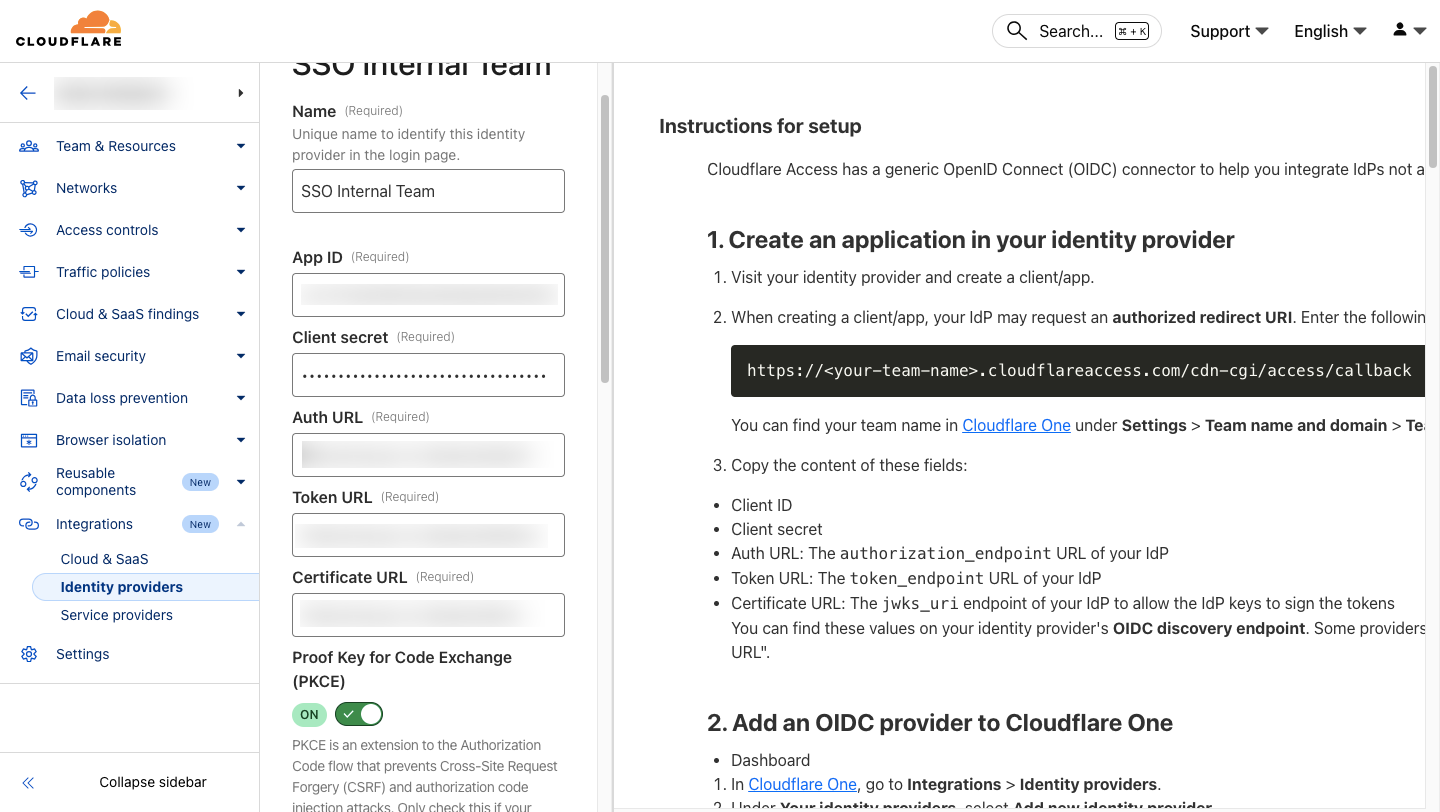
  • Cloudflare Zero Trust Issue with Cloudron OpenID

    Solved cloudflare oidc
    3
    0 Votes
    3 Posts
    350 Views
    firmansiF
    It works now