Cloudron makes it easy to run web apps like WordPress, Nextcloud, GitLab on your server. Find out more or install now.


Skip to content

Support

Get help for your Cloudron

3.4k Topics 24.3k Posts
  • 2 Votes
    13 Posts
    158 Views
    J
    @saikarthik I deleted the registry config. mysql -uroot -ppassword -e "DELETE FROM box.settings WHERE name='registry_config'" Then, re-run the migrations: /home/yellowtent/box/setup/start.sh After the upgrade, you can re-setup the registry . But you have to shorten the password length to < 128 chars.
  • collectd inactive after Ubuntu 22.04 upgrade

    Solved collectd
    4
    1 Votes
    4 Posts
    80 Views
    B
    @necrevistonnezr @joseph Ah, got it, thank you for clarifying. For what it's worth, I was following the upgrade guide for Ubuntu 22.04 (https://docs.cloudron.io/guides/upgrade-ubuntu-22/) which indicates that it should be active. Probably a decent number of people will follow the same trail I did: Cloudron updates to 9.x --> Notification about 20.04 EOL --> Follow 22.04 upgrade guide. If none of these folks need to worry about the collectd step, it might be worth adding a note in the 22.04 guide. The 24.04 guide also mentions collectd. While it's fresh in my mind and I'm looking at it, is there any reason I should or shouldn't go ahead and upgrade to 24.04?
  • Cloudron Dashboard showing Offline, but all app are working

    Solved upgrade troubleshooting
    5
    1 Votes
    5 Posts
    56 Views
    D
    @joseph Thank you. That seems to have fixed the problem.
  • Failed to install app: 409 message: Conflicting tcp port 7473

    Solved cli ports
    2
    1 Votes
    2 Posts
    24 Views
    J
    @nostrdev you can pass -p or --port-bindings to cloudron install . It will query it. You can also pass directly using -p NEO4J_BROWSER_PORT=someportnumber,BOLT_BROWSER_PORT=anotherport .
  • my.cloudron.tld is not accessible (mysql down but apps are online)

    Solved mysql
    13
    1
    1 Votes
    13 Posts
    108 Views
    J
    The mysql db was corrupt beyond repair. I reimported from a back up and things are good.
  • 2FA enforcement issue on Cloudron 9.0.13

    Solved 2fa userinterface
    3
    2 Votes
    3 Posts
    44 Views
    girishG
    @Teiluj said in 2FA enforcement issue on Cloudron 9.0.13: (major issue) 2FA enforcement does not work. Fixed in https://git.cloudron.io/platform/box/-/commit/76f2c5f9fc7ea673ddbe02e5aed9e691c85cd5c6 Thanks for reporting!
  • Cloudron not starting Properly After Upgrade to 9.0.13

    Solved upgrade
    4
    0 Votes
    4 Posts
    49 Views
    J
    @woolfdrs3 It seems the server is running on OpenVZ which Cloudron doesn't actively support. However, it works after I added this workaround: # cat /etc/systemd/system/docker.service.d/openvz.conf [Service] Environment="DOCKER_IGNORE_BR_NETFILTER_ERROR=1"
  • Cloudron 9.x - Adding Aliases

    Solved mail aliases
    2
    4 Votes
    2 Posts
    78 Views
    girishG
    @simplo thanks for reporting, fixed now - https://git.cloudron.io/platform/box/-/commit/fda393b5e148340e2dc138f31a5a6443fa8d0ee3
  • 1 Votes
    7 Posts
    29 Views
    C
    All the apps are back, thanks for your support !
  • This topic is deleted!

    Unsolved
    0
    0 Votes
    0 Posts
    7 Views
    No one has replied
  • nodebb: mongodb down?

    Solved mongodb
    3
    2 Votes
    3 Posts
    63 Views
    Y
    @robi this worked, thank you. I hadn't realized there was a way to check services like that (I had another issue previously telling me to restart nginx, which I never could find out how, but this worked for that too). thanks for the help!
  • Server is sluggish and unresponsive ever since upgrade to cloudron 9

    Unsolved upgrade performance
    6
    0 Votes
    6 Posts
    159 Views
    P
    So the only version 9 of cloudron i can upgrade to is a prerelease version. This is a prod system, so id rather not.
  • Mails: "Plugin timeout" (spamassassin) from time to time

    Solved spamassassin mail
    5
    0 Votes
    5 Posts
    964 Views
    necrevistonnezrN
    3 1/2 years ago? Sorry, no I don’t even remember what I had for dinner yesterday….
  • Searching apps stopped working

    Solved user experience
    7
    1 Votes
    7 Posts
    87 Views
    E
    Correct, I have updated all custom apps without a title in the manifest, this solved the issue.
  • Can't get Cloudflare to work

    Solved cloudflare
    19
    0 Votes
    19 Posts
    292 Views
    swheeler78S
    the command "cloudron-support --unbound-use-external-dns" worked for me. Thanks for looking into it.
  • Upgrade to 9.0.12 failing

    Solved
    5
    0 Votes
    5 Posts
    134 Views
    robiR
    It may no longer be relevant since it successfully updated to 9.0.13. Seems to be related to an early version of CCAI. I've since updated it. box:tasks updating task 22301 with: {"percent":72.23846153846154,"message":"Snapshotting app ccai.toldyouso.com"} Nov 25 21:14:20 box:backuptask fullBackup: app ccai.toldyouso.com backup finished. Took 0.003 seconds Nov 25 21:14:20 box:locks write: current locks: {"box_update_task":null} Nov 25 21:14:20 box:locks release: app_backup_ef83ce0c-414b-49f1-969f-ecd520962d56 Nov 25 21:14:20 box:tasks setCompleted - 22301: {"result":null,"error":{"message":"Error creating config.json: ENOENT: no such file or directory, open '/home/yellowtent/appsdata/ef83ce0c-414b-49f1-969f-ecd520962d56/config.json'","reason":"FileSystem Error"},"percent":100} Nov 25 21:14:20 box:tasks updating task 22301 with: {"completed":true,"result":null,"error":{"message":"Error creating config.json: ENOENT: no such file or directory, open '/home/yellowtent/appsdata/ef83ce0c-414b-49f1-969f-ecd520962d56/config.json'","reason":"FileSystem Error"},"percent":100} Nov 25 21:14:20 box:taskworker Task took 896.054 seconds Nov 25 21:14:20 BoxError: Error creating config.json: ENOENT: no such file or directory, open '/home/yellowtent/appsdata/ef83ce0c-414b-49f1-969f-ecd520962d56/config.json' Nov 25 21:14:20 at Object.writeConfig (/home/yellowtent/box/src/apps.js:3071:15) Nov 25 21:14:20 at snapshotApp (/home/yellowtent/box/src/backuptask.js:340:16) Nov 25 21:14:20 at uploadAppSnapshot (/home/yellowtent/box/src/backuptask.js:351:11) Nov 25 21:14:20 at backupAppWithTag (/home/yellowtent/box/src/backuptask.js:393:32) Nov 25 21:14:20 at Object.fullBackup (/home/yellowtent/box/src/backuptask.js:569:56) Nov 25 21:14:20 at process.processTicksAndRejections (node:internal/process/task_queues:105:5) Nov 25 21:14:20 at async updateBox (/home/yellowtent/box/src/updater.js:183:13) Nov 25 21:14:20 Exiting with code 0 @girish hope you can make this more resilient
  • Clourdon 9 Password Reset - seems to cause an error

    Solved dashboard
    3
    1
    1 Votes
    3 Posts
    50 Views
    marcusquinnM
    @nebulon thanks, should have thought of that - yes, hard refresh makes it go away. prob needs some file versioning to force the new to load.
  • client is invalid on gitea instances

    Solved oidc
    3
    1
    1 Votes
    3 Posts
    34 Views
    SansGuidonS
    I also had similar issues as soon as I migrated to Cloudron 9.x and after a while or maybe after successful login attempts with an alternative auth flow, I had no longer any issues authenticating through OpenID. weird indeed but I have noticed similar complains about Cloudron 9 and OIDC in other threads.
  • Apps stuck in “Configuring” due to failed infrastructure upgrade

    Solved
    2
    1 Votes
    2 Posts
    50 Views
    jamesJ
    Hello @nexus-ai-solutions and welcome to the Cloudron Forum It seems this is similar to https://forum.cloudron.io/topic/12500/after-update-8-0-5-all-services-wont-run-and-apps-wont-run-too-it-happen-7am-this-morning Can you please check that? If you run the following command manually: docker network rm -f cloudron what is the output?
  • Table 'box.backupSites' doesn't exist

    Solved
    4
    1
    1 Votes
    4 Posts
    67 Views
    A
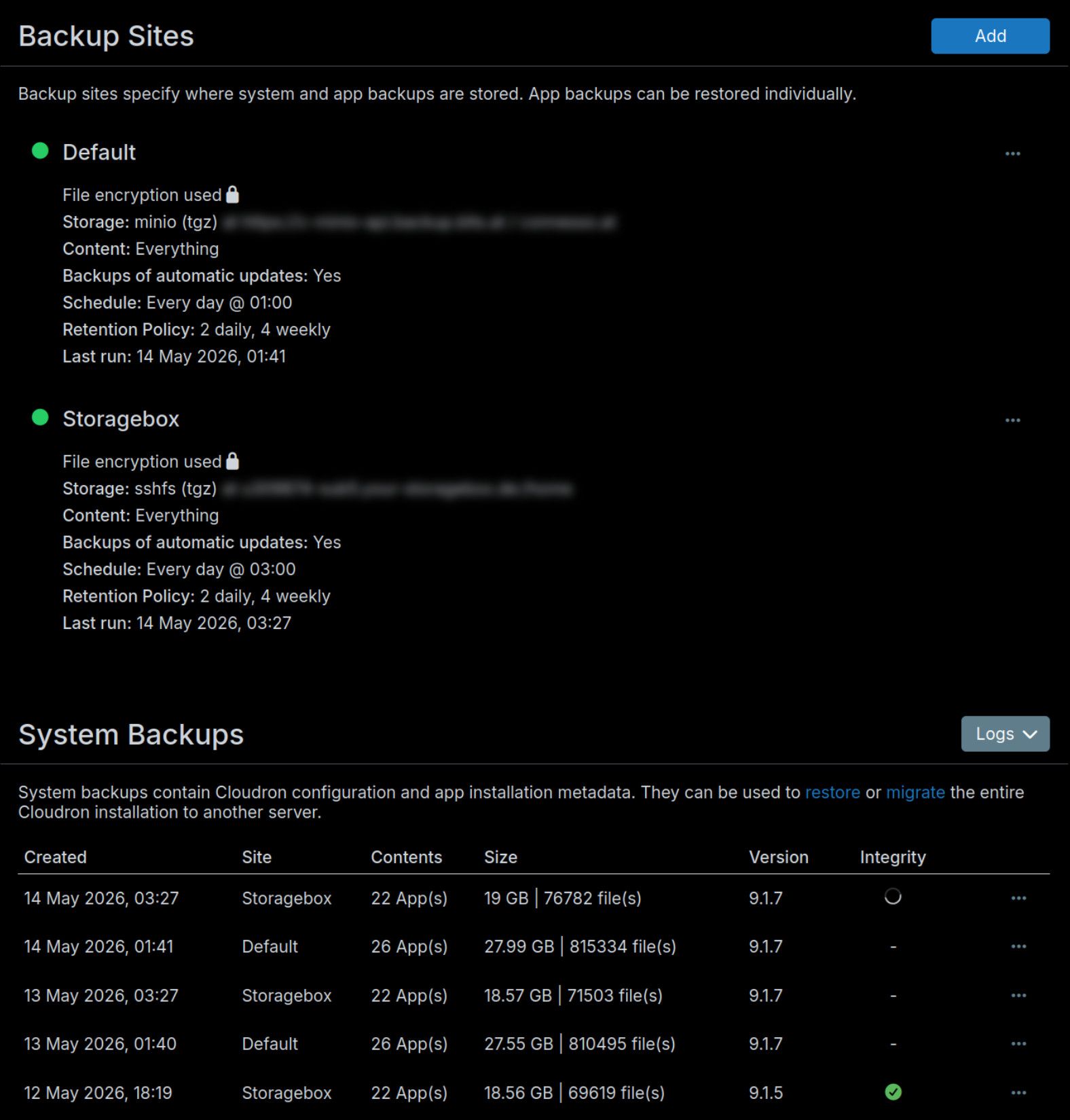
    --troubleshoot gave everything as "ok" however: root@my ~ # cloudron-support --check-db-migration /usr/bin/cloudron-support: unrecognized option '--check-db-migration' Running the start.sh fixed the backups page issue, and now the updates appear to be running (and the error is gone) thankyou!