Cloudron makes it easy to run web apps like WordPress, Nextcloud, GitLab on your server. Find out more or install now.


Skip to content
  • Update not working

    Solved Support update
    6
    0 Votes
    6 Posts
    2k Views
    girishG
    This continues in https://forum.cloudron.io/topic/9514/panic-mode-update-failed
  • Update Ubuntu

    Solved Support ubuntu update
    5
    0 Votes
    5 Posts
    2k Views
    girishG
    We can't change the doc page yet atleast until 7.5 is stable. Also, 18.04 is still supported to install pre-7.4 releases.
  • 6 Votes
    2 Posts
    827 Views
    necrevistonnezrN
    Same here in a home server situation.
  • 0 Votes
    10 Posts
    3k Views
    girishG
    @scooke I am out of ideas then. If you like, you can reach out on support@cloudron.io and we can debug further to see if we can resurrect the app.
  • Cloudron stuck "starting service, this may take a while"

    Solved Support update
    11
    0 Votes
    11 Posts
    3k Views
    C
    There was an error in the logs about some keys that resembled another post here. The recommendation was to delete two files (don't remember which ones) and after doing so, the installation went through and after that I was able to update. The issue has been resolved.
  • App Stuck in "Restarting" after upgrade 7.4.1

    Solved Support update
    6
    1 Votes
    6 Posts
    1k Views
    S
    @girish That did it. Thanks so much for the help!
  • 0 Votes
    11 Posts
    2k Views
    potemkin_aiP
    @avatar1024 hopefully now it gets a good kick What you say, @girish ?
  • Unable to complete update to v7.4.0 (Ubuntu 20.04.2 LTS)

    Solved Support update
    19
    1 Votes
    19 Posts
    6k Views
    P
    @girish Thank's
  • Redash restore failure

    Moved Solved Support update postgresql
    6
    0 Votes
    6 Posts
    2k Views
    girishG
    This was a bug in 7.4.0 and is now fixed in 7.4.1. We updated node to v18 (from v16). There was a subtle but impact change hidden... In node 16, the requestTimeout was 0. This meant unlimited time. In node 18, the requestTImeout is now 5 mins. This meant that large restores were failing if the upload didn't finish within 5 mins.
  • Update to version 7.3.6 failed

    Solved Support update
    6
    0 Votes
    6 Posts
    984 Views
    M
    @girish said in Update to version 7.3.6 failed: systemctl kill cloudron-updater This solved it ! Thank you !
  • Cloudron Update to v7.3.6 - Very Good

    Discuss cloudron update
    2
    7 Votes
    2 Posts
    654 Views
    jdaviescoatesJ
    @LoudLemur the only time I've ever had any issue with a Cloudron update the culprit was actually a bug in the linux kernel itself and not Cloudron's fault at all! It pretty much Just Works. That's why we all love it.
  • Updating from v7.1.4

    Solved Support update
    10
    1 Votes
    10 Posts
    2k Views
    Z
    @girish said in Updating from v7.1.4: @cpa We moved out of AWS a while ago. Looks like older version of Cloudron is caching the old release. To fix: Delete the file /home/yellowtent/platformdata/update/updatechecker.json systemctl restart box Now , Settings -> Check for updates and then try to update Facing the same issue here, and this resolved it for me. And now I realized that my installation was multiple versions behind (like at least half-a-year behind), despite having weekly auto-update enabled. I'm afraid there could be more people like me who didn't check and didn't know it is stuck on 7.1.4.
  • Auto-update 7.3.4 - all apps down

    Solved Support update
    4
    1
    0 Votes
    4 Posts
    901 Views
    girishG
    @timconsidine said in Auto-update 7.3.4 - all apps down: Phew, that was a scary platform update Yes, 7.3 is pretty massive since it updates docker. So, it has to bring down everything and bring it up again.
  • Cloudron update from 7.2.5 to 7.3.4 not working

    Solved Support setup grub update
    4
    0 Votes
    4 Posts
    1k Views
    M
    @girish I didn't install anything, but I might have upgraded from 18 to 20 at some point as well as @Neluser did. dpkg --configure -a resulted in dpkg: error: dpkg frontend lock is locked by another process, so I restarted the machine after all and updating worked fine. Before that I killed the dpkg process and tried to run it, which resulted in that: dpkg --configure -a Setting up grub-efi-amd64-signed (1.173.2~20.04.1+2.04-1ubuntu47.4) ... debconf: DbDriver "config": /var/cache/debconf/config.dat is locked by another process: Resource temporarily unavailable dpkg: error processing package grub-efi-amd64-signed (--configure): installed grub-efi-amd64-signed package post-installation script subprocess returned error exit status 1 dpkg: dependency problems prevent processing triggers for shim-signed: shim-signed depends on grub-efi-amd64-signed | grub-efi-arm64-signed; however: Package grub-efi-amd64-signed is not configured yet. Package grub-efi-arm64-signed is not installed. dpkg: error processing package shim-signed (--configure): dependency problems - leaving triggers unprocessed Errors were encountered while processing: grub-efi-amd64-signed shim-signed Either way, solved not in the most elegant way, but solved

  • How to cancel an update?

    Solved Support update
    5
    1
    2 Votes
    5 Posts
    1k Views
    vladimir.dV
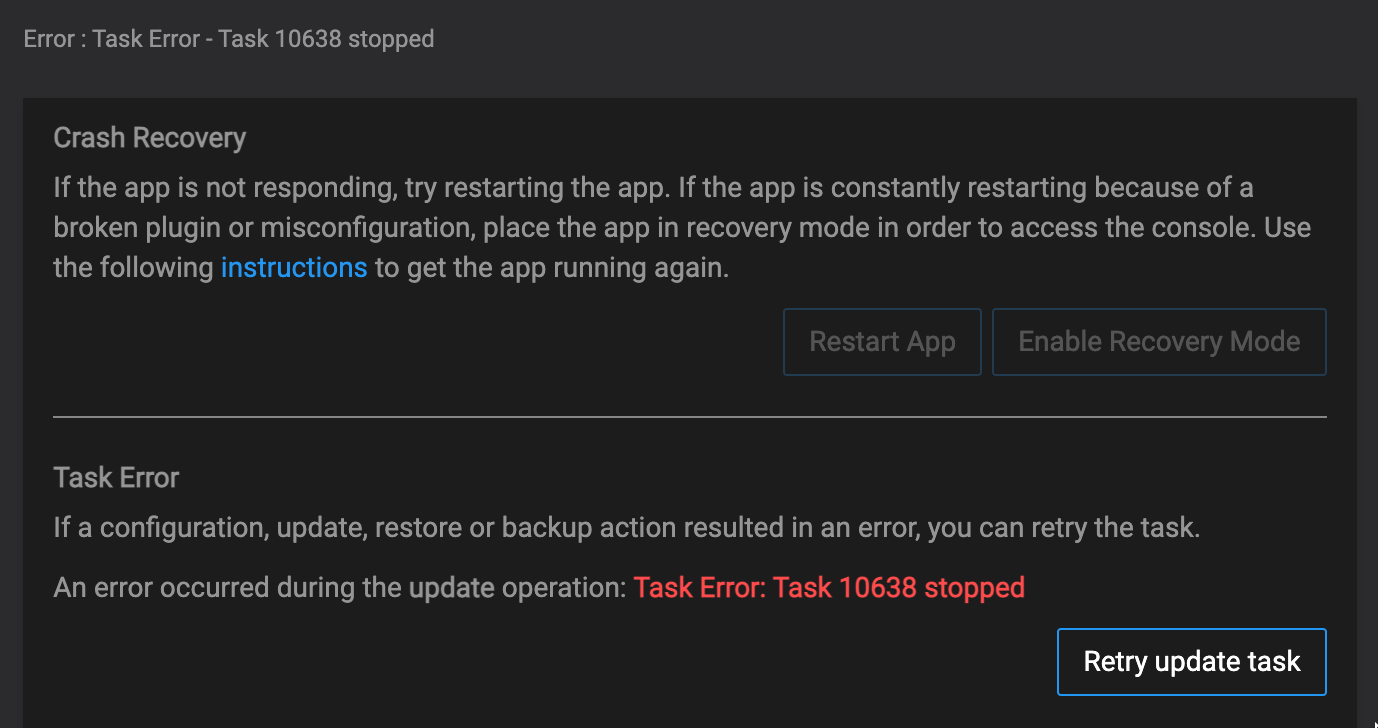
    @jdaviescoates said in How to cancel an update?: @vladimir-d said in How to cancel an update?: FTR, "Retry update task" and then "Restart App" have sorted the issue. And then revert to previous backup? @jdaviescoates It would be yes if there was a recent backup copy.
  • Updating Cloudron to a stable version

    Solved Support update migration
    4
    1 Votes
    4 Posts
    1k Views
    girishG
    @eddowding said in Updating Cloudron to a stable version: I was migrating servers when I noticed that I'm on 7.2.5, but the latest is 7.3.2. When moving to the new server, you can install it as ./cloudron-setup --version 7.2.5 . 7.3 was out last week, just ironing out some regressions. We expect to start rolling it out next week.
  • 0 Votes
    5 Posts
    2k Views
    girishG
    Also, the reason for nextcloud update is that it has some slightly tricky optimization to change ownership of files carefully. It also changes the default data directory of newer nextcloud installations.
  • 0 Votes
    7 Posts
    3k Views
    girishG
    @robi said in Best way to update from Ubuntu 18.04 to 20.04?: one can use the -y option for apt to 'assume yes' to all prompts. this doesn't work with do-release-upgrade for whatever reason.
  • Can't update to 5.2.3

    Ghost ghost update updates
    4
    1
    1 Votes
    4 Posts
    1k Views
    girishG
    @jdaviescoates Oh, it was made available to all only yesterday. So, probably takes a couple more days to actually auto-update.
  • 1 Votes
    5 Posts
    1k Views
    girishG
    As a hack, change the update schedule for every hour Related note: would be nice if we could display "the app is xx updates behind". We don't have an appstore API for this though.