I’d like to request that an email is sent to the admin if a reboot is required. As is, I’m forced to delay a restart until the next night because I’m not seeing the notification in time and that’s happening even with me being daily logged in to the dashboard (I use the dashboard icons as a way to access my apps). Thanks!
 H
H
humptydumpty
@humptydumpty
Posts
-
Send email to admin when a Reboot is required -
Premium Cloudron Account - Many Cloudrons?@LoudLemur AFAIK, you need a new premium license for each server you want to run more than two apps on. The "premium" isn't for the "account" on Cloudron.io, it's for that specific server/vps. I have no idea how to transfer the premium license from one Cloudron to another but I'm sure it's possible. The Cloudron team is working on multi-host but I haven't read anything on how that would work.
-
Saleor – A headless, GraphQL-first, open-source e-commerce platformGithub: https://github.com/mirumee/saleor
Website: https://saleor.io/
Demo: https://demo.saleor.io/Some Pros:
- Open Source
- Headless API
- PWA - Offline Browsing
- GraphQL
- Dark Mode in Dashboard
We need a good ecommerce app and this is an amazing alternative to WP/Woo.
-
What do you do?I started training in my teen years to be a bench jeweler and over a decade later in the jewelry manufacturing scene and after the advance of tech, I found myself becoming a 3D modeler. I've given up on my hammer and torch a while back. CAD and 3D printing are mostly what I do all day long now. I'm in the process of expanding into other fields as I'm using my knowledge in CAD/CAM to create all sorts of things. It turns out if you know CAD/CAM + Rendering + general knowledge in coding/tech, there's nothing you can't create and sell online. At this stage, I'm not sure what my job title is. A modeler, a creator, or a retailer? This question always makes me pause and I end up telling people, "I do computer stuff" and they assume I'm coding all day long

-
Cloudron Dashboard: App GroupingIn the Cloudron dashboard, apps are listed alphabetically based on the install URL. There are same ways to manage the group of apps but each has its limitations and the way Cloudron groups apps is by "hiding" the rest.
What I'm proposing is a different approach and it's by grouping apps into sections/categories on the dashboard instead of the "hiding" concept.
Ideally, we'll be able to group apps based on their purpose and frequency of use and be able to rearrange entire categories while keeping all apps visible on the dashboard.
There's an app request (Dashy) that might do all of what I'm proposing but I feel that this should be a native Cloudron enhancement instead. Your thoughts, anyone?
-
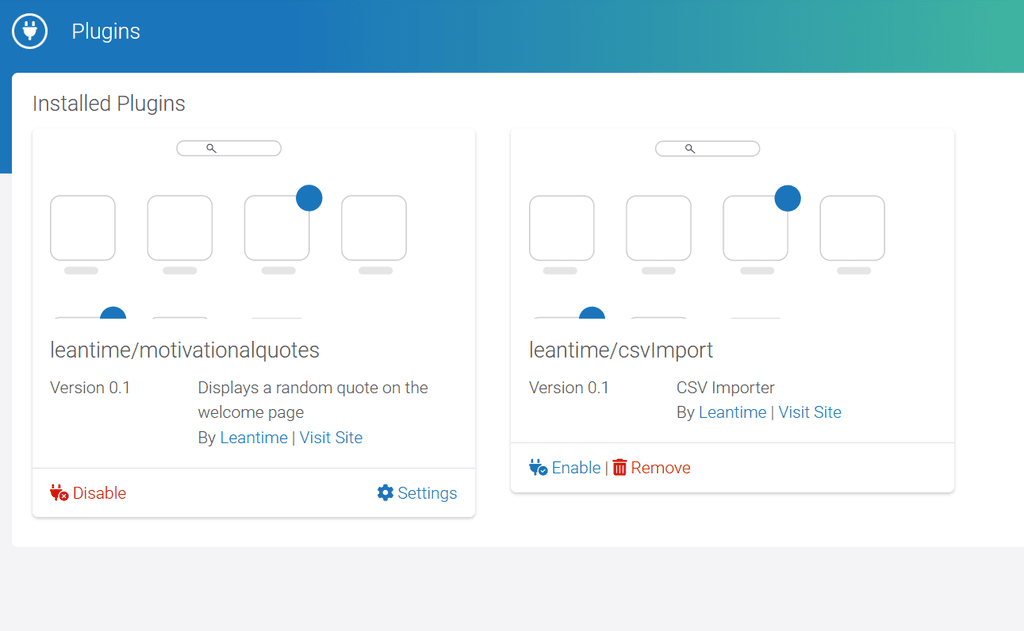
Leantime is now availableThis app is so good it has taken over as my daily organizer. I'm thinking of switching my work Kanban to it too (sorry to let you go, Wekan). I'll have to check out what those extra features might be. Currently, there are only two plugins available and I see no way for 3rd party plugins to be added in the UI.
-
AI on CloudronI was reading through localai.io github pages and it mentions this nifty tool for upscaling images (Upscayl). It converted a 640px image to 2560px and the detail improvement is insane. No more blurriness or pixelation, and it even enhances the colors to make it "pop". I used the ULTRASHARP mode. The first (default) mode in the list does the same job minus the color pop. Here are the images for comparison.
640px ring

2560px upscayle + compressed (TinyPNG; forum limits size to 4MB)

-
Custom links for dashboard@eddie it's coming in the next release (7.3) https://forum.cloudron.io/topic/6655/what-s-coming-in-7-3/28?_=1657648126897
-
Flagged as Phishing :(In Cloudron --> Vaultwarden app settings --> Security --> Robots.txt, I have "disable indexing" saved. Maybe this could help you.
-
Ubuntu 20.04: How to Extend Partition (For Noobs)I upgraded my Contabo VPS and signed up for the double NVME storage extension. Contabo did the upgrade but informed me that the disk is a manual task that I need to perform myself. I spent an hour trying to find the proper way to do that because the docs provided by Contabo are outdated. They also mentioned LVM and I wasn't sure if my VPS was using that or not (turns out that it doesn't). Anyway, here's the detailed blog post that guided me through the process.
Source: https://pocketadmin.tech/en/ubuntu-20-extend-partition/
I'm also going to list all the steps here just in case the link 404s in the future.
Our Ubuntu 20 is installed on Hyper-V. First, let’s check the size of the file system by running df -h (all commands are executed as root):
# df -h
Filesystem           Size  Used Avail Use% Mounted on
tmpfs            394M         1,4M  392M            1% /run
/dev/sda3         24G         7,4G   16G           33% /
tmpfs            2,0G            0  2,0G            0% /dev/shm
tmpfs            5,0M            0  5,0M            0% /run/lock
tmpfs            4,0M            0  4,0M            0% /sys/fs/cgroup
/dev/sda2        512M         7,8M  505M            2% /boot/efi
tmpfs            394M         144K  394M            1% /run/user/1000
Our system partition, mounted in /, is 24 GB in size.
Let’s see the output fdisk -l:
# fdisk -l
Disk /dev/sda: 25 GiB, 26843545600 bytes, 52428800 sectors
Disk model: Virtual Disk
Units: sectors of 1 * 512 = 512 bytes
Sector size (logical/physical): 512 bytes / 4096 bytes
I/O size (minimum/optimal): 4096 bytes / 4096 bytes
Disklabel type: gpt
Disk identifier: F5F02D9D-060D-422F-BA27-1981A6CA23F4

Device       Start      End  Sectors  Size Type
/dev/sda1     2048     4095     2048    1M BIOS boot
/dev/sda2     4096  1054719  1050624  513M EFI System
/dev/sda3  1054720 52426751 51372032 24.5G Linux filesystem
In this example, we have 1 disk /dev/sda with a size of 25 gigabytes, which is divided into 3 logical ones: /dev/sda1, /dev/sda2 and /dev/sda3 with the Linux filesystem type – we are interested in it.
Increasing disk size
In a virtualization environment, we increase the size of the hard disk of our virtual machine. Most likely, your virtualization system will ask you to turn off the VM first. I increased the disk to 30 gigabytes, start the machine:
#fdisk -l
Disk /dev/sda: 30 GiB, 32212254720 bytes, 62914560 sectors
Disk model: Virtual Disk
Units: sectors of 1 * 512 = 512 bytes
Sector size (logical/physical): 512 bytes / 4096 bytes
I/O size (minimum/optimal): 4096 bytes / 4096 bytes
Disklabel type: gpt
Disk identifier: F5F02D9D-060D-422F-BA27-1981A6CA23F4

Device       Start      End  Sectors  Size Type
/dev/sda1     2048     4095     2048    1M BIOS boot
/dev/sda2     4096  1054719  1050624  513M EFI System
/dev/sda3  1054720 52426751 51372032 24.5G Linux filesystem
Ubuntu 20 extend partition
Attention! Before starting work on expanding the system partition, be sure to make a backup copy of your data!After increasing the size of the disk, you need to increase the system partition itself. Let’s execute fdisk /dev/sda, where /dev/sda is the label of our disk (Disk /dev/sda):
# fdisk /dev/sda

Welcome to fdisk (util-linux 2.32.1).
Changes will remain in memory only, until you decide to write them.
Be careful before using the write command.

Command (m for help):
We enter p to look at the list of partitions:
Command (m for help): p

Disk /dev/sda: 30 GiB, 32212254720 bytes, 62914560 sectors
Disk model: Virtual Disk
Units: sectors of 1 * 512 = 512 bytes
Sector size (logical/physical): 512 bytes / 4096 bytes
I/O size (minimum/optimal): 4096 bytes / 4096 bytes
Disklabel type: gpt
Disk identifier: F5F02D9D-060D-422F-BA27-1981A6CA23F4

Device       Start      End  Sectors  Size Type
/dev/sda1     2048     4095     2048    1M BIOS boot
/dev/sda2     4096  1054719  1050624  513M EFI System
/dev/sda3  1054720 52426751 51372032 24.5G Linux filesystem
To expand a partition, you must first delete information about it. To do this, enter d and specify the partition (3 for /dev/sda3):
Command (m for help): d
Partition number (1-3, default 3): 3

Partition 3 has been deleted.
In this case, only the record about the partition is deleted, the data itself remains on the disk!
Enter n – creating a new partition
Command (m for help): nNext, we indicate the number of the partition:
Partition number (3-128, default 3):3Next, the starting and ending sectors are indicated. Be sure to check that they match the hyphenated values. This way we use all the unallocated space:
First sector (1054720-62914526, default 1054720): 1054720
Last sector, +/-sectors or +/-size{K,M,G,T,P} (1054720-62914526, default 62914526): 62914526

Created a new partition 3 of type 'Linux filesystem' and of size 29.5 GiB.
As you can see, a 29.5 gigabyte partition was created with the Linux filesystem type.
It will also ask if we want to delete the current filesystem type. We refuse:
Partition #3 contains a ext4 signature.

Do you want to remove the signature? [Y]es/[N]o: N
It remains only to save the partition table:
Command (m for help): wReboot the virtual machine:
# rebootNow we will use the resize2fs utility (for ext4) to increase the size of the filesystem:
# resize2fs /dev/sda3

resize2fs 1.45.6 (20-Mar-2020)
open: Permission denied while opening /dev/sda3
n0mit@n0mit-vm:~$ sudo resize2fs /dev/sda3
resize2fs 1.45.6 (20-Mar-2020)
Filesystem at /dev/sda3 is mounted on /; on-line resizing required
old_desc_blocks = 4, new_desc_blocks = 4
The filesystem on /dev/sda3 is now 7732475 (4k) blocks long.
Checking the result:
# df -h
Filesystem      Size  Used Avail Use% Mounted on
tmpfs           394M  1.4M  392M   1% /run
/dev/sda3        29G  7.4G   21G  27% /
tmpfs           2.0G     0  2.0G   0% /dev/shm
tmpfs           5.0M     0  5.0M   0% /run/lock
tmpfs           4.0M     0  4.0M   0% /sys/fs/cgroup
/dev/sda2       512M  7.8M  505M   2% /boot/efi
tmpfs           394M   84K  394M   1% /run/user/126
tmpfs           394M   72K  394M   1% /run/user/1000
As you can see in Ubuntu 20 extend artition is not such a difficult task.
No need to reboot the server again. If you refresh your Cloudron dashboard and go to SYSTEM INFO, you will see the new disk space!
-
New Baserow instance goes boom@doodlemania2 baserow's GUI/UI(?) is far more "professional" than noco's but the ram requirements and paywall drove me back to noco. My noco instance is running with 500mb ram limit and it hasn't crashed. We're 2 users and have +20 tables that use formulas and it hasn't crashed once. I also like the export feature (csv and xlsx) in noco.
edit: btw, there's a firefox bug in Noco where the cell data gets deleted on a page refresh. It works fine in Brave. I opened a ticket here https://github.com/nocodb/nocodb/issues/4329
-
How to change the default "admin" username to be something else?@girish Worked like a charm. Thanks Girish!
To make it easier for other noobs like myself, do the following:
Run these commands using the app's terminal in your Cloudron dashboard (one line at a time).
cd /app/data/db
sqlite3 wallos.db
UPDATE user SET username='your_new_username' WHERE username='admin';
CTRL+D
Notes: Replace
your_new_usernameabove with your chosen username. Restart the app. Now, log in using the new username and your old admin password.P.S. Use Ctrl + Shift + V for pasting in the terminal.
-
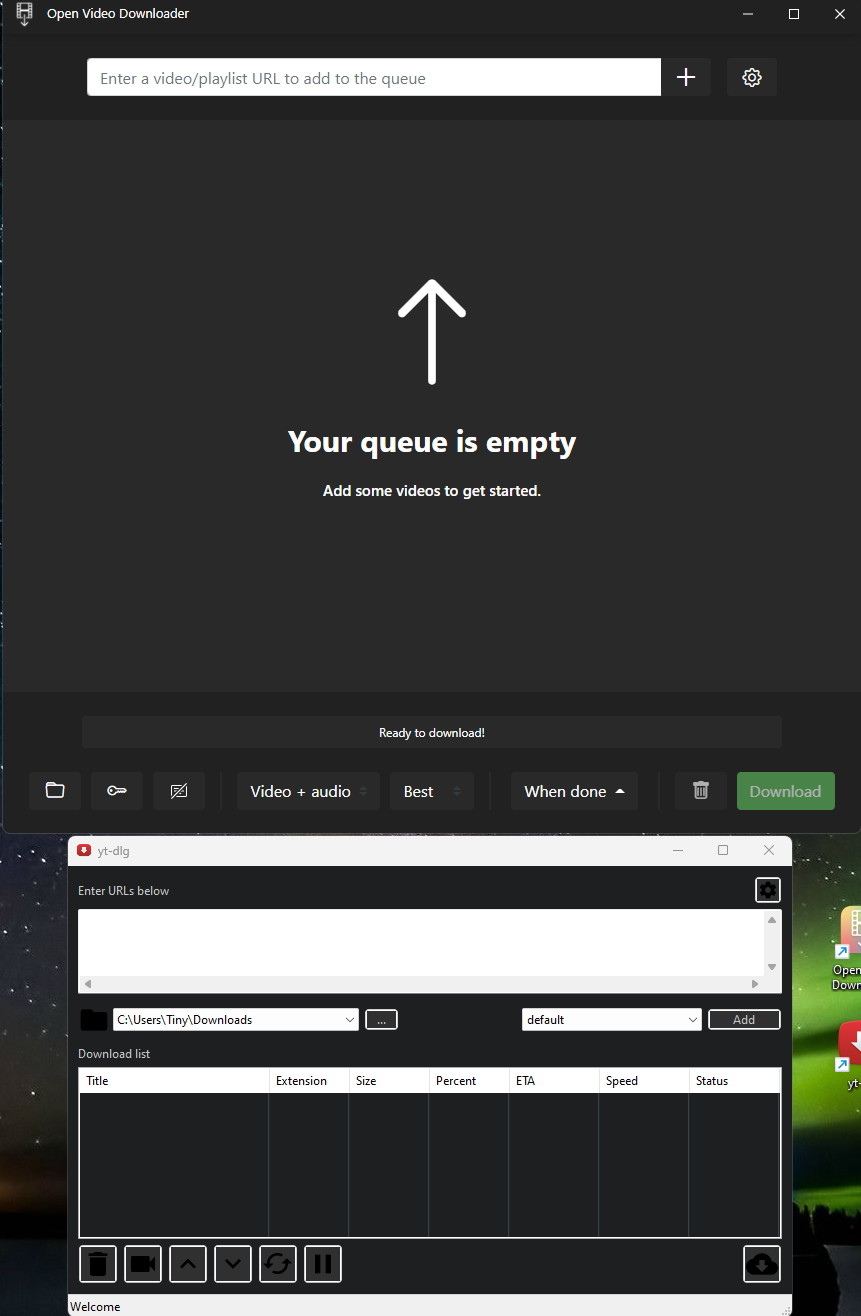
No more updates to AlltubeI downloaded the same video using AllTube, OpenVideoDownloader, and Youtube-DLG and compared the output video. The videos are identical in both size and quality so no issues there (see below for details). Both apps work great and could be an alternative to AllTube, but it looks like OVD has more useful options and works better overall. Some differences noted below:
YT-DLG
- It doesn't download the "best" resolution available. Sample video I used is 480p on YouTube. It downloaded 360p using default settings. I added more formats to the list from the settings page, but it spit out an error so "default" is the only option.
- You can specify the CLI backend to use: yt-dlp.exe or youtube-dl.exe
- You can add your own CLI backend command line options
- Dark Mode doesn't apply to input fields (they stay white)
Open Video Downloader (OVD)
- It autofills the link field when you copy the video link in your browser
- It downloads the highest resolution available by default
- Manual selection of the video's resolution works great unlike YT-DLG.
- Better looking dark mode
- Easily change output settings from the front-UI (video, audio, or both and in what resolution).
- Ability to enable/disable saving metadata
- App auto-updates
NOTE: if you encounter an FFMPEG not found error in OVD, please close the app and reopen it. It will download FFMPEG and install it properly.
-
Whitelabeling is not completeIt’s also mentioned if you visit a domain/sub that has no app installed.
You are seeing this page because the DNS record of sub.domain.com is set to this server's IP but Cloudron has no app configured for this domain. -
Why Invoice Ninja? Did I miss something?For me it's branding, quotes, data control, and more customizable features in general. Also, having web, mobile, and desktop apps are a huge plus. Today, I'm using Stripe. Tomorrow, I might use something else. I don't want to go through the hassle of importing clients, recreating products/services, etc. I pay $30 a year for IN white label and I have full control over my branding. The app is reliable, development is rapid, and support (github repo and on their forums) is responsive. No complaints.
-
Mailserver does not deliver to certain email addressesThe SNDS page/service is useless. It's good to tell if you're blocked or not and that's it. I signed up and added my server IP +8 months ago and I have yet to receive a single report from them. Anyway, I found the right page to apply for delisting if your IP is blocked: https://sender.office.com.
-
What's coming in 7.3Just want to say THANK YOU for Cloudron base image 4.0.0. Sluggish apps like InvoiceNinja load instantly now!

-
Search for alternatives - alternatives missing - please suggest yoursExcel > Noco, Baserow
Spreadsheet > Noco, BaserowBTW, shouldn't we create a public (editable) spreadsheet with all the proper tags for each app? It'll centralize all the recommendations in one place and lessen the work for the staff.
@nebulon does cloudron have a noco/baserow instance? We could use that to list all these tags.
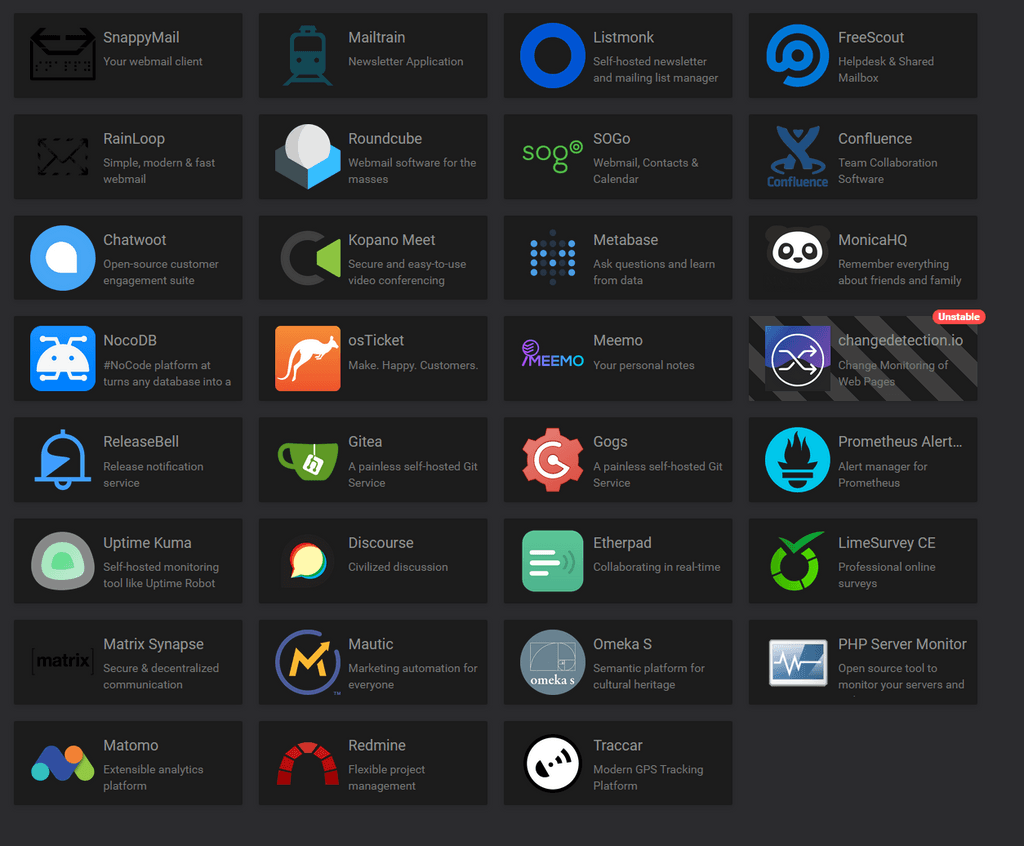
Many apps have the wrong tags. For instance, if you search for "mail", you'll get this:
-
Baserow Cloudron app - Airtable alternative@girish just want to remind you about Baserow

-
Unable to set 4 GB of service memory limits, only get 3.75 or 4.25 GB, also allows double memory than system availableFront End
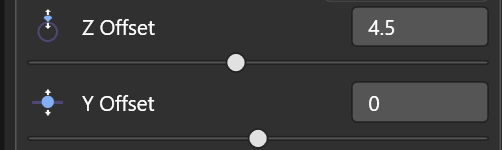
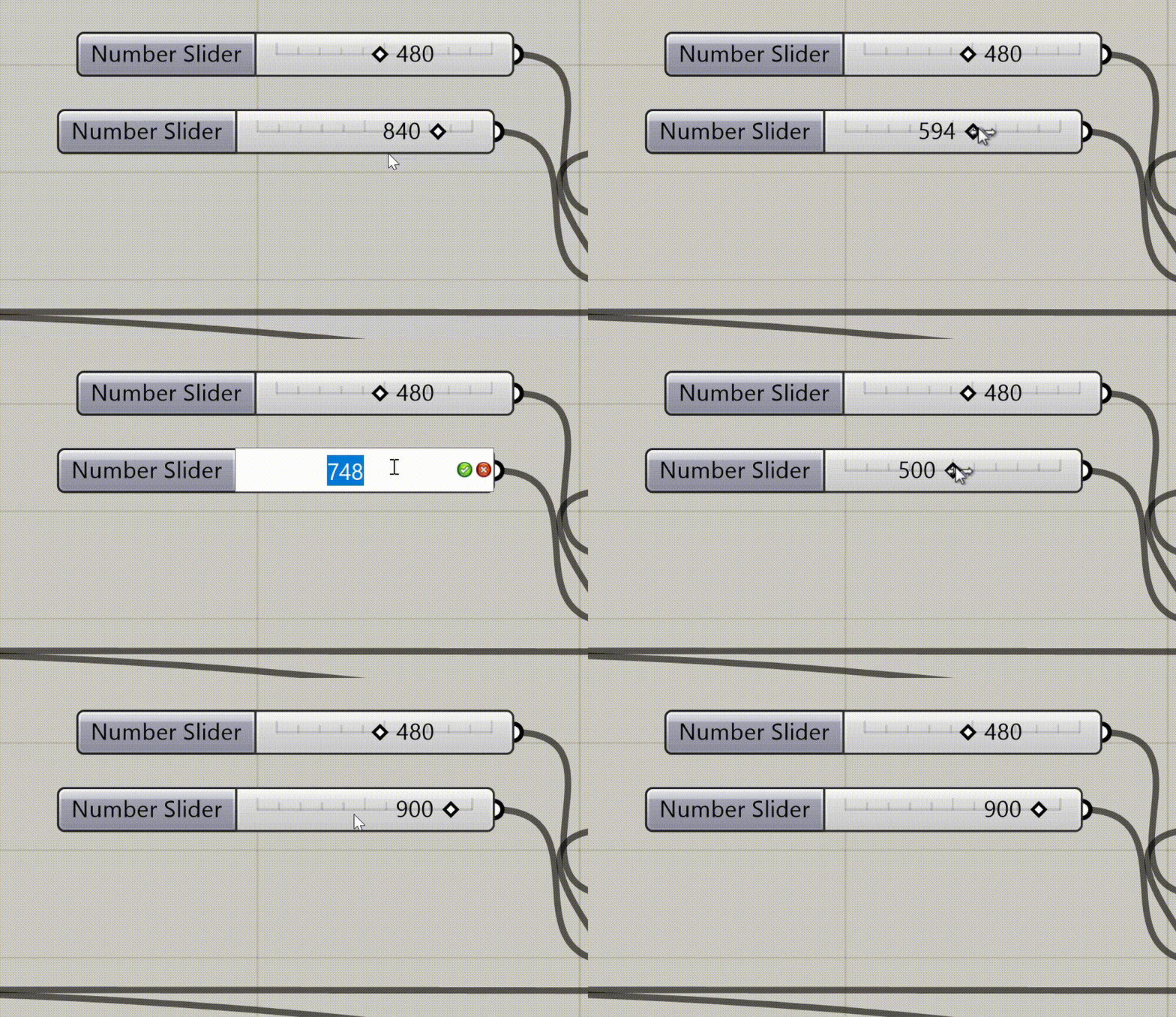
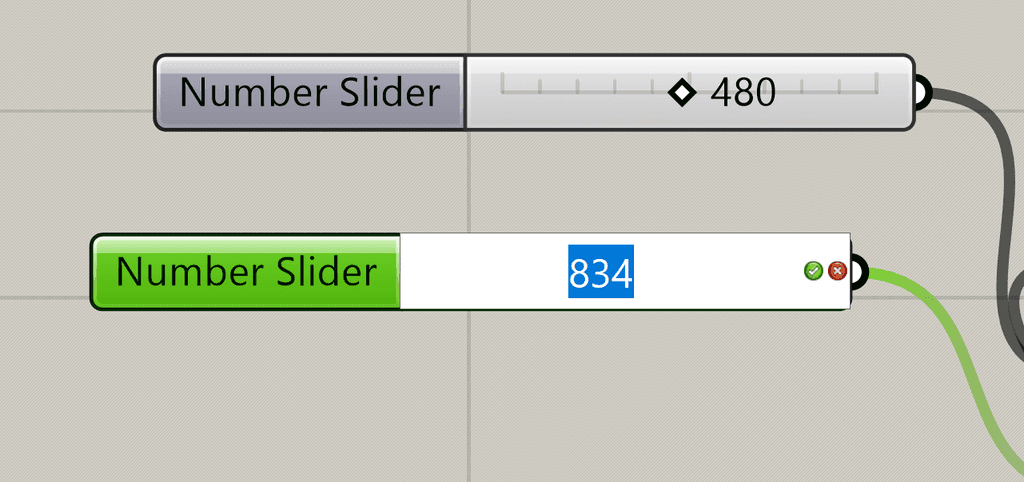
I can't upload a MP4 video (less than 1mb). Not enough permission. In the video it shows an alternative method where you can click on the slider and input a value.
Here's a screenshot showing a slider in default state and when it's clicked on.
I found an online website to conver the mp4 to gif!