Cloudron makes it easy to run web apps like WordPress, Nextcloud, GitLab on your server. Find out more or install now.


Skip to content
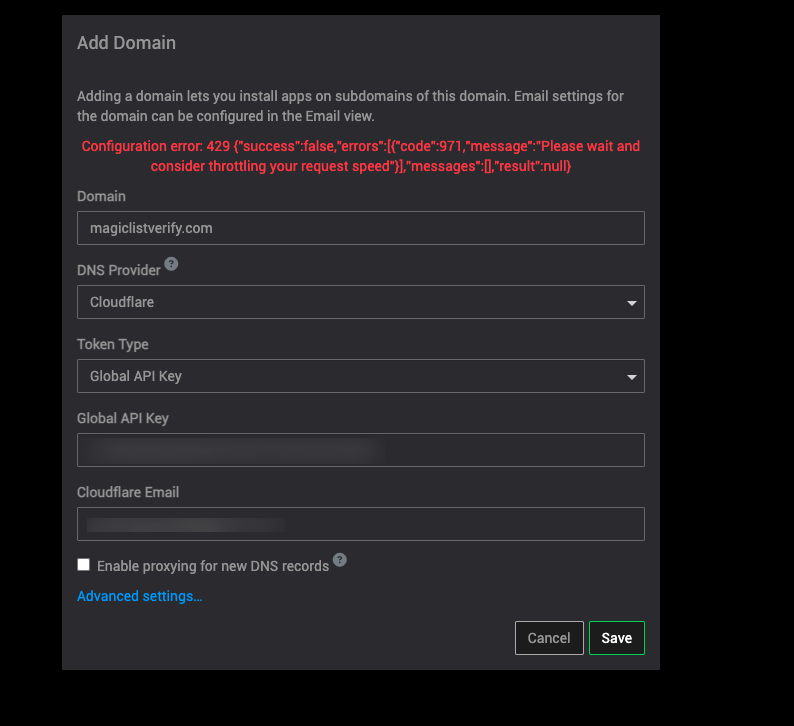
  • How to remove domain adding rate limit

    Support cloudflare domains
    3
    1
    1 Votes
    3 Posts
    534 Views
    girishG
    Are you also using the domain outside of Cloudron? I am surprised you hit any limit at all, Cloudron API usage is quite low.
  • 525 SSL handshake failed error from cloudflare

    Solved Support cloudflare ssl 525mistake
    8
    3
    0 Votes
    8 Posts
    1k Views
    P
    Thank you for your help. Website filing is to register the services provided by this server to improve network security. When I tried to use servers in other countries, it was very successful, thank you for your help, and wish you success in your work!
  • Error on Apps page, can't see WordPress installations

    Solved Support cloudflare
    5
    0 Votes
    5 Posts
    754 Views
    girishG
    @ghstandard that feature is coming in 7.5.1 which we will stage tomorrow.
  • 2nd domain mail

    Solved Support mail cloudflare
    3
    0 Votes
    3 Posts
    934 Views
    P
    ahhh, so just have to nix cloudflare altogether, thanks! confused myself because my plains.cloud is cloudflared, but mail.plains.cloud specifically is not! appreciate the clarification
  • Domain unreachable since registrar transfer

    Solved Support cloudflare
    4
    1 Votes
    4 Posts
    1k Views
    robiR
    Sometimes it's browser cache related as well, so make sure to use Shift-reload after major changes like this.
  • Too many redirects when using Cloudflare DNS proxy

    Solved Support cloudflare redirection
    5
    0 Votes
    5 Posts
    1k Views
    necrevistonnezrN
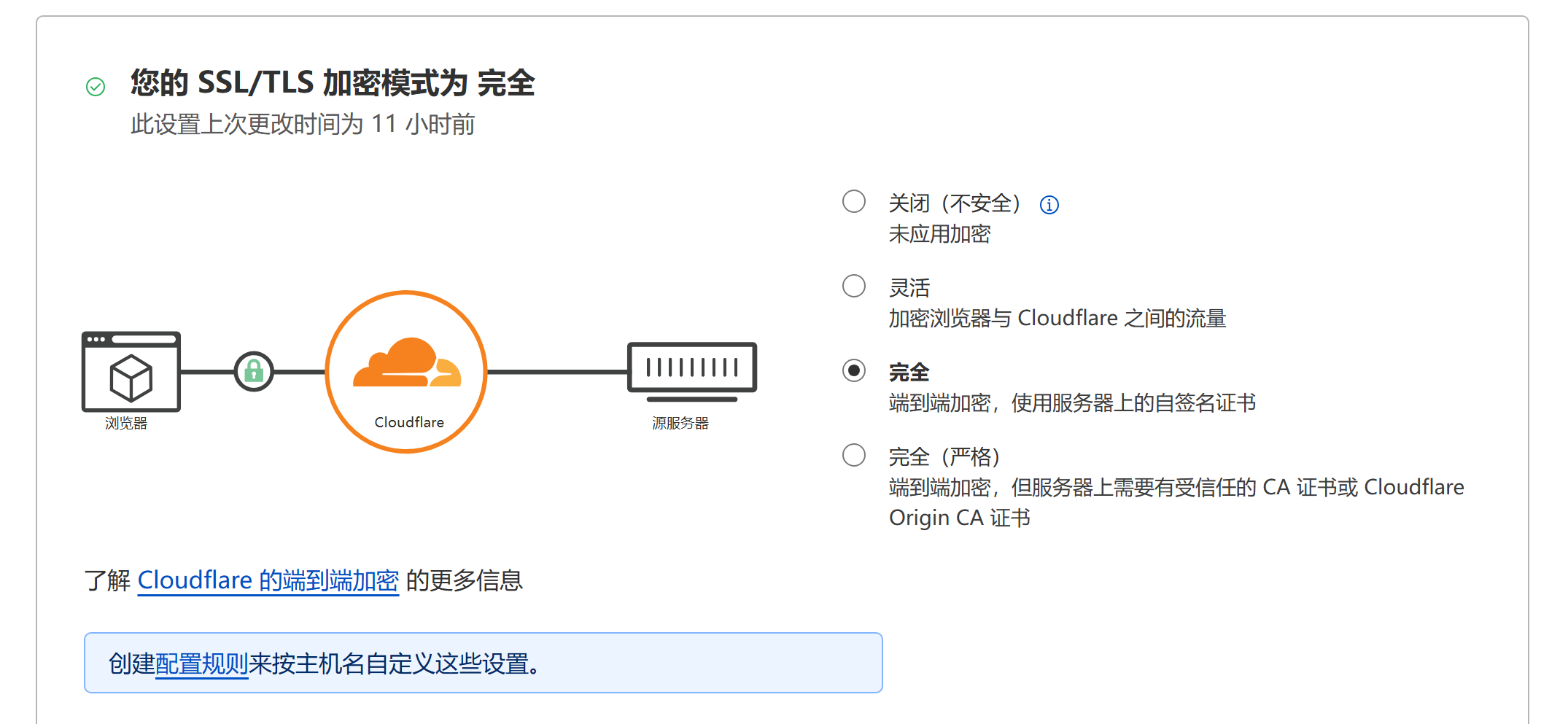
    @imc67 said in Too many redirects when using Cloudflare DNS proxy: @Grienauer said in Too many redirects when using Cloudflare DNS proxy: I also had this problem. After researching etc, the solution is to set the SSL/TSL to Kustom -> FULL. Wow! Thanks for this very valuable information because now I’m finally able to use Cloudflare’s WAF!! (Cloudron as well as NetCup doesn’t have a WAF to ie. geoblock wp-login.php or other login pages). Certainly no equivalent to WAF but we do have blocklists to geoblock: https://docs.cloudron.io/guides/community/blocklist-updates/
  • File Manager Blocked by Cloudflare

    Solved Support cloudflare filemanager
    12
    0 Votes
    12 Posts
    4k Views
    J
    Alright, I've got another update and seemed to have reworked things so this is fixed. I've removed all of the old rules and created a new one under WAF Rules using the following: (http.host eq "https://my.cloudron.tld" and ip.src eq 127.0.0.1 and http.request.uri.path contains "/filemanager/") or (http.request.uri.path contains "/api/v1/apps") Then take action: Skip Log matching requests: turned on WAF components to skip: All managed rules More components to skip: Managed rules (previous versions) Note: Edit the items in bold to reflect your Cloudron Domain and your IP Address.
  • {{ 'apps.title' | tr }} - Cannot Access Cloudron AppStore

    Solved Support cloudflare
    12
    2
    0 Votes
    12 Posts
    3k Views
    aessenA
    @girish you hit the nail on the head. that was 100% what was going on but odd that it only started doing it recently. honestly, if I could use anybody else but Cloudflare, I would. #takingsuggestions
  • 2 Votes
    8 Posts
    4k Views
    arshsahzadA
    Hi @JOduMonT, I ran Cloudron with a combination of Tailscale & Cloudflared for two weeks without a public IP at my home setup. So far, everything was working well and I didn't encounter any significant issues. Below is the process that I followed: 1# I had two servers - one for Cloudron and the second with docker and docker-compose. Tailscale was installed and configured with Tailscale IP on both servers. The automatic domain configured was disabled in Cloudron and was set manually. 2# I ran the docker-compose.yml file on the second server using the following: version: '3.8' services: tunnel: image: 'ghcr.io/shmick/docker-cloudflared' container_name: tunnel hostname: tunnel restart: unless-stopped user: 1000:1000 env_file: - $PWD/tunnel.env volumes: - /etc/timezone:/etc/timezone:ro command: tunnel run network_mode: host TUNNEL_TOKEN={TUNNEL-TOKEN} 3# I set up and configured the domain in the Cloudflared UI, and used HTTPS for the Cloudron Tailscale IP with No TLS Verify enabled.
  • LAN install? then move to cloudflared tunnel access?

    Support cloudflare
    7
    0 Votes
    7 Posts
    2k Views
    M
    @Mad_Mattho So the way I understand it, because This tunnel is initiated from my server to cloudflare, I don't have any need to open very many ports on the server, and because I am using a CNAME record to point my DNS to the tunnel ID (no publicly routable IP addresses involved anywhere) it will make no difference where in the world this machine is, or what IP address it gets its internet from, as long as it has internet and can open the tunnel to cloudflare it should just be automatically online, and with the bare minimum amount of ports open, is that correct? Sounds good.

  • DNS address could not be found

    Solved Support domains cloudflare linode dns
    2
    0 Votes
    2 Posts
    768 Views
    girishG
    @j_vmess your domain works just fine for me here. Maybe it's a browser cache issue? Have you tried another browser or after clearing the browser cache? I removed your domain from the original post, since it was showing the setup screen.
  • 0 Votes
    14 Posts
    8k Views
    benborgesB
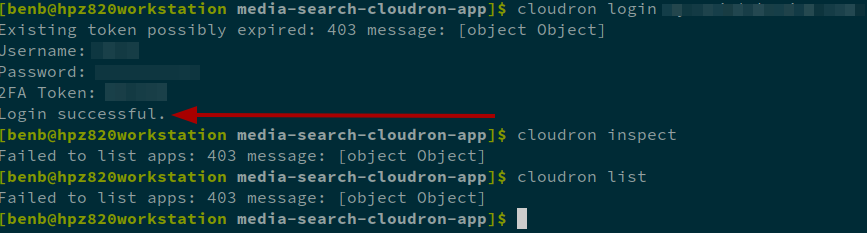
    This can be set to solved ! Cloudflare reply : [image: 1679341157587-c09bd926-0b5e-4850-8e26-b9413779a021-image-resized.png]
  • Cloudflare R2 backup fails, NoSuchKey

    Solved Support cloudflare
    5
    1 Votes
    5 Posts
    2k Views
    B
    Praise for Cloudron's backup system: This is amazing! Digital Ocean charges 30% of the cost of the droplet for daily backups. If your droplet uses Cloudron, you can just use the built in backup to R2 for free and could even have it backup multiple times per day. So cool. Amazing cloudflare is offering so much free storage with r2 as well. I guess eventuallly they may change this but Cloudflare makes integrations so easy it seems trivial to just switch things over to s3 or Backblaze if that time comes. That said, I guess I haven't had to restore from a backup before so this is more just praise for the setup ease but I have faith in Cloudron team based on care I see with the product and in this forum!
  • serious Cloudflare goof

    Solved Support cloudflare
    21
    1 Votes
    21 Posts
    8k Views
    benborgesB
    @girish Oh great, that seems good then, happy to test it when it's available !
  • Manage several domains

    Solved Support domains cloudflare
    3
    0 Votes
    3 Posts
    1k Views
    J
    @girish ok, understood
  • Cloudron post install questions

    Solved Support cloudflare install
    46
    1 Votes
    46 Posts
    11k Views
    N
    okay, i'll try it running on ubuntu using virtual machine.. .
  • 0 Votes
    15 Posts
    4k Views
    girishG
    You can read more here - https://support.cloudflare.com/hc/en-us/articles/115000219871-Troubleshooting-redirect-loop-errors-
  • Cloudflare IP logging

    Feature Requests cloudflare
    4
    0 Votes
    4 Posts
    824 Views
    girishG
    My understanding is that this will allow apps to get the real IP when behind Cloudflare. Currently, the apps get Cloudflare's IP.
  • Enormous Security Hazard

    Solved Support cloudflare
    8
    0 Votes
    8 Posts
    2k Views
    girishG
    @Refugee_Ranger said in Enormous Security Hazard: Cloudron will configure Cloudflare for DNS only By default, Cloudron configures any new app for DNS only. You have to go to the Cloudflare dashboard to enable proxying. Once you enable it in Cloudflare, Cloudron will preserve the proxying flag.
  • 0 Votes
    9 Posts
    3k Views
    robiR
    @ajtatum Congrats on the success and all the learning!