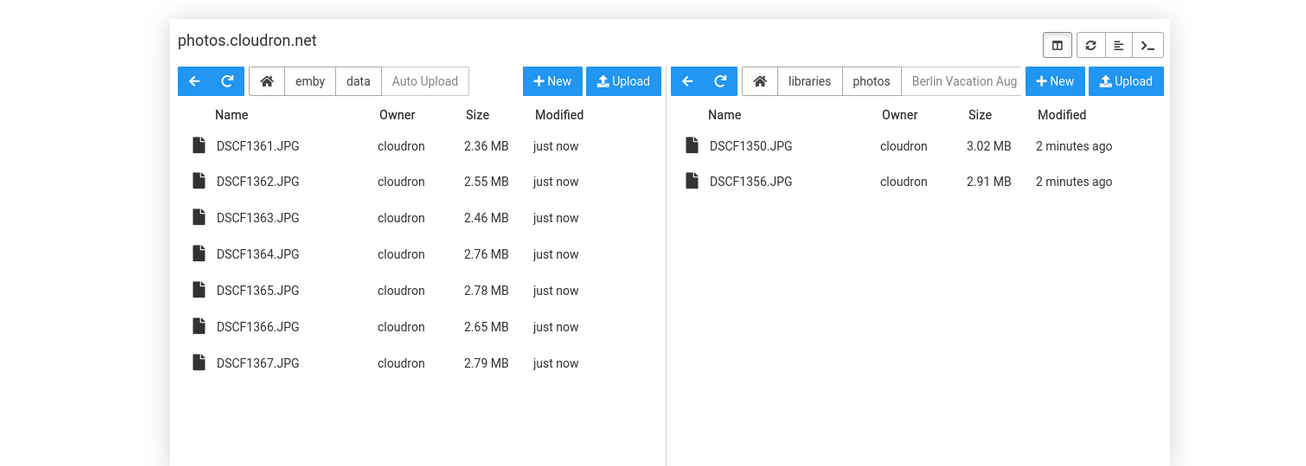
The next version has a reimplemented filemanager, as we move dashboard views very slowly to bit more modern html frameworks, and that has better browser history support.
@DeBossNow The content is based on the app. In the docs screenshot, it's an emby installaton. Where in yours it looks like it is mastodon app. What is shows is just the contents of the /app/data directory. Only the files you see above are editable. If you want to see application files (source files), you have to use the web terminal - https://docs.cloudron.io/apps/#web-terminal . Note that application files are readonly and cannot be changed.
@m3pilot not sure what's happening here, something seems totally wrong (like some mismatched node version). Are you able to contact us on support@cloudron.io to debug this further?
Alright, I've got another update and seemed to have reworked things so this is fixed. I've removed all of the old rules and created a new one under WAF Rules using the following:
(http.host eq "https://my.cloudron.tld" and ip.src eq 127.0.0.1 and http.request.uri.path contains "/filemanager/") or (http.request.uri.path contains "/api/v1/apps")
Then take action: Skip
Log matching requests: turned on
WAF components to skip: All managed rules
More components to skip: Managed rules (previous versions)
Note: Edit the items in bold to reflect your Cloudron Domain and your IP Address.
@mpeterson0418 On Cloudron, each app is run in a container and has it's own virtual file system. This way one app cannot see another and they can't tamper with each other. This has a wide range of security benefits. This is the reason File manager is inside the app setting.
This is now fixed for the next version. On upload conflict, the code will add .n to the filepath, whereas n is an increasing number until no conflict is found.
@girish so I tried more things and my initial observation cannot be reproduced anymore, so I think I might have been misguided by persistent console logs here.
Now I am not able to reproduce the double upload trigger at all anymore in chromium or firefox. @robi can you maybe explain in more detail how to reliably reproduce this? Do you have any additional extensions installed and can anyone else here see the issue?