Cloudron makes it easy to run web apps like WordPress, Nextcloud, GitLab on your server. Find out more or install now.


Skip to content
  • Did my VPS get re installed recently

    Solved Support vps server troubleshooting
    7
    1 Votes
    7 Posts
    276 Views
    C
    Ok. I will write to support. Thank you
  • Msql error all site down.

    Solved Support database troubleshooting
    12
    4
    1 Votes
    12 Posts
    497 Views
    N
    She back on line ..... remove DB and now she up this line got me 2nd time what the sic ? it just password not sic that was the old password if I recall Change the root password to password (sic) - and I had to rerun the cloudron-support --troubleshoot but she back think it was not low space but may be time to add ( sure I can scrip or even take box offline by doing a stop ) at 5% space take the system offline or pause ( sure docker can pause ) hyper v does it if see low pause ( or email @ 10 % then pause at 5% ) think it time to re billed time let see how easy it is to move to a new VM under promox look at the space had backup from 2022 in /var/backup remove that drop back down for 87% to 63% [image: 1782209664835-8f7809b8-08ed-496b-8259-0a6ebae8ba6f-image.jpeg] thanks @james and @nebulon
  • Web Gui isn't loading

    Solved Support dashboard troubleshooting
    4
    0 Votes
    4 Posts
    378 Views
    H
    @james, I got it back up. Working on getting everything updated.
  • 4 Votes
    4 Posts
    658 Views
    girishG
    Good catch. nc is not part of the base image it seems (not explicitly). I have replaced that code with bash logic.
  • 1 Votes
    5 Posts
    833 Views
    D
    @joseph Thank you. That seems to have fixed the problem.
  • Restart loop - `Bad argument `eth0'`

    VPN vpn troubleshooting ipv6
    6
    1 Votes
    6 Posts
    2k Views
    BrutalBirdieB
    IMO having a backwards compatibility is nice but to what extent? Just checking network6 var and if empty return a useful error would suffice for me.
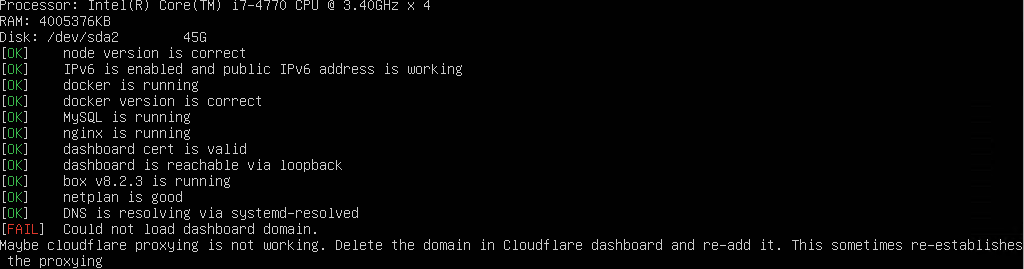
  • Could not load dashboard domain

    Solved Support cloudflare troubleshooting
    14
    1
    1 Votes
    14 Posts
    4k Views
    J
    This most likely just looks like a port forwarding issue. Are port 80 and 443 forwarded properly to your VM?
  • Service unreachable since last security update

    Solved Support troubleshooting
    9
    1 Votes
    9 Posts
    3k Views
    D
    Reinstalled from a backup. I lost a few apps but the critical one are back with all data. This post can be closed. Thank you all for fast replies.
  • Cloudron stuck in restart loop since 8.x

    Solved Support troubleshooting crash
    10
    1
    1 Votes
    10 Posts
    2k Views
    J
    @im-fabian can you reach out at support@cloudron.io ? I think we have debug further with access to the server. thanks!
  • 0 Votes
    3 Posts
    1k Views
    nebulonN
    Glad it worked in the end. Otherwise for reference please follow the instructions at https://docs.cloudron.io/troubleshooting/ to troubleshoot this.
  • I broke my cloudron

    Solved Support troubleshooting
    2
    1 Votes
    2 Posts
    853 Views
    A
    oh nevermind. I read the "you can try" instructions in the output sudo ln -sf /usr/local/node-20.18.0/bin/node /usr/bin/node sudo ln -sf /usr/local/node-20.18.0/bin/npm /usr/bin/npm sudo systemctl restart box And that seems to have gotten it going again. /phew
  • Site refusing to connect

    Solved Support troubleshooting
    13
    1 Votes
    13 Posts
    7k Views
    J
    @berryd great you sorted it out!
  • Cant login to my cloudron.

    Solved Support troubleshooting
    2
    1 Votes
    2 Posts
    418 Views
    J
    @jtippetts atleast the dashboard seems up now. Not sure why the machine shutdown itself though.
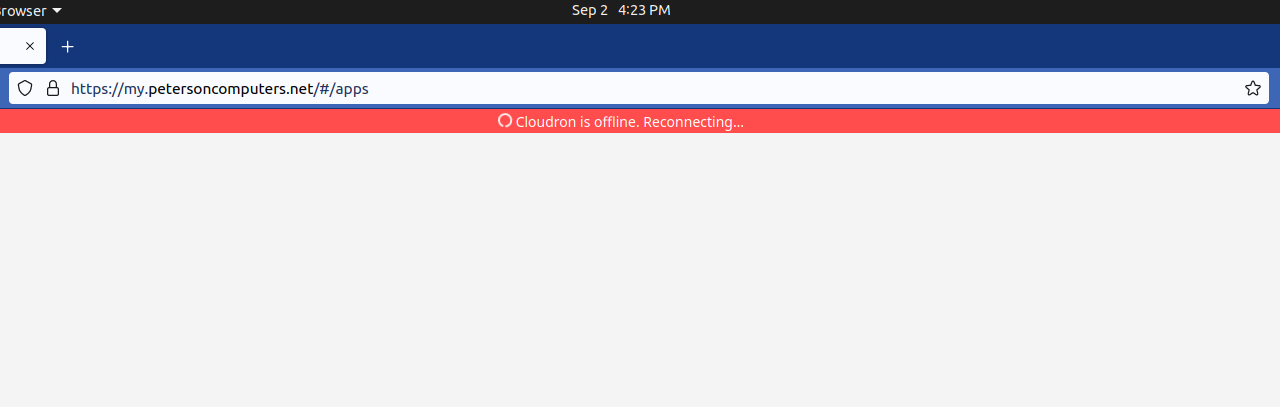
  • Cloudron dash is stuck in reconnecting loop

    Solved Support troubleshooting dashboard
    27
    1
    1 Votes
    27 Posts
    7k Views
    J
    @mpeterson0418 I found that the root file system was either corrupt or "reset" . I don't know and unable to guess what happened to the disk (maybe power outage?), but I can explain what I did to recover. I found host MySQL to be empty. The box database had tables but was empty. The fact that it had tables meant that migration scripts were run on this . Maybe /home/yellowtent/box/setup/start.sh was run at some point on an empty (i.e no tables even) database. Usually, the last well known mysql dump is located /home/yellowtent/boxdata/box/box.mysqldump . One can also find the same inside the latest backup (inside the box.tar.gz) . To "restore", mysql -uroot -ppassword < /home/yellowtent/boxdata/box/box.mysqldump Then I found, docker won't start. In Cloudron, containers are throw away infrastructure since data is stored outside the containers. I tried cloudron-support --recreate-docker but this did not work. On investigating further, it seems /var/lib/containerd was also corrupt . Corrupt here means no docker commands work. So, I removed that directory as well. After that, cloudron-support --recreate-docker worked. The best way to migrate in Cloudron is not to do the above but instead just restore from backups. See https://docs.cloudron.io/backups/#move-cloudron-to-another-server .

  • 1 Votes
    18 Posts
    2k Views
    coniunctioC
    @joseph Thank you and yes, did all those, and was in communication with tech support. The issue is actually mysteriously resolved and I'm just trying to figure out what happened so I can share that in this thread and hopefully avoid repeating this issue in the future.
  • Port opening question

    Solved Support troubleshooting port
    3
    1 Votes
    3 Posts
    2k Views
    A
    you can check it your self with GRC shields up https://www.grc.com/x/ne.dll?bh0bkyd2
  • mysql won't start upon cloudron upgrade

    Solved Support docker troubleshooting
    7
    1 Votes
    7 Posts
    4k Views
    8
    Thank you @girish , this worked. For those coming through in the future note that cloudron-support may ask you to reboot and run again, keep an eye out for it.
  • Can uninstall or install apps. Can't upload files

    Solved Support cloudflare troubleshooting
    11
    1 Votes
    11 Posts
    4k Views
    V
    I didn't uncover the cause, but I believe it was related to the VM running out of disk space. I wound up reinstalling. I let a large upload job run unattended and wound up completely filling the drive on the VM running Cloudron. I then cleared about 100 GB, rebooted for good measure, resized the partition using parted, expanded the filesystem, rebooted again, and let it run normally for a few days. That's when I noticed I couldn't install any new apps. I suspect that either the partition / filesystem resize or the disk being full broke something internally. In hindsight I wish I had taken the time to dig into the logs a little more and see what was happening. But this is likely a direct result of my unusual environment fault.
  • 1 Votes
    10 Posts
    4k Views
    osoboO
    @girish Yes Everything is back to normal. Thanks a lot !!!
  • MongoDB does not start

    Solved Support services troubleshooting
    12
    1 Votes
    12 Posts
    5k Views
    J
    Thank you very much @girish, you rock!