@girish Cool, thank you kindly. It's just for incoming mail to those addresses for the time being, but I may add auto-responders from them as well at some point.
For interest, I'm setting up all sorts of automations in EspoCRM, so tasks@domain.com will create a Task record and auto-reply to confirm it's been created. Doing similar for other data objects to.
@girish I think that would be a good change.
I also think I should have gone through the Troubleshooting document sooner :
https://docs.cloudron.io/troubleshooting/
Thanks!
@d19dotca Sadly, they do match. I'm guessing it's something with my current setup that's acting funny. I'll ignore it for now since I plan on migrating either to the new Contabo server that I got or upgrading my current one at DO to Ubuntu 20.04. I just thought it was a wrong setting on my part.
Thank you for looking into this and for sharing the custom spam rules! I know you've put a lot of time into that
[image: 1620396102638-2443c4d7-ec13-4149-add3-28e1e7ad48ed-image.png]
@mastadamus right, the spamlists won't work if those lookups get blocked. Currently, if the lookups fail, the mail server will simply go ahead and try to detect spam via spamassassin. It's just one of the metrics for spam detection. I guess it's fine if it's working OK for you without it .
Ok, I solved it. I had to delete all my DNS settings that previously existed and then reset them. Once I did this within milliseconds Cloudron started working.
Whew, I was sweating bullets there for a minute.
@d19dotca Yes, I think you're right, thank you.
I need to look into that.
Or move some long term storage files ("archive") into Minio.
That might just be moving the problem, but dividing the problem might be a partial solution.
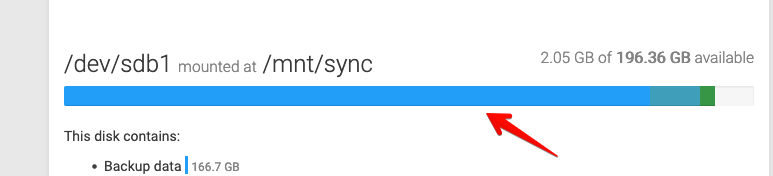
@nebulon Yes before rebooting I tried to umount-remount but it seems it has been impossible due to an error... So I decided to restart.
About auto-remounting it will be an amazing feature
@derin If email works, you can just click Reset password in the login page and you will get an email with the reset link. If email is wrong or does not work, you can SSH into the server and run cloudron-support --admin-login. This will give you a one time use password (will also print the username to use). You can then go to Profile and change the password. Note that you have to run the command again to get a new password when changing the password.
@garyhost did you get this sorted out ? I guess the box code is/was down. You can figure using systemctl status box. And if it is indeed down, please check /home/yellowtent/platformdata/logs/box.log. You can also check if you have enough disk space because this is a common source of the box code being down.
@rmdes yes, I am not sure why. It doesn't happen in any of our demo servers or managed services. Quite strange. It could also be that maybe others have hit it but have not noticed it (since it only causes a CPU spike..) but clearly it's a bug since it's been fixed upstream.
@rlp10 there is no clear cut between which backup target is preferred. We try to cover a few options to cover a range or use-cases, but all should work.
If you own the backup machine, I would anyways not advise to encrypt backups. Unencrypted files on trusted storage is a lot easier to restore if worst case trouble hits
I figured it out.
Git's inline help, upon not knowing who you are, makes the suggestions:
git config --global user.email <email>
git config --global user.name <name>
Cloudron's problem is "--global". It has no problem with setting the user.name and user.email for a particular /app.
So this solved my problem:
git config user.email <email>
git config user.name <name>
of course substituting my email address for "<email>" and my name for "<name>".