Hi @Thedurancode,
the way apps are designed on Cloudron it is not possible to change any of the actual application code (and therefore you get the file permission errors). Instead you will either need to wait until Nextcloud 26 is generally available (you can check this post to check for the latest release) or you would need to fork the app code and perform the update there. The latter is easy to do if you are familar with Cloudron app development, but not really recommended for beginners (ihmo).
@roofboard said in Chat woot cannot uninstall after breaking the backup system.:
Mar 30 20:19:30 box:services Backing up postgresql
Mar 30 20:29:30 box:services pipeRequestToFile: timeout - connect or post-connect idle timeout
It seems somehow postgresql was not having a happy time. Maybe give it a bit more memory (Services -> PostgreSQL -> increase memory limit). The reboot probably just freed up some memory.
Also, in Cloudron 7.3.x, all the addons/services are still using the old base image (3.2.0) but the apps have all been updated now to use the new base image (4.0.0) . In 7.4, all the addon docker images are updated to 4.0.0. You will see some space savings after the update.
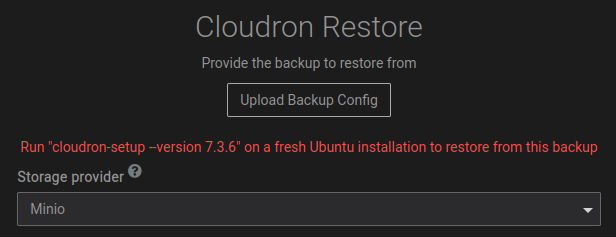
@p44 This is a bug in the current release, which is already fixed. To workaround, put the backup somewhere in the filesystem and import using the Filesystem provider.
@hovinen Ah yes! docker returns 404 it seems when it doesn't have enough disk space to store images. I remember this (again) now. Unfortunately, the API has no way of detecting this.
@SignalScout On the server, please try host -t NS example.com 127.0.0.1 . Does that work? Sometimes, it takes a bit for the NS of a new domain to propagate. One just has to wait it out.
@girish
The resolv.conf has nameserver set to 8.8.8.8 and 8.8.4.4.
I did notice that when I ran the script it would overwrite dns and set to 127.0.0.1.
I edited the /etc/resolvconf/resolv.conf.d/head file and permanently added nameserver 8.8.8.8 and 8.8.4.4
Ran the install and successfully installed.
Thank you for your assistance!
@TomsFreitas an idea is to then check cloudron server logs.
LDAP logs are suppressed by default. For this:
Edit /etc/systemd/system/box.service
Find the Environment= line. Change "DEBUG=box:*,connect-lastmile,-box:ldap" to "DEBUG=box:*,connect-lastmile"
systemctl daemon-reload
systemctl restart box
Now, maybe something appears in /home/yellowtent/platformdata/logs/box.log .
Sorry to resurrect an old thread. Was recently struggling with migrating (using imapsync) an Office365 account, and it seems to do with Microsoft deprecating Basic Auth method for authentication so there's a whole set of hoops to run through to publish an application in Microsft Azure and get an OAuth access token and what-not to use in the imapsync. It's an over-complicated process.
The workaround I chose since it was thankfully only one mailbox was to setup my local Apple Mail.app with the Exchange account, and waited for everything to download locally. I then used it to export the the mailbox folders which it only does in mbox format. This is where our use-cases align I believe as I was wondering how to import this since Cloudron's mail server uses maildir instead of mbox.
I then learned that Roundcube imports mbox data directly, so simply imported through the app interface and it worked well. Just thought I'd add this as an alternative solution for anyone who comes across this in the future. Turns out Microsoft made the whole imapsync process nearly impossible to use due to their deprecation of Basic Auth just recently in October 2022.