Cloudron makes it easy to run web apps like WordPress, Nextcloud, GitLab on your server. Find out more or install now.


Skip to content

Support

3.6k Topics 25.9k Posts

Get help for your Cloudron

  • FAQ: ping6 -q -c 1 api.cloudron.io isn't returning an IP address.

    Solved ipv6 networking
    5
    1 Votes
    5 Posts
    686 Views
    luckowL
    Looks like there was a temporary issue with Hetzner routing. It's fixed now.
  • 1 Votes
    5 Posts
    639 Views
    SansGuidonS
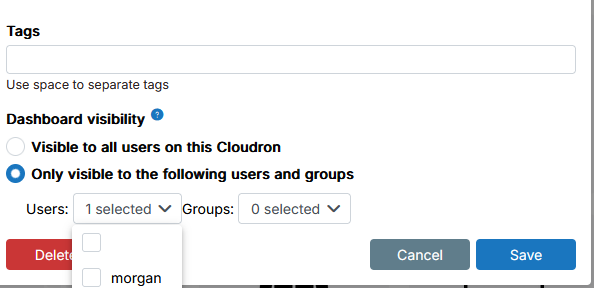
    @james said in Bug in user selection UX and dashboard visibility setting in external link configuration: Hello @sansguidon I have looked into the issue and fixed it. Will be part of the next Cloudron release. Thanks @james
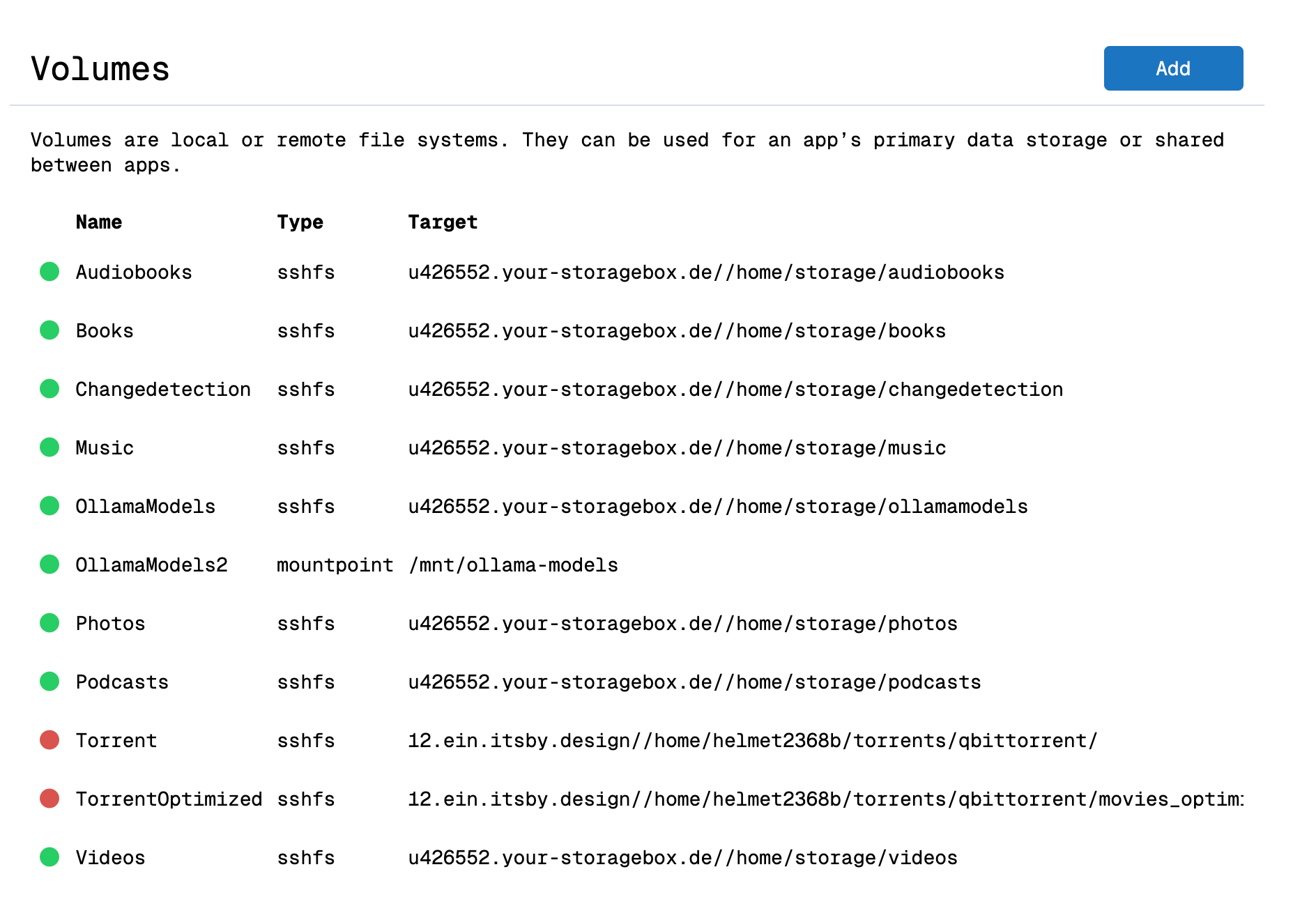
  • Volumes page does not show the volumes settings (file manager)

    Solved volumes dashboard
    3
    1
    2 Votes
    3 Posts
    400 Views
    SansGuidonS
    Thanks @james
  • App restore not successful

    Solved backup restore storagebox disk space sshfs
    5
    1 Votes
    5 Posts
    724 Views
    J
    @tecbox thanks for the update!
  • Disk Usage calculation stuck

    Solved disk usage
    8
    1 Votes
    8 Posts
    973 Views
    mmolivierM
    Hi @girish sorry for the delay. I think -D does not necessarily impact performance, my test after removing -D was much quicker but after adding it again it was just as quick. Seems like there's some kind of filesystem caching. Maybe at some point I could analyse the differences but I suspect changing this doesn't impact performance so much. The part that does impact performance a lot is the -x flag, but as far as I've seen, that will only prevent iteration on the remote (s3fs) filesystem if du is initiated on the parent dir, e.g. /mnt and not on the mount itself /mnt/s3fs. Would be a lifesaver if you could add this, but understandable if it cannot be done. If it cannot be done, a workaround to exclude certain volumes from disk usage calculation would be fine too. Or maybe you could add an option to the Disk Usage UI: Offer an option to include/exclude certain volumes before actually executing calculation
  • 1 Votes
    2 Posts
    321 Views
    J
    @jdaviescoates yes, there was a sshfs backup bug and I think 9.0.14 and 9.0.15 had fixed for exactly this. Unfortunately, Cloudron has no way to "force update" a bugged release.
  • Hetzner-Cloud-Api: Zone not found

    Solved dns hetzner
    5
    2 Votes
    5 Posts
    850 Views
    nebulonN
    actually after looking closer in the code, the RRSet record api should also work as ich even for more records. It only would hit an issue, if one record has more than 25 values.
  • 1 Votes
    7 Posts
    2k Views
    I
    Hi @joseph . Thanks! Yes, the issue was with the encryption password. I successfully created a new app from the backup. However, one question remains: how can I restore a backup to NocoDB without recreating the app? The original restore (to the existing app) kept failing with the role already exists PostgreSQL error. Could this be related to memory limits? I checked and there seemed to be enough memory available everywhere. For context: my NocoDB has many records plus connections to external databases.
  • Backup Crash

    Solved backup scaleway object storage
    5
    0 Votes
    5 Posts
    711 Views
    sebastienserreS
    Thank you @james Increasing the part size has fixed the issue.
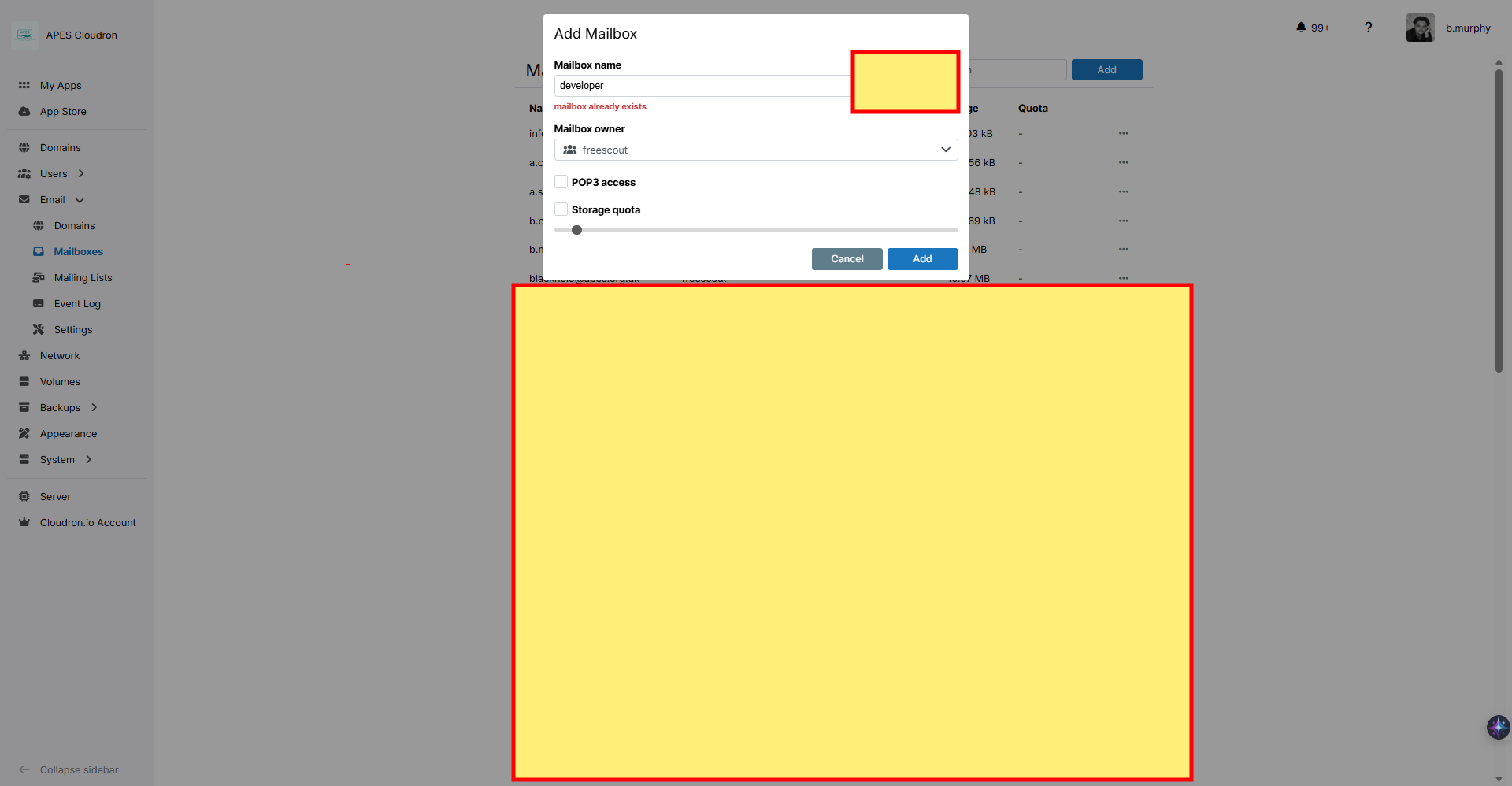
  • Trying to add a mailbox but says it already exsists

    Solved
    11
    2
    1 Votes
    11 Posts
    1k Views
    apesorgukA
    Thanks for you help
  • ERR_TLS_CERT_ALTNAME_INVALID again?

    Solved mail
    7
    1 Votes
    7 Posts
    881 Views
    girishG
    Right, the haraka log can be ignored. I think the IP and cert name don't match and thus the warning. It's not a problem since such mails don't leave the server.
  • App Proxy http and https pass thru

    Solved app proxy
    12
    1 Votes
    12 Posts
    1k Views
    N
    I have this running too I thanks I have ork this out will update this post so if someone need to do it but thanks for the help sure I got it now I have found he keys ssl_certificate /home/yellowtent/platformdata/nginx/cert/_.XXXXX.cert; ssl_certificate_key /home/yellowtent/platformdata/nginx/cert/_.XX.key; just need to make a scp for on changes and to send a copy to the 2nd server..... Nozy
  • 2 Votes
    9 Posts
    1k Views
    dev-cbD
    Created an issue. https://github.com/haraka/Haraka/issues/3516
  • 2 Votes
    4 Posts
    770 Views
    girishG
    @dleidert thanks for reporting. I have added a check now to check for package name match instead of the previous docker version match. This way the docker package will update when (the next) cloudon update happens.
  • 0 Votes
    4 Posts
    841 Views
    jamesJ
    Hello @estudios507 Thank you for the detailed report. I will try to assist you to my best capabilities. @estudios507 said in Cloudron rejects iCloud forwarding only when “Delete after forwarding” is enabled (SMTP 550 on MAIL FROM): Identify which Cloudron restriction/policy is triggering “Mail from domain ‘X’ is not allowed from your host” in this scenario. Regarding why this is happening. When iCloud forwards messages in delete mode, iCloud uses the original sender’s MAIL FROM (envelope-from) unchanged instead of rewriting it. If that original sender domain is hosted on the same Cloudron server, Cloudron sees an external connection (from iCloud’s outbound IP) claiming to send mail from its own domain. Cloudron treats that as spoofing and rejects it. @estudios507 said in Cloudron rejects iCloud forwarding only when “Delete after forwarding” is enabled (SMTP 550 on MAIL FROM): Confirm whether there is a supported and safe way in Cloudron to allow this specific flow (forwarding from iCloud with delete enabled) without broadly weakening anti-spoofing protections. There is also another topic regarding this issue with iCloud, see: https://forum.cloudron.io/topic/1998/mail-error-after-sending-message-mail-from-domain-example-com-is-not-allowed-from-your-host A fix is to add the iCloud servers to the domain A's SPF record. Your current SPF record is: dig TXT estudios507.com +short "v=spf1 a:mail.estudios507.com include:_spf.safewebservices.com ~all" You can edit that to include apple: "v=spf1 a:mail.estudios507.com include:_spf.safewebservices.com include:_spf.apple.com ~all" after that edit it can take some time to propagate, but this should resolve your issue.
  • 0 Votes
    20 Posts
    3k Views
    girishG
    There was a bug in Cloudron when backing up directories where the contents keep changing very quickly. This is fixed in https://git.cloudron.io/platform/box/-/commit/42cefd56eb9f89cfb6c7e35d6410dd5b7dbfa45d . Other than the above, the slowness is because of the usage of a cache plugin and this cache plugin's data is being backed up. Since it keeps changing all the time, there is a lot of stuff to clean up and reupload each time. A solution is to configure the cache plugin to use /run/xx path instead of /app/data . This should make things considerably faster.
  • GitLab upgrade path on Cloudron (17.4.2 → latest)

    Solved updates
    3
    1 Votes
    3 Posts
    482 Views
    jdaviescoatesJ
    Also, to speed up your auto updates you could change your auto updates to every hour and then just wait a couple of days for it to get through them all
  • side effects Cloudron v 9.0.16 - app.immich.cloudronapp@1.95.1

    Solved postgresql
    7
    2 Votes
    7 Posts
    947 Views
    luckowL
    @girish Running. Problem solved.
  • cloning issues with Cloudflare R2

    Solved cloudflare r2 backup clone
    9
    1
    0 Votes
    9 Posts
    1k Views
    osoboO
    Thank you @james I could not get it to work. After several attempts, I ultimately deleted the backup files and started with a new configuration. As advised, I also set the retention period to "unlimited" (it was previously set to two days). Everything is working well now, and I was able to back up and clone the app without any issues. Thanks again, and keep up the good work!
  • Cloudron 9.0.15 - App Archive empty in backup

    Solved backups archive
    3
    1 Votes
    3 Posts
    475 Views
    jamesJ
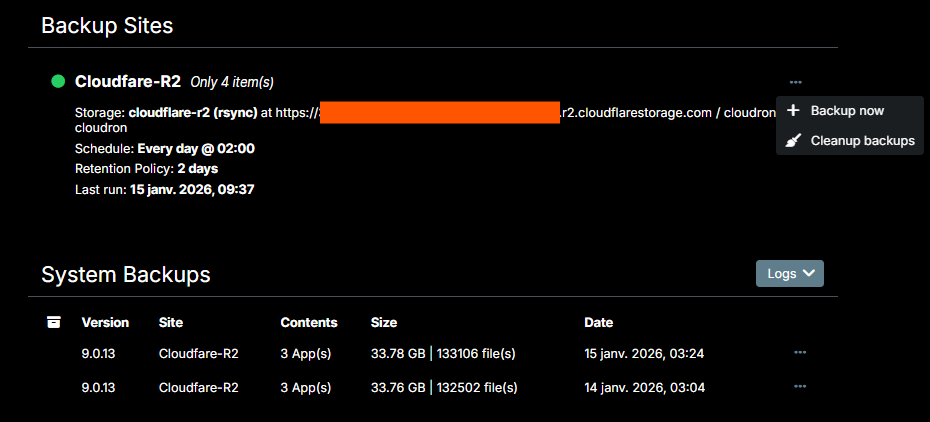
    Hello @sebastienserre App Archives are not the same as backups. App Archives is when you go to an app, to the uninstallation section and archive the app. This uninstalls the app but keeps the latest backup as an archive so it can be restored. This archive is stored and kept outside the backup retention policy. See https://docs.cloudron.io/apps#archive [image: 1768426785759-3ca46733-ecad-4ae3-8980-65d96397645c-image-resized.png] [image: 1768426835825-f592674b-3485-4155-b11d-048fd845ac60-image-resized.png] Your system backups are viewable under Backups> Sites.